
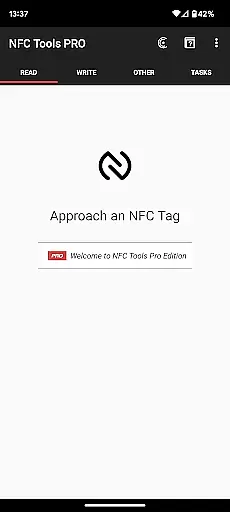
NFC Tools - Pro Edition is a powerful application designed to unlock the full potential of NFC technology. This tool allows users to read, write, and program tasks on NFC tags and compatible chips through an intuitive interface. It offers unlimited access to all available tasks within NFC Tools, enabling users to create imaginative routines without restrictions.
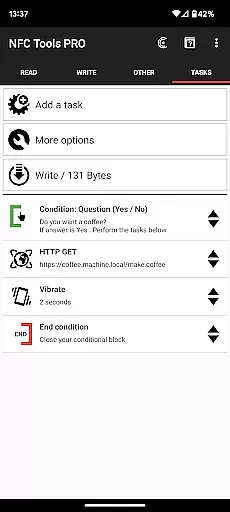
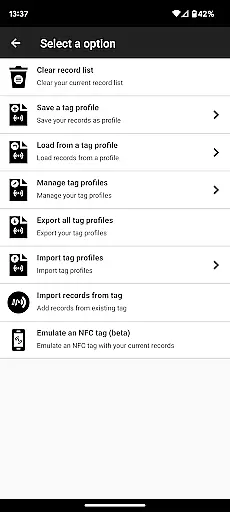
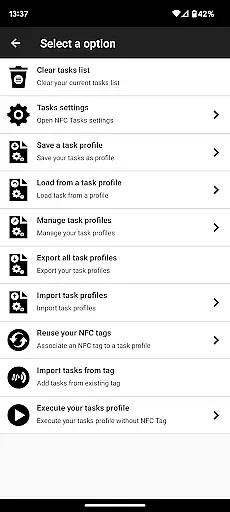
With exclusive features such as profile management, importing from existing NFC tags, executing tasks without physical tags, emulating NFC tags, and conditional blocks for complex actions, this app stands out in its category. Whether you're automating daily tasks or creating interactive experiences, NFC Tools - Pro Edition provides the tools necessary to bring your ideas to life.
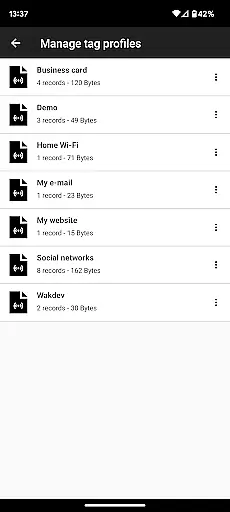
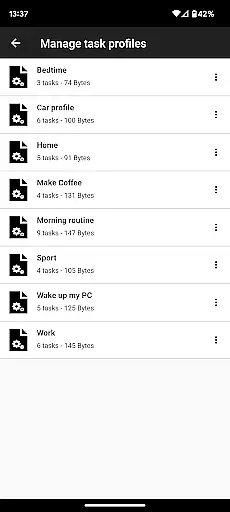
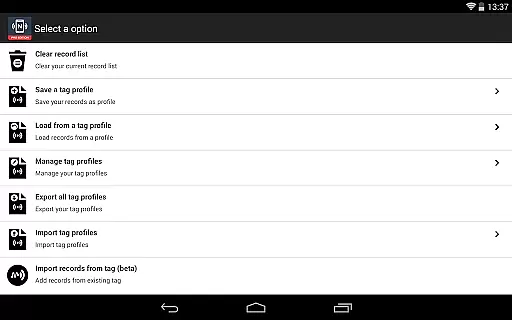
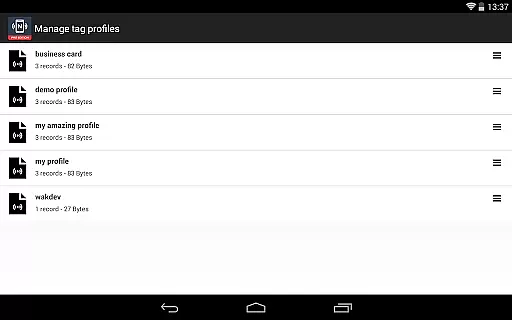
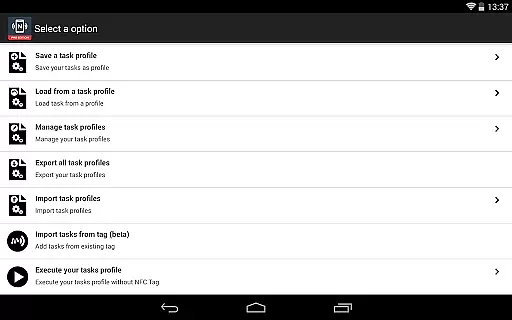
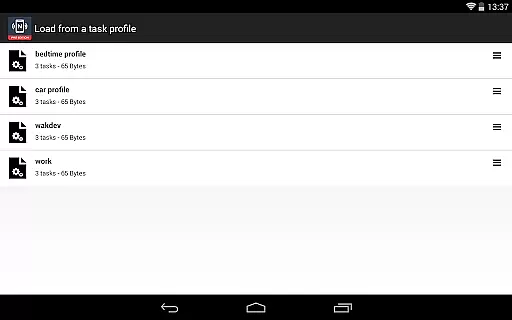
The NFC Tools - Pro Edition boasts a comprehensive suite of features tailored for both casual users and tech enthusiasts. One of its standout capabilities is the profile management system, which lets users save and reuse profiles containing records and tasks. This feature streamlines the process of managing multiple NFC configurations.
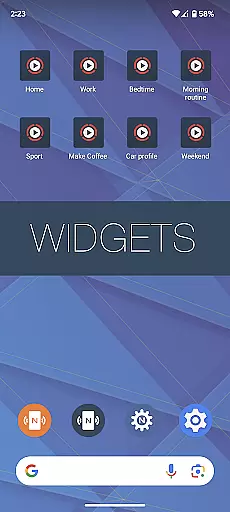
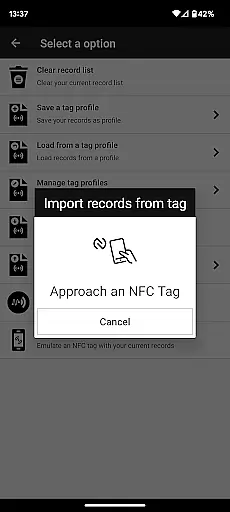
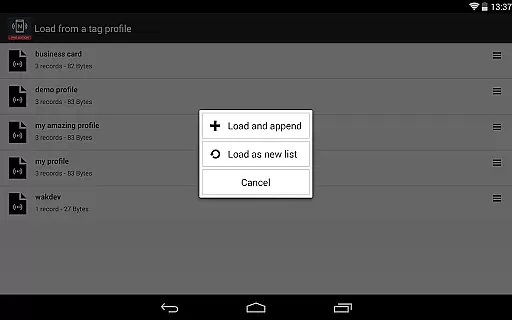
In addition to profile management, the app supports importing data from existing NFC tags, allowing for quick edits of records or tasks. Users can execute tasks directly from their home screen without needing physical NFC tags, thanks to customizable shortcuts. The ability to emulate NFC tags with device-based NDEF records further enhances its versatility. With over 200 tasks available, users can combine functionalities to suit virtually any need, making it an indispensable tool for leveraging NFC technology.
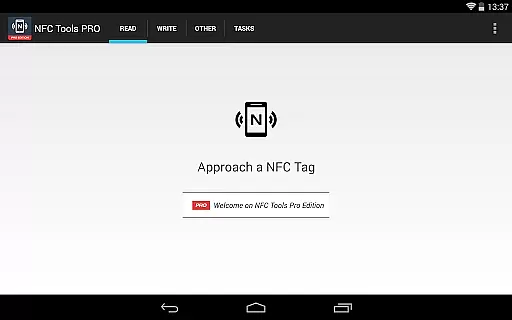
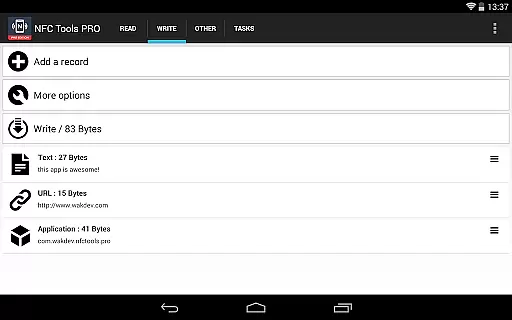
NFC Tools - Pro Edition is designed to provide users with an advanced set of tools for interacting with NFC tags and chips. The app's core functions include reading, writing, and programming tasks on NFC-enabled devices, all presented through a simple and lightweight user interface.
With the Pro Edition, users gain unrestricted access to over 200 tasks, allowing them to create complex routines without limitations. This includes exclusive features such as profile management, conditional blocks for creating intricate actions, and the ability to emulate NFC tags directly from their device.
The practical benefits of these features are immense. Users can save and reuse profiles, import data from existing NFC tags for quick edits, and even execute tasks without needing physical NFC tags by using home screen shortcuts. These capabilities ensure that users can fully leverage the power of NFC technology in both creative and functional ways.
By removing limitations and offering additional functionality, NFC Tools - Pro Edition ensures that its core functions are not only accurate but also highly effective in empowering users to explore the full potential of NFC interactions.
A standout feature of NFC Tools - Pro Edition is its commitment to maintaining a simple and intuitive user interface despite the complexity of its features. The app achieves this by organizing its extensive task library and advanced functionalities into a clean, easy-to-navigate layout.
Users can effortlessly access powerful tools like profile management, conditional blocks, and tag emulation without feeling overwhelmed. Each feature is thoughtfully integrated into the interface, ensuring that even those new to NFC technology can quickly grasp how to utilize the app's capabilities.
This balance between simplicity and depth offers significant value to users. Whether they're executing tasks via home screen shortcuts or managing intricate profiles, the app ensures that every interaction feels natural and straightforward.
Ultimately, NFC Tools - Pro Edition demonstrates that sophisticated NFC tools don't have to come at the expense of usability. Its intuitive design empowers users to focus on creativity and productivity rather than struggling with complicated controls.
User-friendly interface
Comprehensive task library
Profile management system
Advanced emulation capabilities
Conditional task execution
Requires NFC-compatible device
Premium version needed
Complex for beginners
Limited offline support
Additional app dependency

 4.50
4.50
Change your GPS location instantly. Simulate routes anywhere in the world.
4.90
Learn the vast amount of system information about device and monitor it's state
4.70
Safely recover deleted photos, videos, and files with a single easy tap.
3.70
Detect hidden spy camera with advanced scanning {{ Premium version }}
4.00
Support Fossify apps with a warm thank you!
5.00
Mirror your screen to Fire TV - Super fast and simple
4.40
Download any file easily and quickly with Downloader
4.0
Fun lie-detection pranks for friends and parties.
3.80
Bedrock Together: Join any bedrock server on Xbox/PS
4.80
The Ultimate Flex Drivers Utility App - Convenient Tapping & Block Filters
4.70
Head tracking for PC sim games such as MSFS 2024 or Elite:Dangerous. No headset!
4.50
The Ultimate Bluetooth Keyboard & Mouse. Securely control your PC, Mac, and more
4.50
Quickly check the frequency of the Earth
4.30
Effortlessly run ADB commands directly on your device without a PC.
4.20
MS-DOS in your pocket. Play old DOS games anywhere you are ;)
4.10
Unleash gamepad precision for ultimate mobile gaming dominance.
3.90
A powerful, easy-to-use flight computer on your phone or tablet!
3.80
Undelete and recover your lost or deleted files with DiskDigger!
3.40


User Reviews