
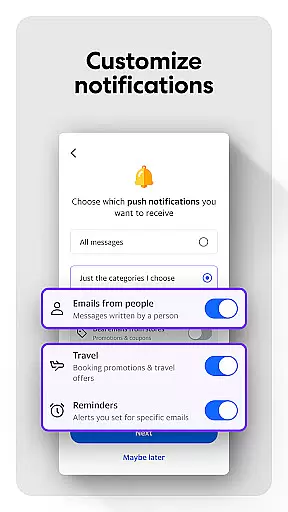
Yahoo Mail is a communication app designed to simplify email management while enhancing productivity. The app offers a clutter-free experience with advanced features like gamified inbox cleanup, one-tap unsubscribe options, and package tracking directly from the inbox. Its intuitive design ensures users can manage multiple email accounts such as Gmail, Outlook, and others in one place.
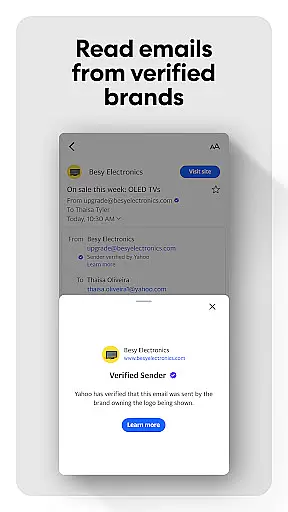
Security is a top priority, with Yahoo Mail providing warnings for suspicious emails and offering accessibility options like high contrast themes and VoiceOver compatibility. For power users, Yahoo Mail+ provides an ad-free experience, additional privacy features, and 24/7 tech support, available via subscription. Whether you're handling work emails or personal correspondence, Yahoo Mail streamlines your workflow and keeps your inbox organized.
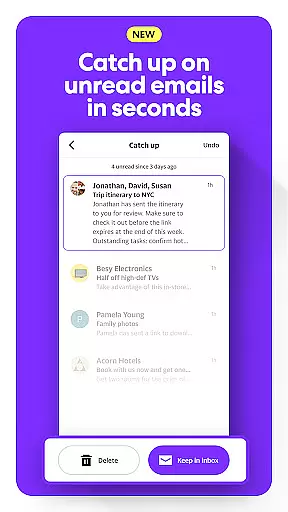
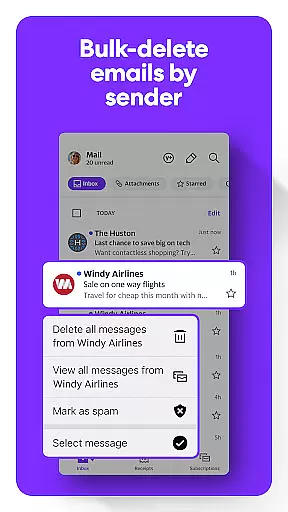
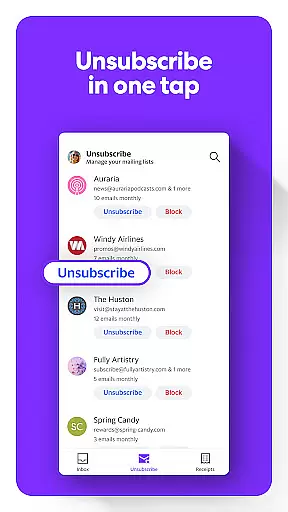
Yahoo Mail stands out with its innovative features tailored to improve user efficiency. One of its key highlights is the ability to quickly sort unread emails through a gamified interface, allowing users to delete or keep messages with minimal effort. The app also includes robust junk mail management tools, enabling users to declutter their inbox by deleting emails from specific senders or unsubscribing from unwanted newsletters with a single tap.
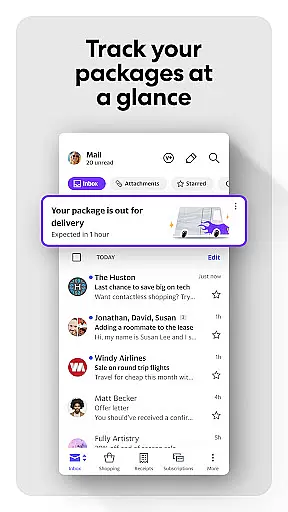
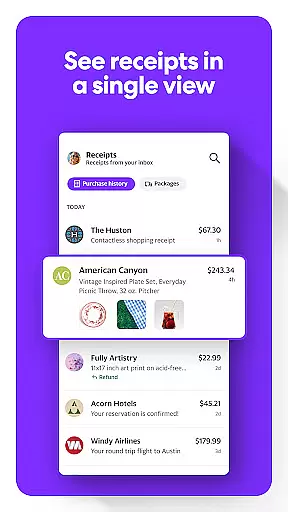
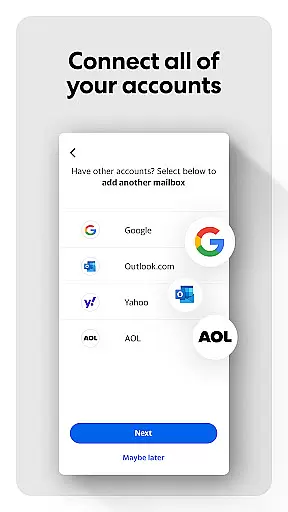
For those who shop online frequently, Yahoo Mail offers built-in package tracking and receipt organization at the top of the inbox. Users can connect multiple email accounts, including Gmail and Outlook, for centralized management. Advanced security measures warn users about potentially harmful emails, while accessibility features like dynamic text resizing and VoiceOver compatibility ensure inclusivity. With Yahoo Mail+, subscribers enjoy an ad-free experience, enhanced organization tools, and priority customer support.
Real-time messaging speed is crucial for effective communication, and Yahoo Mail excels in this area by providing instantaneous delivery of your emails. The app ensures that messages are sent and received without delay, making conversations flow smoothly and naturally.
Yahoo Mail achieves this reliability through optimized server infrastructure and efficient data processing. This means you can trust that your important messages will reach their destination promptly, whether you're communicating with friends, family, or colleagues.
For users, this translates to an uninterrupted communication experience where they can engage in rapid back-and-forth exchanges without the frustration of lag or downtime. This feature is particularly beneficial for professionals who rely on timely correspondence to manage their business operations effectively.
Moreover, Yahoo Mail's robust system minimizes the risk of message loss or failure, ensuring a dependable platform for all your communication needs. With Yahoo Mail, staying connected has never been more efficient or reliable.
Media sharing support is an essential feature for modern email applications, allowing users to send and receive various types of files seamlessly. Yahoo Mail offers comprehensive media sharing capabilities, enabling users to attach photos, videos, documents, and more directly within their emails.
The app supports a wide range of file formats, ensuring compatibility across different devices and platforms. Whether you need to share large video files or high-resolution images, Yahoo Mail handles these tasks effortlessly, maintaining the quality and integrity of your shared content.
Additionally, Yahoo Mail provides generous attachment limits, empowering users to send large files without worrying about restrictions. This flexibility makes it easier to collaborate on projects, share memorable moments with loved ones, or distribute resources within a team setting.
By integrating advanced cloud technologies, Yahoo Mail also allows users to upload and share files from cloud storage services like Google Drive or Dropbox. This integration streamlines the process of accessing and distributing digital assets, further enhancing productivity and convenience for its users.
Fast email sorting
Advanced security
Multi-account support
Package tracking
Accessibility options
Paid features limited
Occasional bugs
Subscription cost
Ad-heavy free version
Complex settings

Identify unknown numbers, block spam calls, customize calls with cool themes.
 4.60
4.60
Browse fast on Opera Mini, with Data Saving, News, Football Scores, and Download
4.60
Messages: Fast, simple SMS app with scheduling and smart features.
4.00
Messenger for SMS - texting message app, faster, simpler & safer, for you.
4.70
Fast and mini browser with Ad Blocker,Video Downloader and Video Player
4.40
Welcome to the future of phone service.
4.60
Simplify texting with Messages SMS, offline messaging, themes & smart tools!
4.30
Manage your mobile phone plan, check unlimited 5g data usage and track rewards
4.50
A browser that does more than load page, like keeping your privacy safe.
4.70
Use this Dialer app alone or as a TREK: Total Interface companion.
4.70
Phone Dialer with Caller ID, Address Book & Contacts Manager.
4.30
HD Video Meeting app is a fast & unlimited video conferencing app across world.
4.30
Use this SMS app standalone or as a TREK: Total Interface companion.
4.30
SMS Messenger is a lightning-fast messaging app.
4.20
BE PRIVATE
Anonymous. No Trace. Fast.
4.20
Federated instant messaging for your mobile device (Jabber, XMPP, Snikket)
4.10
Call Forwarding is easy and simple application to use.
3.80
Message and video call your family and friends in HD!
3.80
Weargram is an unofficial Telegram Client for Wear OS.
3.50


User Reviews