
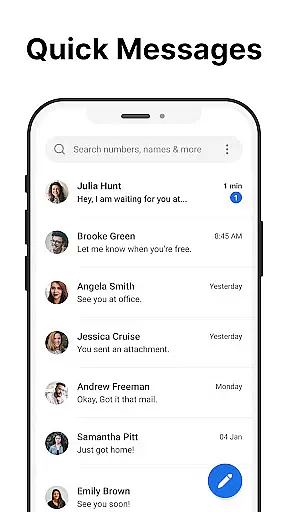
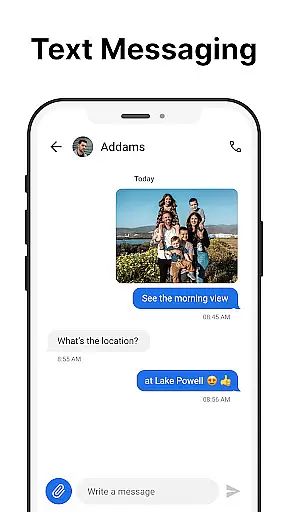
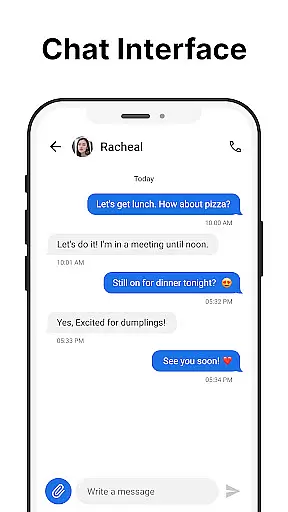
Messages is a robust SMS messaging app designed specifically for Android users who value simplicity and reliability. The app allows you to send and receive text messages without requiring an internet connection, making it ideal for areas with poor connectivity. Its intuitive interface ensures that even first-time users can navigate effortlessly.
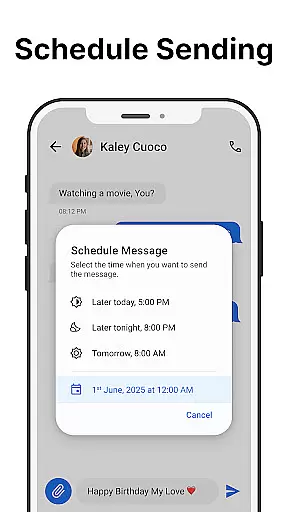
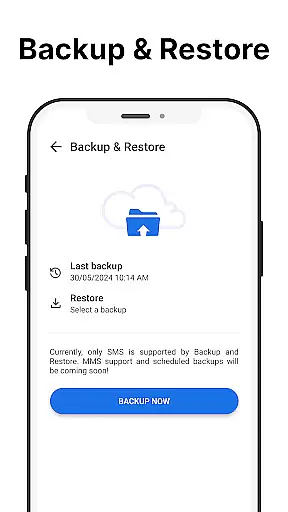
One standout feature of Messages is its After Call screen, which provides instant access to your SMS inbox right after each phone call. This makes follow-up communication seamless and efficient. Additionally, the app offers essential features like scheduled messaging, group chats, and message backup, ensuring you never lose important conversations.
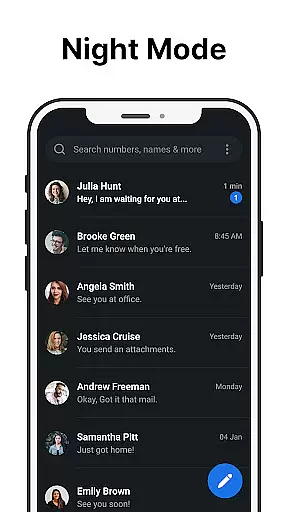
With Messages, users benefit from enhanced privacy controls and customizable options such as dark mode and personalized notifications. Whether you're managing personal or professional communications, this app delivers a reliable and user-friendly experience that prioritizes both functionality and security.
Messages stands out in the Communication category due to its comprehensive set of features tailored for efficient SMS management. The app supports core functionalities such as sending and receiving texts, scheduling messages, and creating group conversations, all designed to streamline your daily communication tasks.
A unique aspect of Messages is its focus on user convenience. For instance, the After Call screen lets you quickly send messages immediately following a phone call, saving time and effort. The app also includes advanced tools like spam blocking, message search, and chat pinning, which help keep your inbox organized and accessible.
Customization is another key strength of Messages. Users can personalize their experience with custom notifications, ringtones, and a battery-saving dark mode. These features not only enhance usability but also ensure that the app adapts to individual preferences, offering a truly tailored messaging solution.
Real-time messaging speed and reliability are crucial for effective communication. The Messages app excels in this area by providing a seamless SMS experience without requiring an internet connection. This ensures that your messages are sent and received instantly, regardless of your network conditions.
The app's infrastructure is designed to handle high message volumes while maintaining optimal performance. Whether you're sending individual texts or managing group conversations, the delivery speed remains consistently fast. Additionally, the reliable delivery confirmation system gives users peace of mind, knowing their messages have been successfully received.
For users, this means staying connected with friends, family, and colleagues without worrying about delays or failed deliveries. The Messages app's commitment to speed and reliability makes it an ideal choice for those who value efficient communication.
Media sharing support is an essential feature in modern messaging apps, allowing users to exchange various file types effortlessly. The Messages app offers robust media sharing capabilities, supporting common formats like images, videos, and audio files. This versatility ensures that users can share multimedia content without compatibility issues.
Beyond basic file sharing, the app provides intuitive options for managing media attachments. Users can preview files before sending, compress large files to save data, and organize shared media into easily accessible galleries. These features enhance the overall user experience by streamlining media exchange.
By incorporating comprehensive media sharing support, the Messages app enables users to communicate more expressively. Whether sharing important documents or cherished memories, the app ensures that all media transfers occur smoothly and efficiently, enhancing both personal and professional interactions.
User-friendly interface
No internet required
Free to use
Message backup available
Spam blocking included
Limited to SMS
No end-to-end encryption
Ads may appear
Backup is local only
Basic UI design

Fast and simple walkie talkie app
 4.20
4.20
Call Forwarding is easy and simple application to use.
3.80
Pure modern IRC experience for Android
3.70
Enables Plus features of Quick Search.
4.1
A web browser that respects your privacy.
4.30
Chill zone on your phone: relax with fun reels & hype shorts!
4.20
Smart and simple anti-wiring application - IMSI-catchers catcher
4.40
A softphone with crystal clear SIP Calling & Reliable VoIP dialer
4.00
Group Chat That’s Fun & Games
4.30
Use this Dialer app alone or as a TREK: Total Interface companion.
4.70
A browser that does more than load page, like keeping your privacy safe.
4.70
Build your web browser around you with private search, and more.
4.60
Say “hello” to privacy.
4.60
Experience real private browsing without tracking, surveillance, or censorship.
4.50
The ultimate productivity solution for all your email communication needs.
4.40
Use this SMS app standalone or as a TREK: Total Interface companion.
4.30
Messenger app for faster and simpler SMS text messaging, and personalized themes
4.10
Manage and Fund Calling Accounts and Schedule and Join Video Sessions
3.60
Chat on the Jabber network (XMPP protocol); support for SMS and other gateways
2.10


User Reviews