
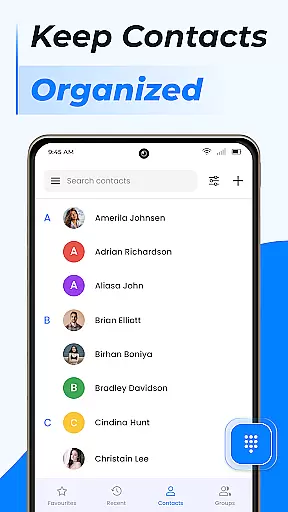
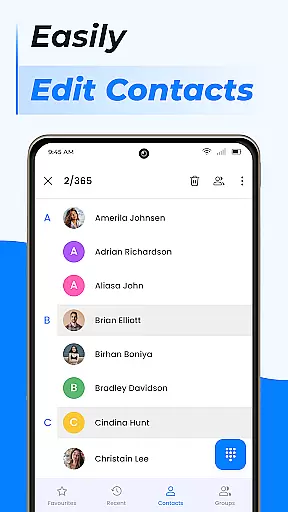
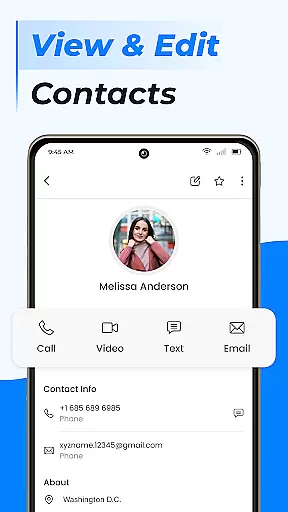
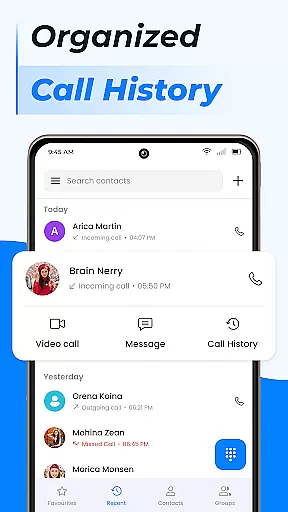
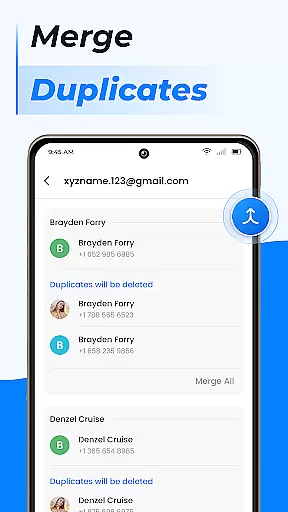
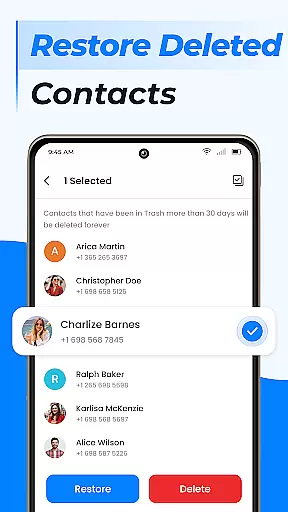
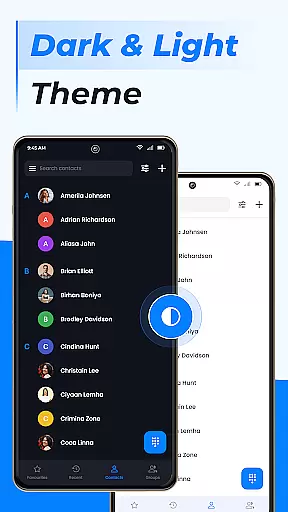
Contacts is a comprehensive communication management tool designed to simplify the way you handle your Android phone's contact list. The app allows users to efficiently manage recent contacts, share contact information with a single click, and block unwanted calls or messages. Its intuitive interface ensures that adding new contacts, editing existing ones, or managing duplicate entries is effortless. Additionally, the app provides advanced features such as group creation for better organization, contact storage management, and seamless integration with Gmail contacts.
Beyond basic contact management, Contacts offers smart functionalities like Caller ID, Call Block, and a robust search feature. These tools help streamline your calling experience while keeping your personal and professional connections organized. Whether you need to call your favorite contacts with one tap or quickly access frequently used numbers, this app transforms your device into a powerful communication hub. With its cloud sync capabilities and backup options, Contacts ensures your important connections are always safe and accessible across multiple devices.
Contacts stands out with its rich feature set tailored for both personal and professional use. The app enables users to add new contacts effortlessly, edit existing contact details, and manage duplicates by linking them together. This ensures your contact list remains clean and up-to-date without unnecessary repetition. The group creation feature allows users to separate work and personal contacts, making it easier to organize and access specific sets of people based on context or priority.
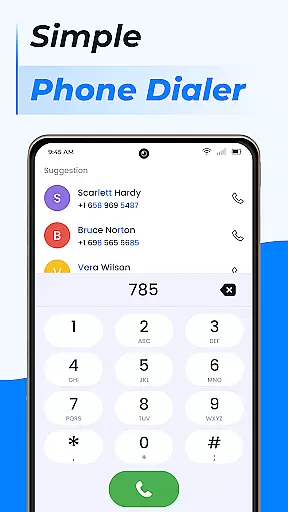
One of the key highlights is the integrated phone dialer, which comes with advanced functionalities such as Call Block, Caller ID, and Smart Contacts Search. These features not only enhance security but also improve accessibility when making calls or searching through your contact list. Additionally, the app supports cloud syncing and Google Contacts integration, ensuring all your contact information is automatically backed up and available across devices. With these capabilities, Contacts becomes more than just a contact manager – it serves as an all-in-one communication solution that simplifies how you interact with your network daily.
Real-time messaging speed and reliability are crucial for effective communication applications. In today's fast-paced world, users expect instant delivery of their messages without delays or failures. The Contacts app excels in this area by ensuring that all interactions with your contacts happen seamlessly and swiftly.
The application achieves reliable real-time messaging through optimized data handling processes. When you add a new contact or edit existing ones, the updates appear immediately across all devices where the app is installed. This synchronization ensures that no matter which device you use, your contact information remains up-to-date and consistent.
Moreover, the Contacts app provides robust features such as call blocking and caller ID, enhancing the overall reliability of communications. Users can trust that unwanted calls will be blocked effectively, while important calls get through without interruption. These functionalities contribute to an uninterrupted user experience, making sure every interaction counts.
By focusing on these core aspects, the Contacts app not only meets but exceeds user expectations for real-time messaging performance. Whether itu2019s managing duplicate contacts, creating groups, or handling storage efficiently, the app delivers a dependable platform for maintaining accurate and accessible contact lists.
Media sharing support is a vital feature in modern communication apps, allowing users to exchange various types of media effortlessly. The Contacts app offers comprehensive media sharing capabilities, enabling users to share contact details, photos, videos, and more with just a few taps. This functionality enhances the convenience and versatility of interpersonal communications.
One standout aspect of the Contacts app is its ability to facilitate easy sharing of contact profiles. With a single click, users can send detailed contact information including phone numbers, email addresses, and even social media links. This eliminates the hassle of manually entering data and ensures accuracy when exchanging professional or personal details.
In addition to basic contact sharing, the app supports advanced features like backing up and syncing contacts via cloud services. By integrating with platforms such as Google Contacts, users can ensure their contact list is always backed up securely and synchronized across multiple devices. This level of integration simplifies the process of keeping everyone connected, regardless of location or device type.
Overall, the Contacts app stands out for its robust media sharing support. From simple tasks like adding new contacts to complex operations like merging duplicates or organizing into groups, the app streamlines every step. Its intuitive design and powerful tools make it an indispensable asset for anyone looking to manage their connections efficiently and effectively.
User-friendly interface
Advanced call blocking
Cloud sync support
Group organization
Caller ID functionality
Limited customization
Occasional sync issues
Ads in free version
No video calling
Heavy on storage

Adblock & VPN Browser: Blocks banners, pop-ups and video ads, fast downloader!
 4.60
4.60
Enjoy secure messaging & calling. Safe Messenger: group chats, calls, messages.
4.20
Save 10% automatically on your first international mobile top up.
4.60
Official NDI app: turn your phone into a professional live-streaming IP camera.
3.20
Send SMS and chat messages easily with a fast text messaging app for Android.
4.10
Chill zone on your phone: relax with fun reels & hype shorts!
4.20
Smart and simple anti-wiring application - IMSI-catchers catcher
4.40
TeamSpeak - Secure Chat for Gaming & Business
3.10
Share the moment!
4.10
We’re taking the yada yada out of wireless—now we’ve taken it out of your app.
4.70
Use this Dialer app alone or as a TREK: Total Interface companion.
4.70
Messenger for SMS - texting message app, faster, simpler & safer, for you.
4.70
A browser that does more than load page, like keeping your privacy safe.
4.70
Call Blocker app: Identify unknown callers, block spam calls, fraud & robocalls
4.30
2nd Phone Number Line for Anonymous Texting, Calling, and Picture Messages
4.30
BE PRIVATE
Anonymous. No Trace. Fast.
4.20
WazzapMigrator: transfer your WhatsApp history from iPhone to Android
4.00
Fast Dialer & Contact Manager with Caller ID and Spam Protection
4.00
Measure BHP, Torque & 0-60 Clear car OBD faults View engine data in Google Earth
4.00


User Reviews