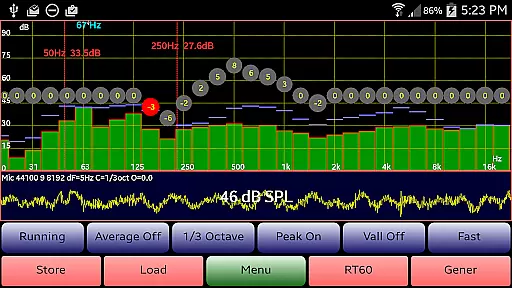
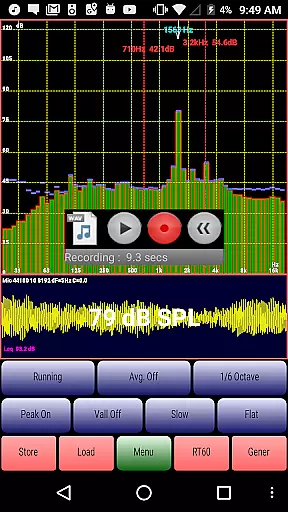
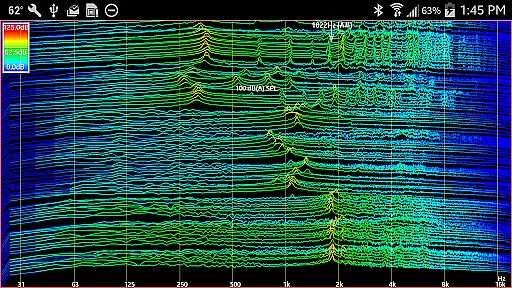
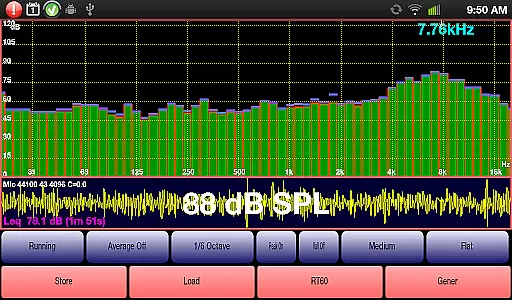
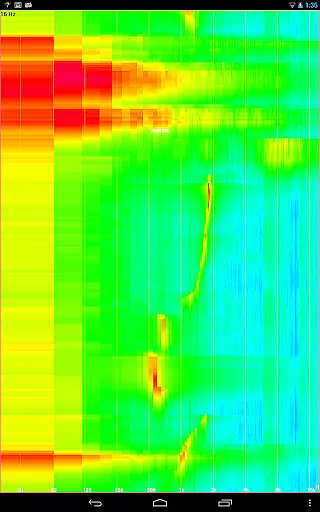
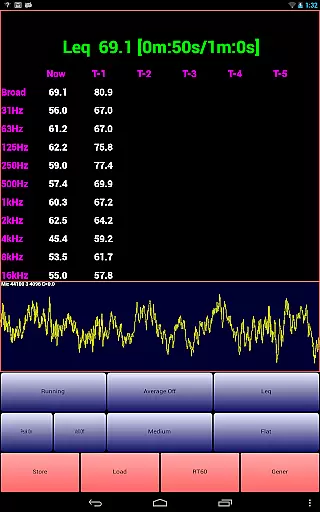
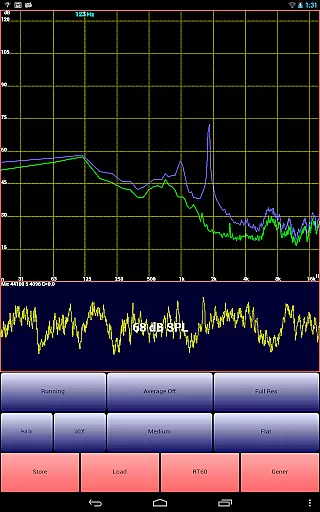
AudioTool is a comprehensive audio measurement and analysis application designed for audio engineers, acoustics professionals, and enthusiasts. The app features an SPL (Sound Pressure Level) meter with RT60, Leq, Sone, Spectrum Analyzer, Spectrogram, Chart Recorder, Signal Generator, Polarity Checker, and Mic calibration capabilities. It supports multiple octave RTA modes, various filters, and signal types, making it suitable for gig measurements, home theater setups, car audio tuning, and professional acoustical assessments.
This versatile tool allows users to perform detailed audio analyses including 1/1, 1/3, 1/6, and 1/12 octave RTA modes, Leq calculations, loudness in Sones, and reverberation time (RT60) measurements. AudioTool also provides advanced functionalities such as peak store, spectrogram visualization, waterfall display, and impulse response analysis. Its compatibility with ISO 1/3 Octave Calibration ensures precise microphone response correction, enhancing the accuracy of measurements across different devices.
AudioTool's practical applications extend to both professional and personal use cases. Whether you're calibrating a sound system, conducting acoustic research, or simply exploring the audio characteristics of your environment, this app offers the tools necessary to achieve accurate and reliable results. With its extensive feature set and user-friendly interface, AudioTool stands out as an essential tool for anyone involved in audio engineering or acoustics.
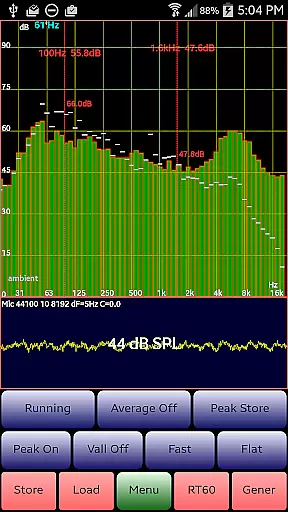
AudioTool distinguishes itself through its rich array of specialized audio measurement and generation features. One of its standout capabilities is the real-time spectrum analyzer, which supports multiple octave band modes (1/1, 1/3, 1/6, and 1/12) and various weighting filters (Flat, A/C, and X Curve). This allows users to conduct detailed frequency analysis and accurately measure sound pressure levels in different environments. The inclusion of advanced functions like Leq (wideband and octave), Sones (loudness), and RT60 (reverberation time) measurements makes it particularly valuable for professional acoustical assessments.
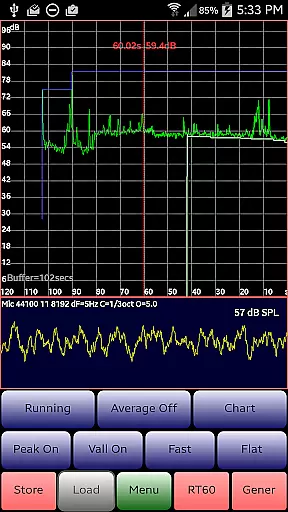
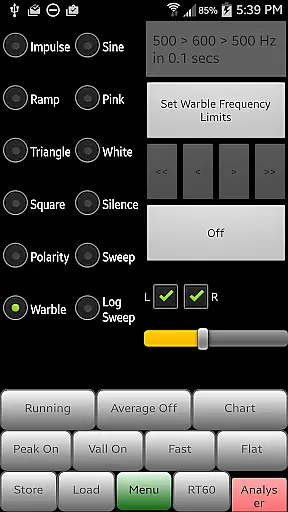
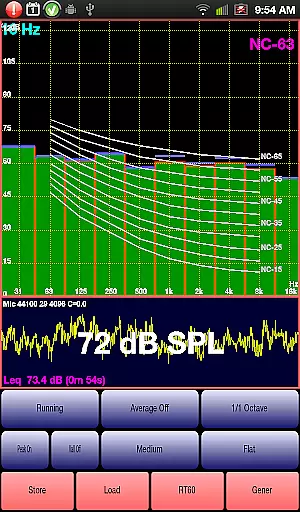
The app's signal generation capabilities are equally impressive, offering white/pink noise, sine waves, square waves, triangle waves, sweeps, log sweeps, warble tones, ramps, and impulse signals. These features enable users to test and calibrate audio equipment effectively. Additionally, the built-in polarity checker helps verify proper speaker wiring, while the Noise Criteria function displays NC contours on the 1/1 octave RTA display, providing immediate feedback on room acoustics. The chart recorder function further enhances usability by showing a moving trace of SPL measurements over time.
What sets AudioTool apart from other audio measurement apps is its commitment to precision and flexibility. The app supports exclusive ISO 1/3 octave calibration, allowing users to correct for their phone's microphone response and match overall SPL readings with external meters. Features like pinch-to-zoom, scroll-to-center, and dual cursor display enhance the user experience, while recent updates have added valuable functionalities such as the ability to load and display stored spectrum files alongside real-time data. These innovations make AudioTool an indispensable tool for both professional audio engineers and serious hobbyists.
AudioTool offers an extensive suite of audio measurement and generation tools, forming a comprehensive music library that caters to audio engineers and enthusiasts. With features like RTA modes, signal generators, and SPL meters, it provides users with a wide array of functionalities for sound analysis and testing.
The app includes exclusive ISO 1/3 Octave Calibration, allowing correction for microphone response, which ensures the authenticity of audio measurements. This feature is crucial for professionals who rely on precise readings for their work in acoustics, home theater calibration, and other audio-related fields.
Moreover, AudioTool supports popular external microphones such as Dayton Audio iMM-6 and MicW i436, enhancing its compatibility and utility. Users can save and restore calibration files, making it convenient to switch between different setups while maintaining consistent quality across sessions.
With regular updates and new features added over time, AudioTool demonstrates a commitment to expanding its music library size and ensuring that all tools meet high standards of copyright authenticity and performance accuracy.
One of the standout aspects of AudioTool is its diverse range of audio quality options, designed to cater to both amateur audiophiles and professional engineers. The app's signal generator produces various waveforms including White and Pink Noise, Sine, Square, Triangle, and Ramp waves, each with frequency accuracy typically around 1%.
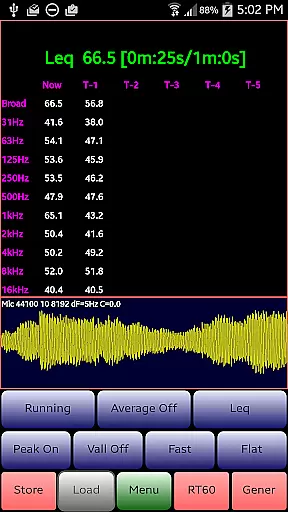
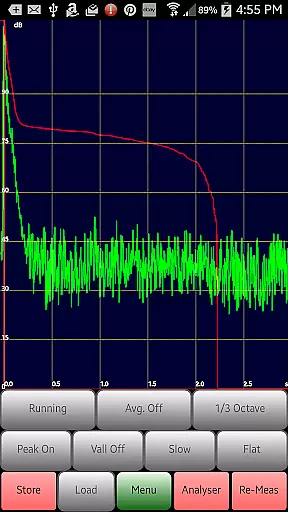
For more nuanced audio tasks, AudioTool provides advanced functions such as Leq measurements, Sone calculations for loudness, and RT60 evaluations for reverberation. These features allow users to conduct detailed analyses of sound environments, from concert halls to car interiors, with reliable precision.
In addition to these technical capabilities, AudioTool also incorporates practical tools like the Spectrogram and Chart Recorder, which visually document audio data over time. Such visualization aids are invaluable for monitoring changes in sound levels or frequencies during live performances or studio recordings.
Overall, by offering multiple sample lengths and windowing techniques, alongside sophisticated filtering and weighting options, AudioTool empowers users to achieve superior audio quality tailored to their specific needs and preferences.
Comprehensive audio tools
Real-time analysis
Professional-grade features
Extensive calibration options
User-friendly interface
Complex for beginners
Hardware-dependent accuracy
No iOS version available
Some features require premium
Occasional performance issues

Fun & Easy Voice Changer – Record, Edit & Add Hilarious Effects!
 4.50
4.50
Simply convert wav to mp3. Clear. Reliable. Safe.
4.2
Your HD audio recorder on the go for music, meetings, ambience, animal sounds…
4.30
Time Guru will strengthen your internal sense of musical time via random muting.
4.30
DJ Music Mixer - DJ Remix: remix songs, make beat music & record mix of DJ.
4.40
Guzheng Master supports many playing techniques as an acoustic Guzheng
4.50
The alternative folder based music player.
4.20
Voice recorder - Audio recorder. Best recorder for recording
4.90
Travel To The Music Universe
3.40
Brian Eno and Peter Chilvers’ acclaimed music app Bloom, radically reinvented.
4.80
Music, News & Sports Radio Tuner App. Tune in Live FM & AM Radio Stations.
4.80
Offline Music Player & MP3 Player.Powerful equalizer, Lyrics, Themes, Tag Editor
4.80
Walkout Song DJ is the most intuitive app to manage your sports music.
4.70
Pay Once, no monthly payment
4.60
Offline Music Player&MP3 Player with themes, equalizer, lyrics, music play mode
4.60
Help you quickly get started with Shokz headphones
4.40
Learn and play 2M+ music tabs & chords on guitar, ukulele, bass, and more
4.30
PowerAudio is a powerful offline music player.
4.20
USB audio recording and playback finally possible on Android 3.1 or higher!
3.90


User Reviews