
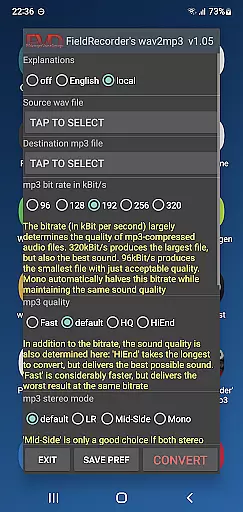
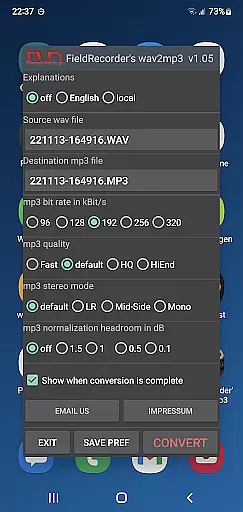
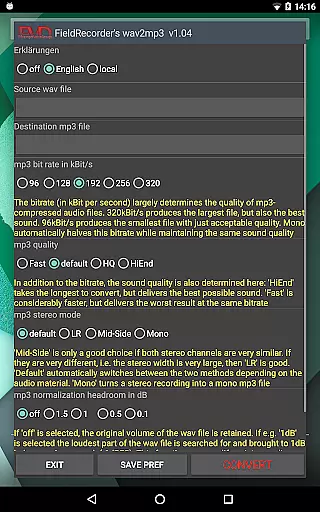
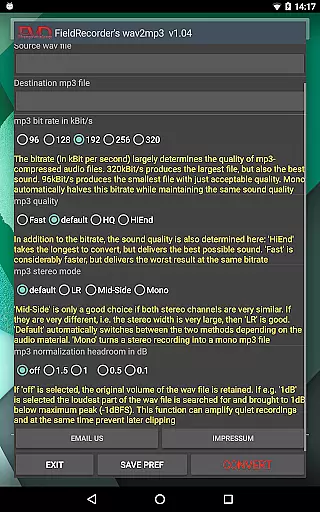
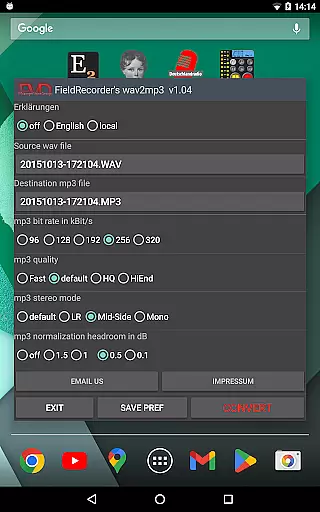
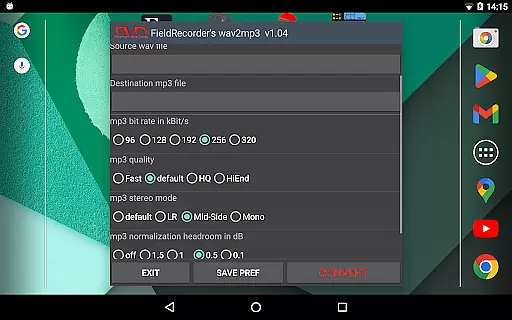
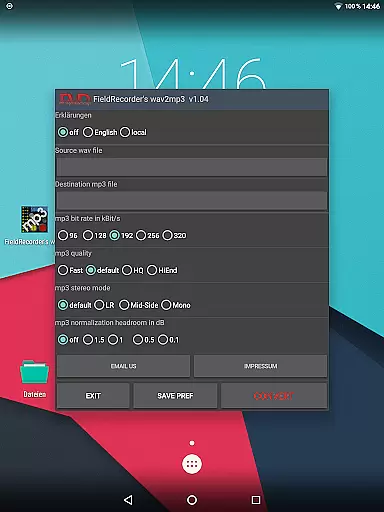
FieldRecorder's wav2mp3 is a streamlined audio conversion tool designed specifically for users who need to convert WAV files to MP3 format without any hassle. The app eliminates common frustrations such as intrusive ads, rating prompts, and confusing options that often clutter similar applications. With its minimalist one-screen interface, users can effortlessly select source and destination files, then initiate the conversion process with a single tap.
What sets this app apart is its commitment to user privacy and efficiency. It operates without collecting user data, contacting external servers, or embedding hidden spyware, ensuring a secure and private experience. Additionally, the app boasts an impressively small download size of under 1.3MB due to its native codebase, making it significantly lighter than comparable converter apps which average around 20MB. This makes FieldRecorder's wav2mp3 not only fast but also reliable, providing clear error messages when needed and offering direct customer support for any issues encountered.
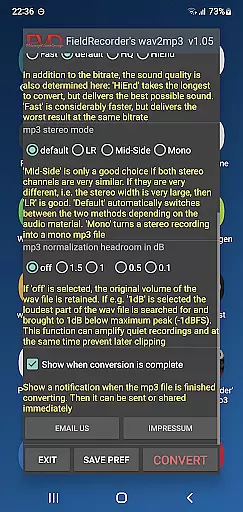
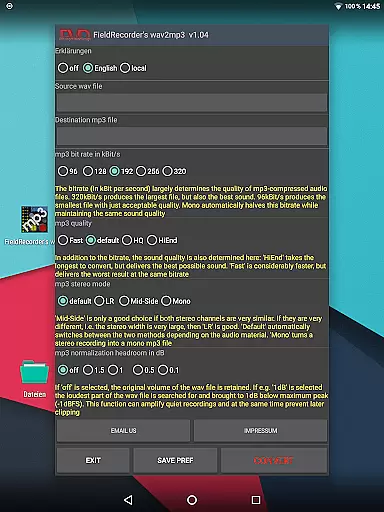
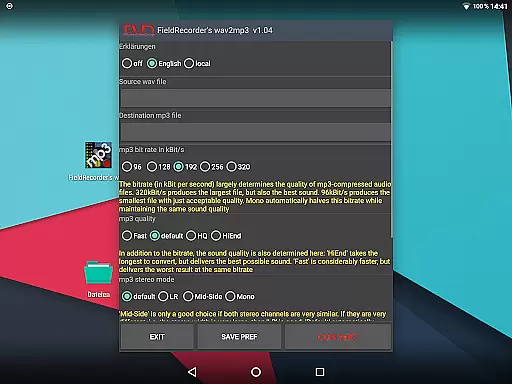
FieldRecorder's wav2mp3 offers several notable features that enhance the user experience. Firstly, the app provides sensible default settings while allowing advanced users to customize various parameters according to their preferences. Users can choose from five preset bit rates, specify encoding complexity, and select stereo modes including LR, Mid-Side, and Default, which dynamically adjusts based on the audio material.
The customization extends further with options to adjust volume levels, ensuring the output remains faithful to the original or maximized as per user preference. Additionally, users can decide whether to receive notifications upon completion of the conversion process, enabling immediate sharing or further processing of the resulting MP3 file. These features collectively ensure that both novice and experienced users can achieve optimal results tailored to their specific needs.
Moreover, the app integrates seamlessly with the professional audio recorder app 'Field Recorder,' allowing for remote control functionality that keeps the converter invisible during operation. This synergy enhances workflow efficiency, particularly for professionals requiring quick and unobtrusive conversions within their audio production processes.
FieldRecorder's wav2mp3 may not boast an extensive music library, but it excels in providing a streamlined and efficient conversion process from WAV to MP3 formats. The app focuses on quality rather than quantity, ensuring that each file conversion maintains the audio's integrity and authenticity.
The application respects copyright by not collecting or misusing user data, which is crucial when handling audio files that might be subject to copyright laws. This ensures that users can convert their audio files without concern for unauthorized use or distribution.
With its minimalist approach, the app provides essential options for bit rates and stereo modes, allowing users to customize their conversions while maintaining legal and ethical standards. These features are preset sensibly, offering quick selections that adhere to common usage scenarios.
By focusing on native code and optimized performance, FieldRecorder's wav2mp3 delivers fast and reliable conversions, making it a trustworthy tool for managing personal audio content within legal boundaries.
FieldRecorder's wav2mp3 offers a range of audio quality options that cater to both novice and experienced users. With five selectable bit rates, users can choose the level of audio quality that best suits their needs, whether they prioritize file size or sound fidelity.
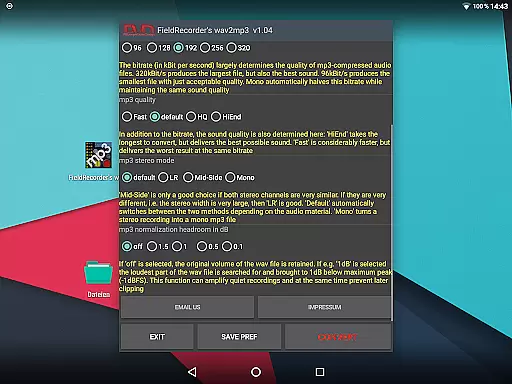
The app allows customization of the encoding complexity, which directly impacts the conversion time and the potential quality of the output. Users can opt for faster processing with standard settings or invest more time for potentially superior sound results.
Stereo mode selection gives users control over how channels are encoded, offering choices between separate encoding for left and right channels or combined encoding for similar channels. This flexibility ensures optimal audio representation based on the source material.
Additionally, volume normalization features let users maximize the output volume while avoiding clipping, preserving the dynamic range and clarity of the original recordings. These options make FieldRecorder's wav2mp3 a versatile tool for achieving high-quality audio conversions.
User-friendly interface
No ads or data collection
Small download size
Customizable settings
Remote control integration
Limited to WAV to MP3
No batch processing
Basic UI design
Fewer advanced options
Single file conversion

Control your MIDI USB or Bluetooth devices in app and avoid some trampling
 3.30
3.30
A synth that really lets you shape your sounds!
4.50
Next generation modular control surface
4.10
No wifi music app. Mp3 offline. Tuner radio, young radio music. Music downloader
4.20
The Minimalistic Premium Music Player. Handmade with passion for music
2.20
Learn the notes on the guitar fretboard fast with this easy and fun app
4.60
Ringtone Maker is free app create ringtone from music files or your recording.
4.40
Get alarms that fit your lifestyle and wake up to the sounds you love.
4.80
Play your music offline without limits
4.80
Offline Music Player & MP3 Player.Powerful equalizer, Lyrics, Themes, Tag Editor
4.80
Your song collections with lyrics and chords on Android smartphones and tablets.
4.80
Unleash your creativity! Turn simple prompts into full fledged songs.
4.70
Over 100 million tracks available for high quality streaming and download
4.60
Fun & Easy Voice Changer – Record, Edit & Add Hilarious Effects!
4.50
Help you quickly get started with Shokz headphones
4.40
The original SP-1200 experience on your iPad
4.20
The official Sonos app
4.10
Turn your Android phone into a professional audio analyser with up to 120 bands.
4.00
Offline Tunes, Unlimited Vibes
3.90


User Reviews