
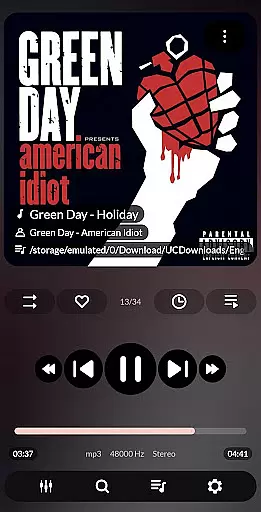
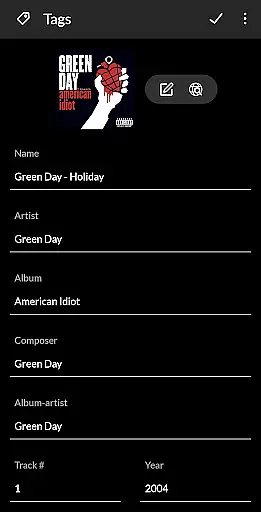


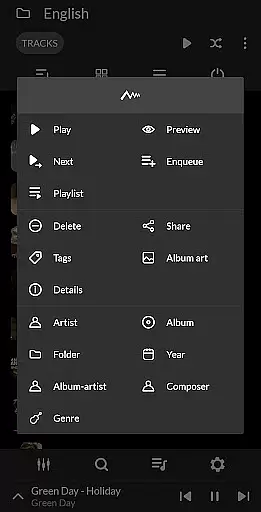
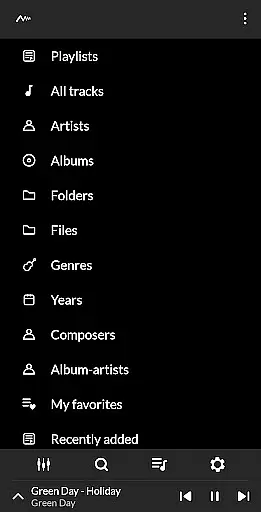
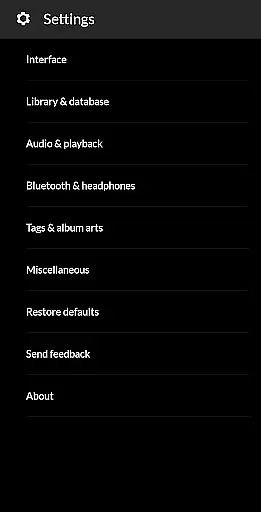
PowerAudio Plus Music Player is a feature-rich audio player designed to deliver an exceptional music experience. With its intuitive interface and support for all major audio formats, the app allows users to browse songs by albums, artists, playlists, or favorites. The separate tab for favorite tracks ensures quick access to your most-played music.
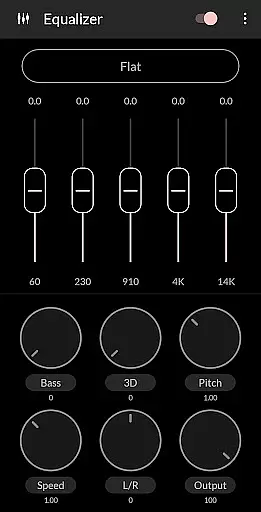
One of the standout features of PowerAudio Plus is its powerful equalizer with BassBoost and Virtualizer, offering users a variety of presets or the option to create custom settings. Additionally, the app supports advanced functionalities like multi-select, custom queues, and a sleep timer, making it a versatile choice for any music enthusiast.
Whether you're looking to manage your music library, create personalized playlists, or adjust audio settings to suit your preferences, PowerAudio Plus Music Player provides the tools necessary to enhance your listening experience across different scenarios.
PowerAudio Plus Music Player boasts an array of features that cater to both casual listeners and audiophiles. The app's equalizer is equipped with various presets, including BassBoost and Virtualizer, allowing users to fine-tune their audio experience. It also supports all major audio formats such as MP3, M4A, WAV, AAC, AMR, and OGG, ensuring compatibility with a wide range of music files.
In addition to its robust audio capabilities, PowerAudio Plus offers practical features like the ability to browse songs by albums, artists, favorites, or playlists. Users can create custom playlists, sort songs by name or date, and even set phone ringtones directly from the app. The inclusion of a sleep timer and the option to detect headphones for auto-pause functionality further enhance user convenience.
For those who require more control over their music library, PowerAudio Plus enables actions such as deleting songs or playlists, sharing media files, and viewing codec details like bitrate and sample frequency. These comprehensive features make PowerAudio Plus a top choice for managing and enjoying your music collection.
PowerAudio Plus Music Player offers an extensive music library that supports all major audio formats such as mp3, m4a, wav, aac, amr, and ogg. This ensures that users can enjoy a wide variety of music without compatibility issues.
The application emphasizes copyright authenticity by providing features like codec details which include information about bitrate, sample frequency, and channels. Users can be confident that their music files retain their original quality and authenticity.
With the ability to browse songs by albums, artists, or playlists, PowerAudio Plus makes organizing and accessing your music collection effortless. The sorting options by name, date, or date added further enhance the user's control over their music library.
Delivering best in class audio quality, PowerAudio Plus Music Player incorporates a powerful equalizer with various presets, including BassBoost and Virtualizer. These features allow users to customize their listening experience according to their preferences.
Users have the option to choose from a variety of music presets or create their custom preset for an unparalleled audio experience. This level of personalization ensures that listeners can fine-tune every aspect of sound output.
In addition to superior audio settings, the player detects headphones and automatically pauses when they are disconnected. Such attention to detail highlights PowerAudio's commitment to maintaining high standards of audio playback quality.
User-friendly interface
Wide format compatibility
Advanced equalizer settings
Customizable playlists
Convenient sleep timer
Occasional bugs reported
Ads in free version
Limited visual themes
No cloud integration
Heavy on storage

The Music Journey in Your Hands
 4.30
4.30
Control your MIDI USB or Bluetooth devices in app and avoid some trampling
3.30
VB-AUDIO Software / VBAN-Receptor allows listening to any VBAN Streams
4.10
Listen to live FM radio stations, sports, music and news on global radios online
4.70
Walkout Song DJ is the most intuitive app to manage your sports music.
4.70
Ultimate Sonos Controller
4.70
Super Sound Editor, Song Maker & Mixer, Vocal Remover, Voice Recorder & Changer!
4.60
Make songs with AI! Any genre, custom lyric, song generator for music creation!
4.80
The original SP-1200 experience on your iPad
4.20
Tune in to the greatest hits on UK Radio | The home of Capital, Smooth & Heart.
4.90 4.70
4.70
Enjoy singing any song, no matter how high or low it is
4.30
Powerful 10-Band equalizer pro with sound booster improves Android audio quality
4.30
The alternative folder based music player.
4.20
The official Sonos app
4.10
Turn your phone into a musical instrument from the future!
3.90
The only true audiophile music player with Hi-Fi audio rendering and DSP engine
3.90
Learn to play the piano using falling notes!
3.80
Slow music down without changing pitch.
3.70


User Reviews