
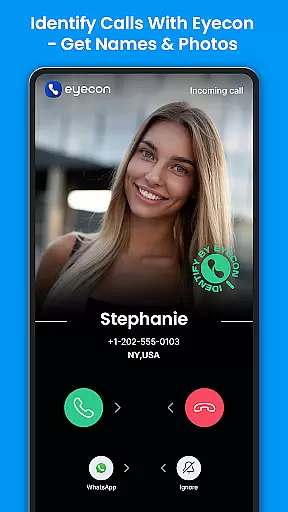

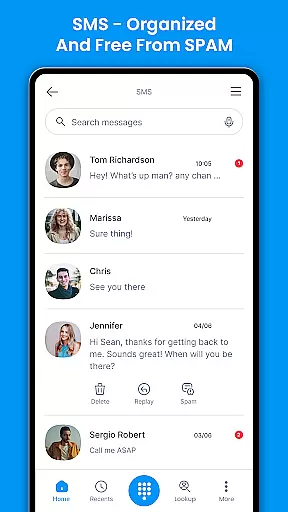
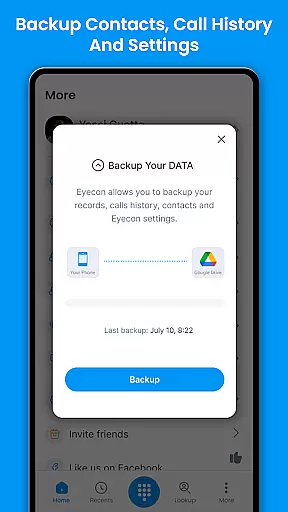
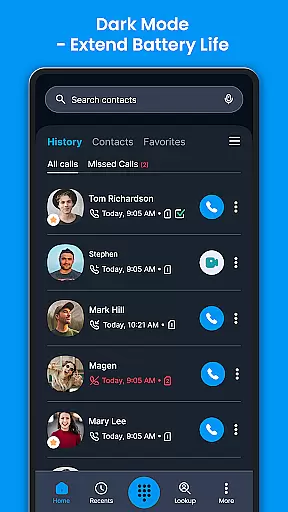
Eyecon Caller ID & Spam Block is a top-rated communication app designed to enhance your calling experience. This app provides full-screen caller ID, allowing you to see the name and photo of the person calling before you answer. It also offers spam call blocking features, ensuring that unwanted marketing calls are a thing of the past.
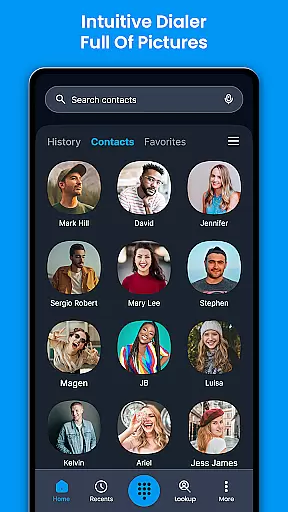
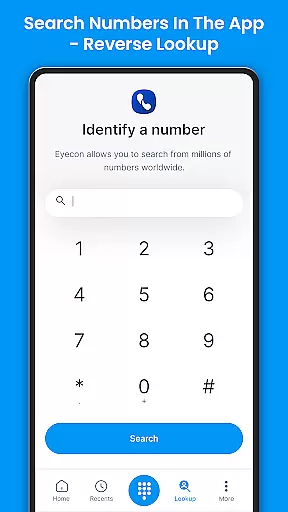
With Eyecon, you can access a caller's social network during a call, making it easier to connect with people on various platforms like Facebook. The reverse lookup feature helps identify unknown callers and their social media profiles. Its intuitive default dialer turns your contact list into a visual gallery, displaying photos of your friends instead of just names and numbers.
This app is perfect for users who want to streamline their communication methods and avoid spam calls while enjoying an enriched calling experience through integrated social media connections.
Eyecon stands out with its comprehensive set of features tailored for modern communication needs. One of the key highlights is the full-screen caller ID, which displays the caller's photo and name prominently, helping you instantly recognize who is calling. The app also includes spam call blocking capabilities, effectively stopping unwanted calls from reaching you.
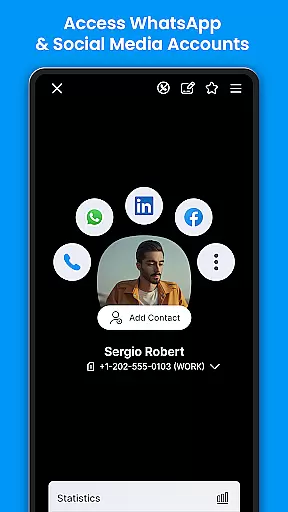
Another notable feature is the in-call access to the caller's social network. While on a call, you can explore the caller's social media profiles, such as Facebook, directly through the app. Additionally, Eyecon offers a reverse lookup function, enabling you to discover the true identity of unknown callers and link them to their digital personas across different platforms.
The intuitive default dialer transforms your contact list into a visually appealing gallery, showing full-screen photos of your contacts. This makes identifying and connecting with your loved ones more engaging and straightforward. With these features, Eyecon ensures a seamless and enriched communication experience.
In today's fast-paced world, the speed and reliability of real-time messaging are crucial for effective communication. Eyecon Caller ID & Spam Block addresses this need by providing instant caller identification and blocking unwanted calls with precision. The app ensures that every important call gets through without delay while unwanted spam calls are blocked before they reach you.
The technology behind Eyecon allows users to instantly see who is calling, displaying names and photos even before answering. This immediacy in identifying callers transforms the way we manage our communications, making sure that users never miss a vital call due to unknown numbers. With its reverse lookup feature, it provides additional context about the caller, enhancing the decision-making process on whether to answer or not.
For professionals and individuals alike, the ability to quickly identify and act upon incoming calls can significantly improve productivity and personal security. Eyecon's reliable caller ID system empowers users to handle their communications more effectively, ensuring that only relevant calls interrupt their day. By integrating seamlessly with existing contact lists and social media profiles, it offers an enriched calling experience that goes beyond traditional telephony.
Media sharing has become an integral part of modern communication, allowing users to express themselves and share experiences instantly. Eyecon Caller ID & Spam Block enhances this aspect by integrating multiple communication platforms into one intuitive interface. Users can initiate chats on popular services like WhatsApp and Facebook directly from the app, streamlining the process of staying connected with friends and family.
Beyond just making calls, Eyecon facilitates comprehensive interaction by enabling access to a calleru2019s social network during a call. This feature enriches conversations by providing contextual information about the person on the other end, such as their Facebook photos and posts. Such integration fosters deeper connections and more meaningful interactions, as users have immediate access to up-to-date information about their contacts.
Moreover, Eyecon supports various forms of media exchange within its platform, ensuring that users can send messages, images, and other files effortlessly. This versatility makes it an invaluable tool for both personal and professional use, where quick and efficient exchanges of information are paramount. By consolidating these functionalities into a single application, Eyecon simplifies the user's digital life, offering a cohesive solution for all communication needs.
Full-screen caller ID
Spam call blocking
Social network integration
Reverse lookup functionality
Intuitive visual dialer
Premium version costs
Occasional ads
Limited free lookups
Permissions required
Battery usage concerns

 3.90
3.90
Fast and simple walkie talkie app
4.20
Pure modern IRC experience for Android
3.70
The ultimate productivity solution for all your email communication needs.
4.40
Google's fast and secure browser
4.10
Read OBD2 data and DTCs Create custom dashboards Enhanced diagnostics available
4.70
Stay in touch with the people who matter most.
4.60
Build your web browser around you with private search, and more.
4.60
Useful. Social. Expressive.
4.70
FolderSync enables easy sync of files between cloud storage and Android devices.
4.60
An agentic AI browser for Android, built by Perplexity
4.50
Smart and simple anti-wiring application - IMSI-catchers catcher
4.40
Enjoy secure messaging & calling. Safe Messenger: group chats, calls, messages.
4.20
Messenger app for faster and simpler SMS text messaging, and personalized themes
4.10
Fast Dialer & Contact Manager with Caller ID and Spam Protection
4.00
SMS Messenger ensures that communication become effortless and accessible.
3.80
Quickly and easily identify and block unknown callers
3.70
Manage and Fund Calling Accounts and Schedule and Join Video Sessions
3.60
Bringing the functionality of Winlink to your Android device
4.0


User Reviews