

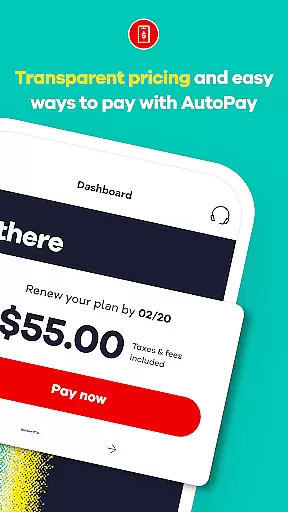
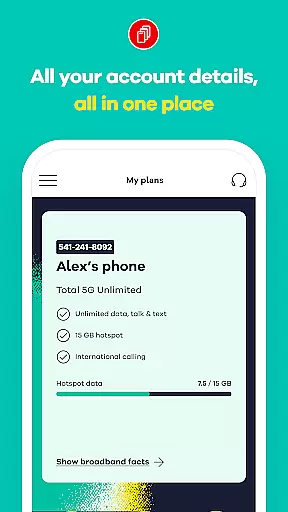
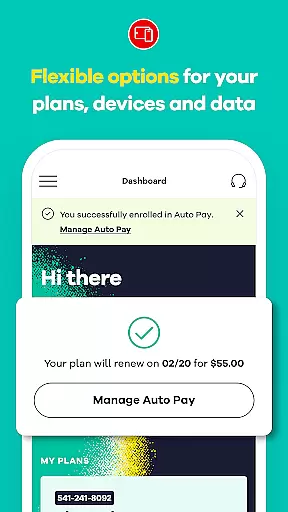
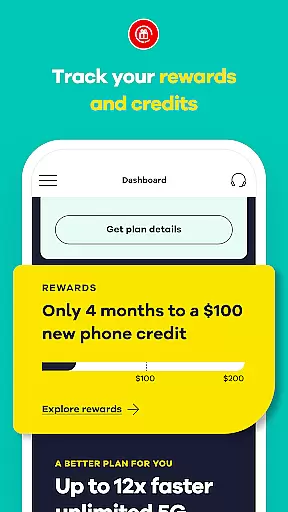
My Total Wireless: Account App is a comprehensive communication tool designed to simplify mobile account management. This application allows users to effortlessly track past and future payments, monitor current plans, manage rewards, and oversee data usage. With its intuitive interface, the app provides quick access to all essential account details, enabling users to manage their devices and monitor unlimited data usage with ease.
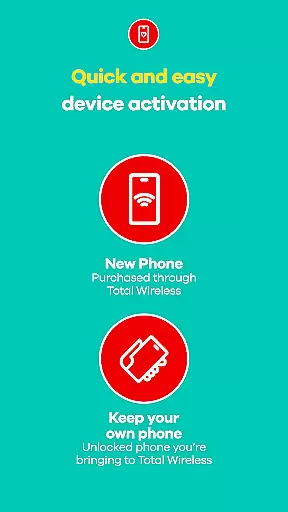
The app features an enhanced activation experience that ensures swift setup while leveraging the power of Verizon's 5G network. Whether making payments or tracking rewards, My Total Wireless offers full control over phone services. The platform supports plan management, including the ability to switch to 5G or 5G+ unlimited plans, often accompanied by promotional offers like a free phone. Additionally, it incorporates a reward system where users can earn credits through consistent plan payments.
This app is particularly beneficial for those seeking a seamless transition to better network services without the hassle of complex account management. By downloading My Total Wireless, users gain complete control over their mobile network, ensuring they remain connected and rewarded.
My Total Wireless stands out with its robust set of features tailored for efficient account management. One of its primary functionalities includes cell phone plan management, allowing users to organize and oversee their devices and data usage effectively. Even with unlimited data plans, users can track and optimize their consumption patterns, ensuring seamless connectivity.
The app provides access to 5G network plans, starting at competitive rates, and simplifies the renewal process through Auto Pay. Users can switch to Total 5G or Total 5G+ Unlimited plans, often incentivized with limited-time offers such as a free phone. Furthermore, the app integrates a rewarding system where users earn credits after consistent monthly plan payments, encouraging long-term engagement.
Another notable feature is the Total Wireless Wallet, which facilitates adding funds directly within the app for purchasing service plans, devices, and accessories. These capabilities collectively ensure that users have a comprehensive tool for managing every aspect of their wireless communication needs efficiently and conveniently.
In today's fast-paced world, the speed and reliability of real-time messaging are crucial for effective communication. My Total Wireless: Account App excels in this area by providing users with instant updates on their account activities, ensuring that every message regarding payments, plan changes, or data usage alerts is delivered promptly.
The app employs advanced notification systems that guarantee message delivery even under inconsistent network conditions. This means you can receive important information about your Total Wireless account without delay, allowing you to take immediate action when needed.
For users, this feature translates into peace of mind, knowing they won't miss critical updates or deadlines related to their mobile service. Whether it's an alert about low data or a reminder of an upcoming payment, the real-time messaging capability ensures you're always informed and in control.
Ultimately, the reliability of real-time messaging within the My Total Wireless app enhances user engagement by maintaining a constant and trustworthy line of communication between the service provider and its customers.
Sharing media has become an integral part of our digital interactions, and My Total Wireless: Account App recognizes this need by offering robust media sharing support. This functionality allows users to easily share documents, images, and other files related to their account management, enhancing the collaborative experience between the customer and support teams.
The app supports various file formats, making it versatile for different types of media sharing needs. Whether you need to send proof of payment, share screenshots of technical issues for troubleshooting, or upload identification documents for verification purposes, the process is streamlined and user-friendly.
This feature not only simplifies the handling of customer service inquiries but also expedites resolutions by providing clear and accessible information exchange channels. Users benefit from quicker response times and more efficient problem-solving processes.
By integrating comprehensive media sharing capabilities, My Total Wireless: Account App sets a high standard for customer interaction in the telecommunications industry, ensuring that all communications are as informative and actionable as possible.
User-friendly interface
Comprehensive account management
5G network support
Rewarding loyalty program
Convenient fund addition
Limited to Total Wireless customers
Promotions with terms
Device compatibility required
Geographical limitations
Dependent on network coverage

BiP is a fast, secure, free messaging and HD video calling app!
 4.10
4.10
Call Forwarding is easy and simple application to use.
3.80
فیلتر شکن قوی پرسرعت کلید جدید برای اندرویدسریع ترین وی پی ان برای همه اپراتورها
4.70
Secure Messaging App to Enhance Messenger Texting Experience and Organize SMS.
3.50
Save 10% automatically on your first international mobile top up.
4.60
Messages: Fast, simple SMS app with scheduling and smart features.
4.00
Comprehensive and powerful scan tool app with enhanced functions
3.00
RemoteHams.com Android RCForb Client Pre-Release
4.30
TeamSpeak - Secure Chat for Gaming & Business
3.10
Use this Dialer app alone or as a TREK: Total Interface companion.
4.70
Browse fast on Opera Mini, with Data Saving, News, Football Scores, and Download
4.60
Manage BoostMobile Account
4.60
Experience real private browsing without tracking, surveillance, or censorship.
4.50
The ultimate productivity solution for all your email communication needs.
4.40
SMS Messenger is a lightning-fast messaging app.
4.20
Measure BHP, Torque & 0-60 Clear car OBD faults View engine data in Google Earth
4.00
Message and video call your family and friends in HD!
3.80
Chat on the Jabber network (XMPP protocol); support for SMS and other gateways
2.10
Watchgram for Telegram: Experience seamless Telegram messaging on your watch
1.80


User Reviews