
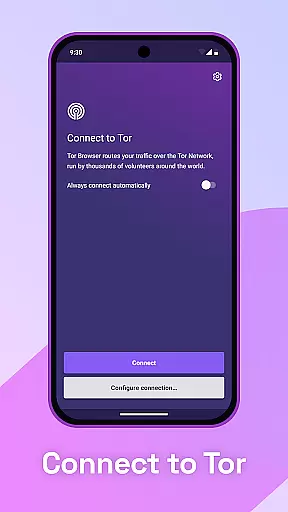
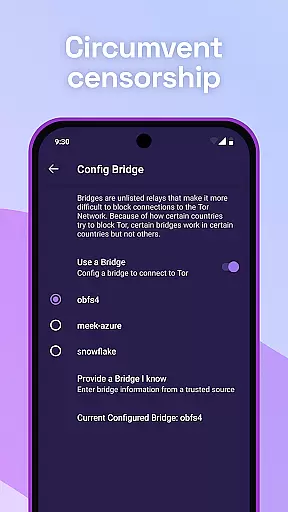
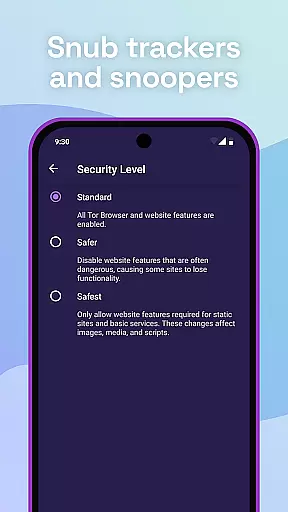
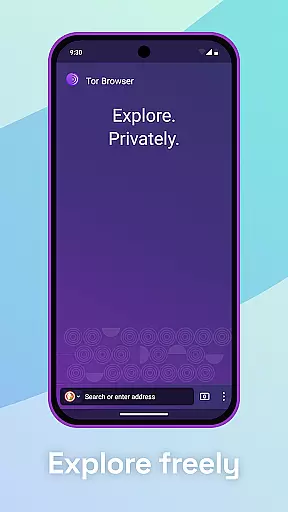
Tor Browser is the official mobile browser for Android supported by the Tor Project, offering the strongest tool for online privacy and freedom. It ensures users' browsing activities remain private and secure through advanced features like multi-layered encryption and tracker blocking.
The app isolates each website visit to prevent third-party trackers from following users, automatically clearing cookies after sessions. Additionally, it defends against surveillance and resists fingerprinting, making all users appear identical and thus harder to track based on browser or device information.
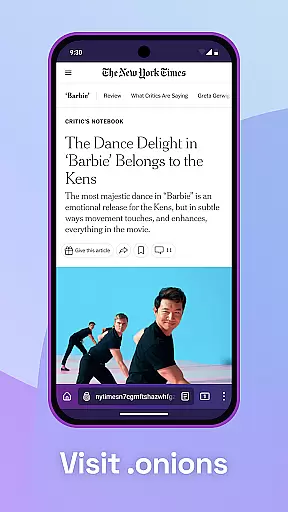
With Tor Browser, users can browse freely and access sites that might be blocked by local ISPs. Its robust privacy protections make it ideal for individuals seeking to maintain anonymity and security online.
Tor Browser offers a comprehensive suite of privacy-focused features designed to protect user data and ensure anonymity online. One of its core functionalities is multi-layered encryption, which encrypts traffic three times as it passes through the Tor network, comprised of thousands of volunteer-run servers known as Tor relays.
The browser also blocks trackers and prevents ads from following users across different websites. This isolation strategy ensures that third-party trackers cannot monitor browsing habits, enhancing privacy significantly. Furthermore, Tor Browser clears cookies automatically once the browsing session ends, ensuring no residual data remains.
Another standout feature is its ability to resist fingerprinting, making all users look the same by masking browser and device information. This functionality thwarts attempts to identify users based on unique digital signatures. Overall, these features collectively provide a secure and private browsing experience, crucial for protecting personal information in today's digital age.
Real-time messaging speed and reliability are crucial for any communication tool, especially one focused on privacy like Tor Browser. This feature ensures that users can browse and communicate securely without noticeable delays.
Tor Browser achieves this through its multi-layered encryption and vast network of volunteer-run servers known as Tor relays. These relays encrypt and relay your traffic three times as it passes over the Tor network, ensuring both speed and security.
For users, this means they can access blocked sites and communicate freely with assurance that their activities are protected from surveillance. The robust infrastructure provided by the Tor Project ensures consistent performance even under varying network conditions.
Media sharing support in Tor Browser allows users to share files and media while maintaining their privacy and security. This is particularly important when communicating sensitive information where confidentiality is paramount.
The browser isolates each website visit, preventing third-party trackers and ads from following users. Additionally, cookies automatically clear when browsing is done, ensuring no residual data remains that could compromise user identities during media sharing.
With Tor's strong encryption protocols, users can confidently share media knowing their activities are shielded from prying eyes. This makes Tor Browser not only a tool for anonymous browsing but also a secure platform for exchanging media content without fear of interception or tracking.
Strong privacy protection
Multi-layered encryption
Tracker blocking
Resists fingerprinting
Free and open-source
Slower browsing speed
Complex setup process
Limited mobile features
Not user-friendly
High resource usage

 3.90
3.90
Tether to Windows, OS X, Linux PCs or Android tablets. No root. No tether fees.
3.90
Secure Messaging App to Enhance Messenger Texting Experience and Organize SMS.
3.50
Save 10% automatically on your first international mobile top up.
4.60
Manage BoostMobile Account
4.60
WazzapMigrator: transfer your WhatsApp history from iPhone to Android
4.00
HD Video Meeting app is a fast & unlimited video conferencing app across world.
4.30
Read OBD2 data and DTCs Create custom dashboards Enhanced diagnostics available
4.70
Simple tool for businesses to talk to their customers.
4.40
Use this Dialer app alone or as a TREK: Total Interface companion.
4.70
Messenger for SMS - texting message app, faster, simpler & safer, for you.
4.70
A browser that does more than load page, like keeping your privacy safe.
4.70
Welcome to the future of phone service.
4.60
Manage your mobile phone plan, check unlimited 5g data usage and track rewards
4.50
Get through your inbox faster with the mail app designed to simplify your life.
4.40
2nd Phone Number Line for Anonymous Texting, Calling, and Picture Messages
4.30
Messenger app for faster and simpler SMS text messaging, and personalized themes
4.10
Auto Reply SMS, Text Messaging, Away SMS Response, Busy SMS messages, Block Text
3.10
A Browser with powerful ad blocker to help focus on what really matters.
3.00


User Reviews