
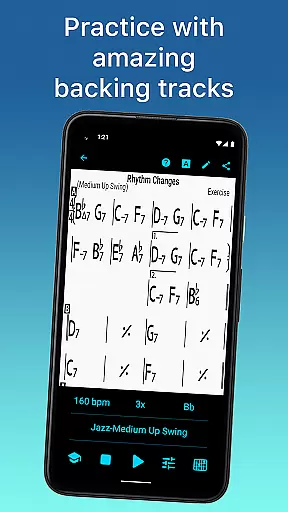
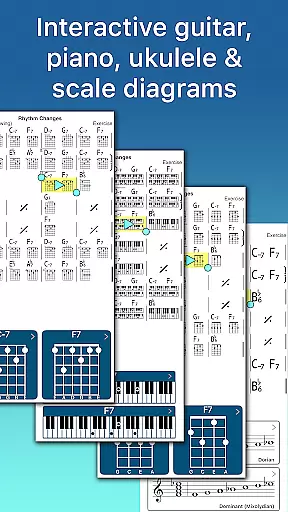
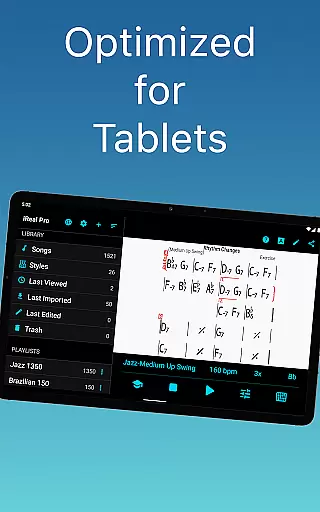
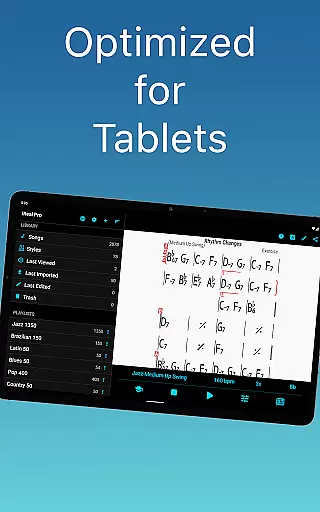
iReal Pro is a comprehensive music practice tool designed for musicians of all levels. This innovative app simulates a realistic band accompaniment, allowing users to practice with high-quality piano, guitar, bass, and drum sounds. Whether you're a beginner or an advanced musician, iReal Pro provides the perfect practice environment.
The app also features a robust chord chart system. Users can create, edit, print, and share chord charts of their favorite songs. With access to thousands of downloadable songs and personalized practice settings, musicians can tailor their learning experience to specific needs. The app's versatility makes it an essential tool for practice sessions and live performances alike.
iReal Pro stands out with its diverse range of features that cater to various musical needs. The app offers 51 included accompaniment styles, ranging from Swing and Ballad to Reggae and Latin. Each style can be customized with different instrument sounds, including electric and acoustic guitars, pianos, organs, and vibraphones.
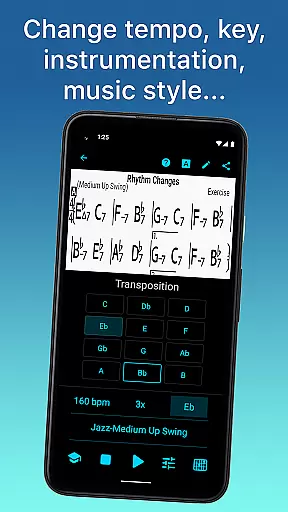
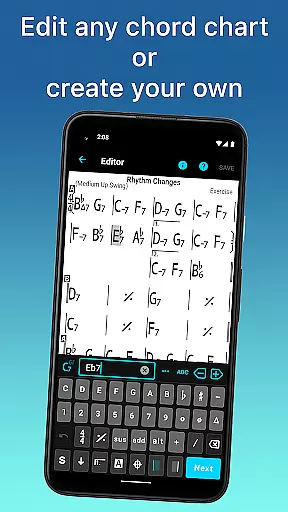
For those who want to expand their repertoire, iReal Pro allows users to download thousands of songs from its forums. The built-in editor lets musicians modify existing charts or create new ones from scratch. Advanced practice tools include tempo adjustment, key transposition, and looped sections for focused practice. These features, combined with scale recommendations and chord diagrams, make iReal Pro an invaluable resource for musical development.
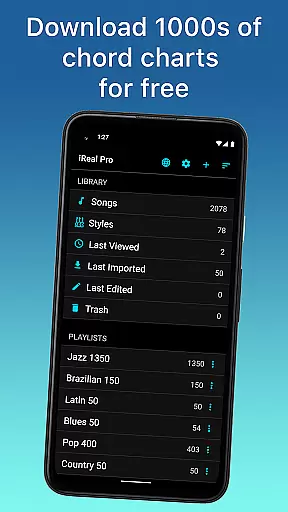
Having a comprehensive music library is essential for any musician looking to practice and improve their skills. iReal Pro offers access to thousands of songs that can be downloaded directly from the forums, ensuring a vast repertoire for users to choose from.
The app places a strong emphasis on copyright authenticity, providing users with legitimate content for their practice sessions. By allowing musicians to create and edit their own chord charts, iReal Pro ensures that all music within the app is either user-created or obtained through proper channels, thus respecting intellectual property rights.
Users benefit from this extensive and authentic music library by having a diverse selection of tracks at their disposal. This feature supports various musical genres and styles, catering to the individual needs and preferences of each musician using the app.
Ultimately, the combination of a large music library with verified copyright authenticity means that musicians can rely on iReal Pro for lawful and extensive resources that aid in their musical development.
Audio quality is paramount when it comes to practicing with accompaniment, as it affects the overall experience and performance. iReal Pro addresses this by offering high-quality audio playback with its virtual band feature, which includes realistic sounding piano, guitar, bass, and drum accompaniments.
Musicians have the option to personalize their audio experience by choosing from a variety of instrument sounds available within the app. Whether they prefer the classic tones of an acoustic piano or the vibrant strumming of an electric guitar, iReal Pro delivers a rich auditory experience that enhances practice sessions.
In addition to selecting instrument sounds, users can also record themselves playing or singing along with the accompaniment. The app supports exporting these recordings in multiple formats such as WAV, AAC, and MIDI, giving musicians flexibility in how they wish to use and share their music.
This focus on superior audio quality options not only elevates the practice experience but also provides musicians with professional-grade tools to refine their craft effectively.
User-friendly interface
High-quality sound library
Extensive song database
Customizable practice settings
Cross-platform compatibility
Additional styles cost extra
Steep learning curve
Occasional audio glitches
Limited free content
Subscription-based model

The Cubase remote control app
 3.60
3.60
Remove ads permanently from Music Visualizer
4.1
VB-AUDIO Software / VBAN-Receptor allows listening to any VBAN Streams
4.10
DJ Music Mixer - DJ Remix: remix songs, make beat music & record mix of DJ.
4.40
Simple & Intuitive Metronome
4.70
Brian Eno and Peter Chilvers’ acclaimed music app Bloom, radically reinvented.
4.80
The original SP-1200 experience on your iPad
4.20
PowerAudio is a powerful offline music player.
4.20
Play your music offline without limits
4.80
Play your hearts out on TouchTunes jukeboxes & connect with fellow music lovers.
4.80
More downloads than any other metronome. Includes drum machine & tempo trainer.
4.80
Make songs with AI! Any genre, custom lyric, song generator for music creation!
4.80
Ultimate Sonos Controller
4.70
Save hundreds of dollars for a physical strobe tuner and instead use this app.
4.50
Equalizer, Bass Booster and Volume Booster (Eq & Bass) improve sound quality
4.30
Advanced 10-Band Audio Graphic Equalizer Sound Booster Pro
4.30
Smart piano keyboard, Classical to Pop, Real-time multiplayer connection!
4.20
Versatile MP3 recorder with auto-backup to Dropbox and Google Drive
4.10
Background pads for your band
3.80


User Reviews