
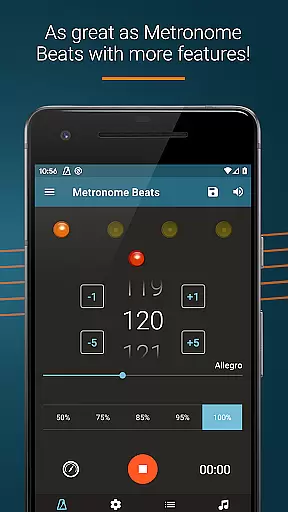
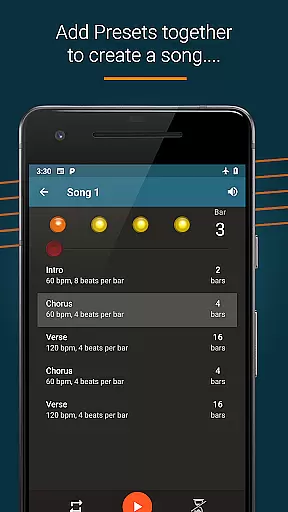
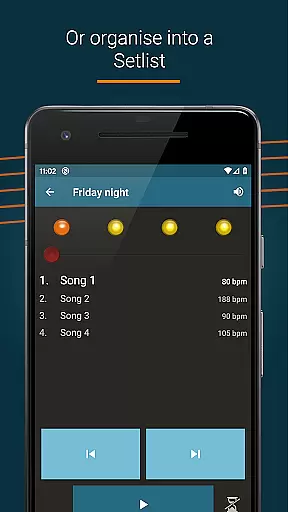
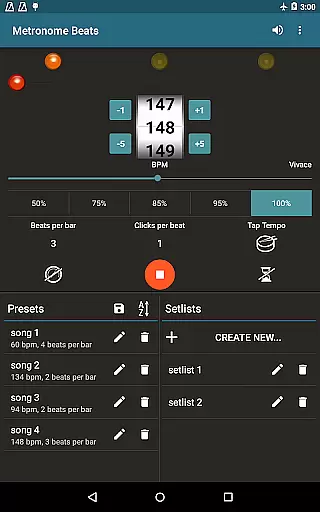
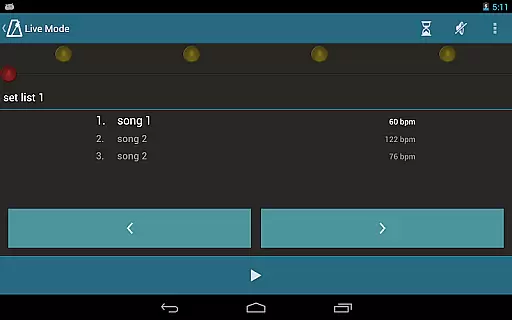
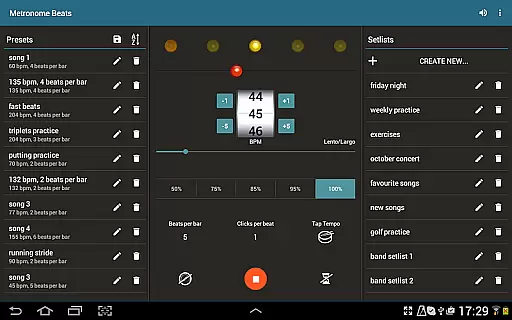
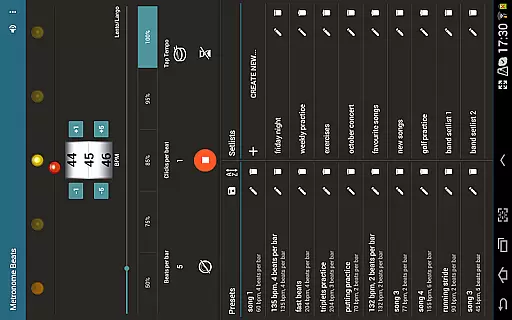
Metronome Beats Pro is a comprehensive music tool designed for musicians of all levels. This professional-grade metronome app offers advanced features beyond basic tempo tracking, making it an essential companion for practice and live performances. The app's standout feature is its 'Live Mode', which allows users to create setlists of songs with varying tempos and play through them sequentially.
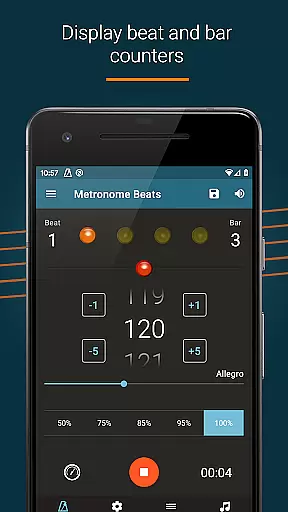
In addition to the core metronome functionality, the app provides a speed trainer, beat and bar counters, and multiple sound options. Users can customize their experience with features like visual beat indicators, pitch adjustment for better audibility, and a timer function for precise practice sessions. The app's intuitive interface ensures ease of use across different devices, while its ability to operate simultaneously with other apps enhances its versatility during practice sessions.
This application is particularly valuable for musicians who need precise tempo control during practice or live performances. Whether you're a solo artist or part of an ensemble, Metronome Beats Pro helps maintain consistent timing and improves overall performance quality. The app's customization options and specialized features make it suitable for both beginners and professional musicians.
Metronome Beats Pro stands out in the music application category due to its extensive feature set tailored specifically for musicians. One of its most notable capabilities is the 'Live Mode' feature, which enables performers to organize and execute setlists with varying tempos seamlessly. This functionality proves invaluable during live performances and group practices where tempo changes are crucial.
The app offers several unique features that enhance the user experience. Its speed trainer helps musicians gradually increase their playing speed, while the beat and bar counters provide precise timing information. Users can select from a range of tempo options (1-900 BPM) and utilize the tap tempo button for quick adjustments. The inclusion of Italian tempo markings caters to classical musicians, and the subdivision feature supports practicing complex rhythms.
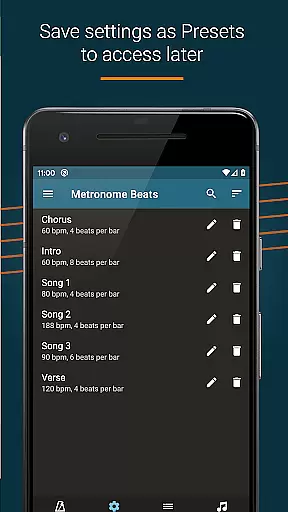
Additional features include a timer function for controlled practice sessions, visual beat indication for silent practice, and customizable sound settings. The app's ability to save presets and operate alongside other applications demonstrates its commitment to user convenience. These features collectively contribute to a versatile and powerful tool that addresses various musical practice needs while maintaining professional-grade accuracy and reliability.
Metronome Beats Pro offers a comprehensive set of features that cater to musicians' tempo and rhythm needs, ensuring a rich library of beat and tempo options. This includes the ability to select any tempo from 1 to 900 beats per minute, subdivide the beat with up to 16 clicks per beat, and choose from different sound types.
The application's credibility is reinforced by its alignment with professional standards, offering Italian tempo markings and allowing users to create songs with varying tempos. These features not only expand the music library but also ensure that each sound setting complies with copyright authenticity.
Users benefit from the app's 'Live Mode' feature, which allows them to organize their favorite songs into setlists and play through these in sequence. This functionality, along with the ability to save settings as presets, provides an authentic experience that respects original compositions while offering customization.
Furthermore, Metronome Beats Pro enhances practice sessions with its speed trainer and tap tempo button for uncertain BPM needs. The option to accent the first beat of the bar and mute the metronome while still monitoring the tempo visually ensures that musicians can fully immerse in their art without compromising on legal or ethical standards.
Audio quality is paramount in musical practice and performance, and Metronome Beats Pro excels in delivering pristine sound options. Users can change the pitch of the metronome sound, making it easier to hear over their instruments, thus providing clear auditory cues during practice sessions.
The application supports high-quality audio output with various sound settings, including custom sound configurations that allow musicians to tailor the audio feedback to their specific needs. This level of personalization ensures optimal audio quality that can adapt to different musical environments and preferences.
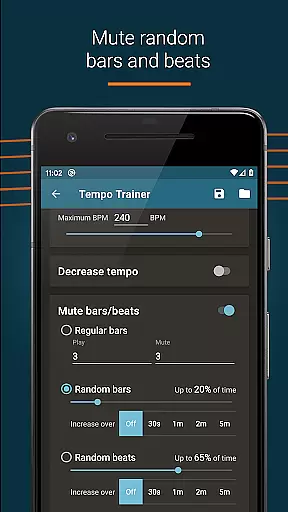
With visual beat indication features, users have the flexibility to mute the sound entirely and rely on visualizations to follow the beat. This feature is particularly useful in situations where audio could cause disturbance, yet maintaining rhythm is crucial for the performance.
Additionally, the exclusive 'Pro' features such as randomised bar and beat muting offer advanced audio manipulation capabilities. Such tools are indispensable for serious musicians looking to refine their timing skills while enjoying a versatile palette of audio quality options provided by Metronome Beats Pro.
User-friendly interface
Customizable sound options
Visual beat indicators
Speed training capability
Setlist organization
Premium price point
Complex for beginners
Occasional sync issues
Limited free version
Device compatibility

DJ Music Mixer - DJ Remix: remix songs, make beat music & record mix of DJ.
 4.40
4.40
Most Advanced AI Song Generator and Music Creator. Rap, Pop, Rock, Gospel & more
4.70
Simple & Intuitive Metronome
4.70
USB audio recording and playback finally possible on Android 3.1 or higher!
3.90
Voice recorder - Audio recorder. Best recorder for recording
4.90
The official Sonos app
4.10
Versatile MP3 recorder with auto-backup to Dropbox and Google Drive
4.10
Responsive piano with great sounds, graphics, and songs
4.80
Customize Your Favorite Songs and Videos with booster.
4.70
Tune in to the greatest hits on UK Radio | The home of Capital, Smooth & Heart.
4.90
Play your hearts out on TouchTunes jukeboxes & connect with fellow music lovers.
4.80
Make songs with AI! Any genre, custom lyric, song generator for music creation!
4.80
The best music and audio player, with beautiful UI, music search and equalizer.
4.60
Recording studio w/ 10k beats, pro vocal FX and a network of 20M rappers & fans!
4.60
Fun & Easy Voice Changer – Record, Edit & Add Hilarious Effects!
4.50
Advanced 10-Band Audio Graphic Equalizer Sound Booster Pro
4.30
A sleek, no-frills player designed for true music lovers.
4.20
The ultimate media player for Android devices
3.90
Learn to play the piano using falling notes!
3.80


User Reviews