
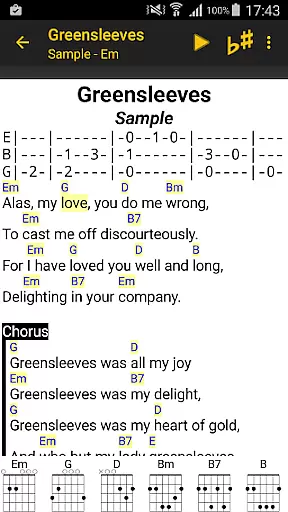
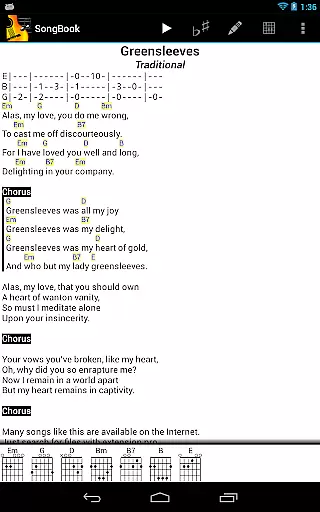
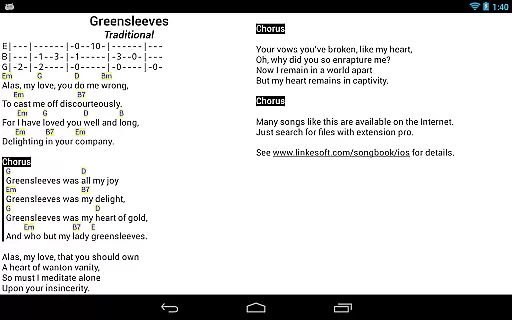
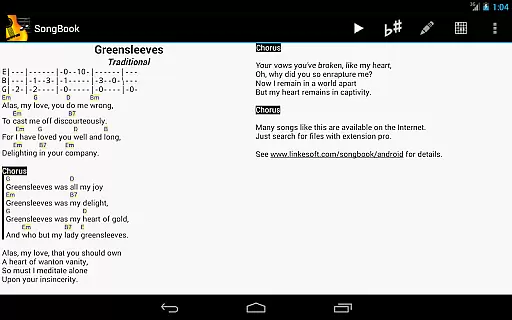
SongBook is a versatile music management app designed for Android tablets and phones, allowing users to organize their song collections with ease. It supports lyrics and chords, making it an ideal tool for musicians, singers, and songwriters on the go.
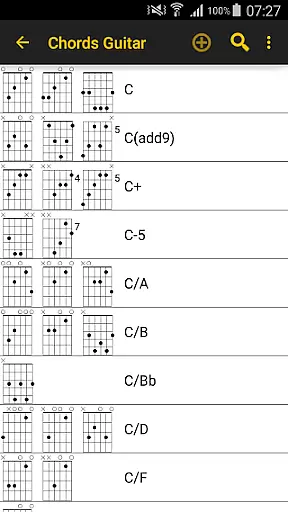
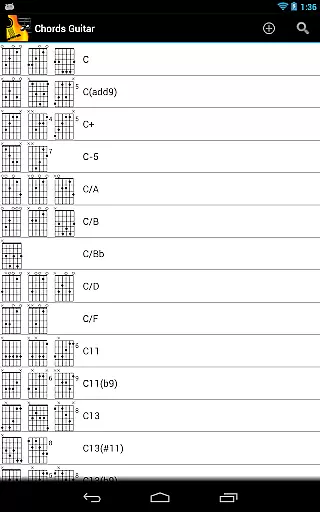
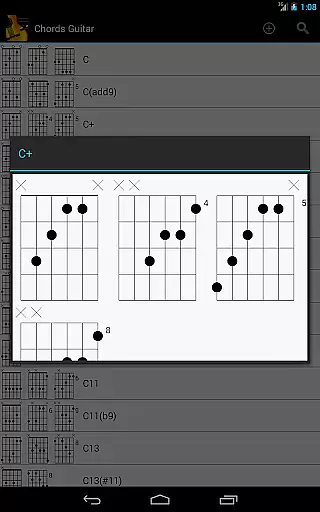
One of its standout features is the ability to tap on any chord to instantly view its definitions. This functionality is complemented by comprehensive, extensible chord libraries that cater to various instruments such as guitar, ukulele, banjo, and piano. Whether you're practicing alone or performing live, SongBook ensures you have all the tools you need at your fingertips.
The app also offers practical features like transposing chords on the fly, auto-scrolling through lengthy songs, and pinch-to-zoom for better visibility. These capabilities make it suitable for both practice sessions and live performances, enhancing the overall user experience significantly.
SongBook stands out due to its rich feature set tailored specifically for musicians. The app provides extensive support for multiple instruments, including guitar, ukulele, banjo, and piano, each with its own comprehensive chord library. This allows users to access accurate chord definitions quickly and efficiently.
Another notable feature is the ability to transpose chords instantly, which is particularly useful when adapting songs to different vocal ranges or instruments. The auto-scroll function ensures uninterrupted performance during live shows or practice sessions, while pinch-to-zoom enhances readability on various screen sizes.
Additionally, SongBook's user-friendly interface makes navigation intuitive and straightforward. Users can easily manage their song collections, edit lyrics, and adjust settings to suit their preferences. With these robust features, SongBook proves to be an indispensable tool for anyone involved in music creation or performance.
SongBook offers an extensive music library that caters to a wide range of musical tastes and preferences. The app includes lyrics and chords for a multitude of songs, making it an invaluable tool for musicians and music enthusiasts alike.
One of the key features of SongBook is its comprehensive chord libraries, which are extensible and cover various instruments such as guitar, ukulele, banjo, and piano. This ensures that users have access to accurate and detailed information about chords, enabling them to learn and play songs with confidence.
The app's commitment to copyright authenticity is evident in its meticulous approach to song collections. Users can trust that the content provided is legitimate and respects intellectual property rights, allowing them to enjoy their musical journey without concerns about legal issues.
With SongBook, audio quality is taken seriously, offering users multiple options to enhance their listening experience. Whether practicing alone or performing on stage, musicians can choose settings that best suit their needs.
The ability to transpose chords on the fly is a standout feature, providing flexibility and convenience when playing different instruments or singing in various keys. This functionality ensures that users can adapt songs to match their vocal range or instrument tuning effortlessly.
Additionally, SongBook includes practical features like auto-scroll and pinch-to-zoom, which contribute to a seamless user experience. These tools allow performers to focus on their music without interruption, ensuring smooth transitions during performances or practice sessions.
User-friendly interface
Comprehensive chord libraries
Instant chord transposition
Auto-scroll functionality
Pinch-to-zoom feature
Limited to Android devices
No built-in metronome
Some features may require additional purchases
Occasional bugs reported
Learning curve for beginners

A synth that really lets you shape your sounds!
 4.50
4.50
JBL PartyBox APP works with 110/310/710/120/320/520/Encore/Encore 2/Encore Ess 2
4.80
Next generation modular control surface
4.10
Unleash your creativity! Turn simple prompts into full fledged songs.
4.70
A sleek, no-frills player designed for true music lovers.
4.20
Enjoy singing any song, no matter how high or low it is
4.30
Help you quickly get started with Shokz headphones
4.40
Customize Your Favorite Songs and Videos with booster.
4.70
Melody Beat: Great for travel, workouts, offline vibes, play your tunes anytime.
4.10
Music, News & Sports Radio Tuner App. Tune in Live FM & AM Radio Stations.
4.80
SqueezePlayer turns your Android phone or tablet into a SqueezeBox on its own!
4.60
Bass Booster & Volume Equalizer Pro improves your music and video sound quality
4.60
Recording studio w/ 10k beats, pro vocal FX and a network of 20M rappers & fans!
4.60
Offline Music Player&MP3 Player with themes, equalizer, lyrics, music play mode
4.60
Learn the notes on the guitar fretboard fast with this easy and fun app
4.60
Enhance the sound quality of your devices, listen to what you want
4.50
No wifi music app. Mp3 offline. Tuner radio, young radio music. Music downloader
4.20
The original SP-1200 experience on your iPad
4.20
VB-AUDIO Software / VBAN-Receptor allows listening to any VBAN Streams
4.10


User Reviews