
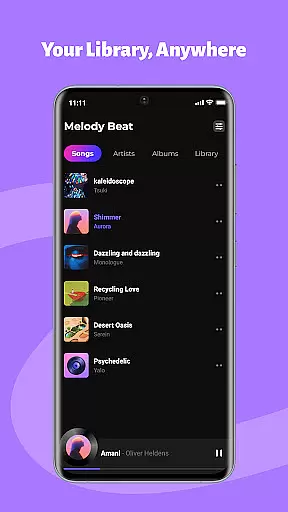
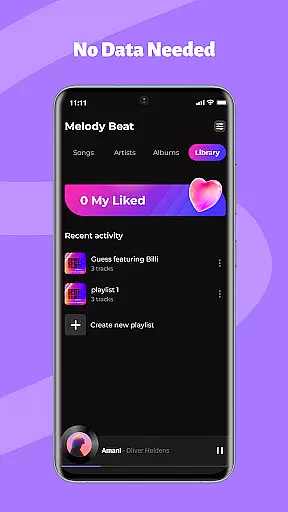
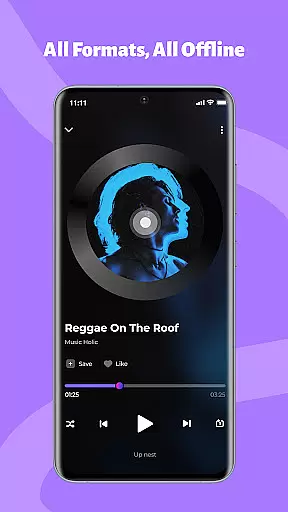
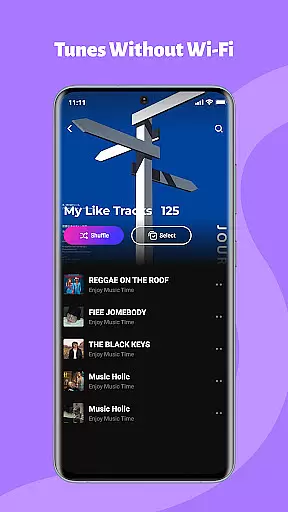
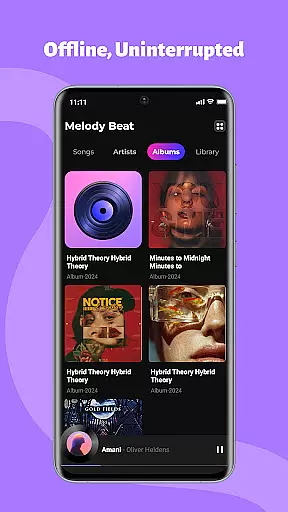
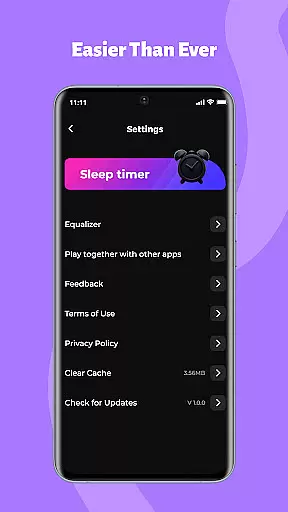
Melody Beat is a premier offline music player tailored for audiophiles who value quality and privacy. It supports over 30 audio formats including MP3, FLAC, and WAV, ensuring lossless playback without the need for file conversion.
With smart library management, users can organize their music by artist, album, or genre with ease. The app also offers advanced sound customization through its professional equalizer, allowing users to tailor their listening experience with various presets. Perfect for travelers, gym enthusiasts, and daily commuters, Melody Beat ensures uninterrupted playback in all scenarios.
Melody Beat stands out with universal format support, accommodating more than 30 audio formats without compromising on quality. Its smart library management system automatically sorts music, enhancing user convenience with quick filters and genre search capabilities.
The app's equalizer and sound customization features let users tweak their audio experience with bass boost, virtualizer, and preset modes for different music genres. Background and lockscreen playback options provide seamless control, making it ideal for multitasking or saving battery life during commutes.
Designed with privacy in mind, Melody Beat operates on a local-only storage model, safeguarding user data against cloud tracking. Regular updates promise continuous improvement, bringing new functionalities and optimized performance to its intuitive interface.
Music library size and copyright authenticity are crucial factors for any music application. Melody Beat ensures that all locally stored audio files are managed efficiently without accessing or sharing your data, ensuring privacy and security.
The app supports over 30 formats including MP3, FLAC, WAV, and AAC, providing lossless quality playback without the need for file conversion. This extensive format support allows users to enjoy a vast array of music from their personal collections seamlessly.
Melody Beat's smart library management automatically organizes music by artist, album, genre, or folder, making it easy to find and play your favorite tracks. The inclusion of lyrics support enhances the listening experience, even without an internet connection.
With regular updates and improvements, Melody Beat is committed to delivering new features and better performance, ensuring a smooth and uninterrupted playback experience for all music lovers.
Audio quality options in Melody Beat provide users with the ability to personalize their sound experience through advanced equalizer settings, bass boost, virtualizer, and pre-set modes tailored for different music genres like Pop, Rock, Jazz, and Classical.
The professional equalizer allows users to fine-tune their audio output, ensuring that every track sounds as intended by the artist. With customizable sound profiles, listeners can enjoy an immersive experience that matches their preferences and mood.
Background and lockscreen playback features enable users to control music directly from their notification bar or lockscreen, perfect for various scenarios such as workouts, commutes, or saving battery life. This seamless integration enhances user convenience and accessibility.
Melody Beat's commitment to a subscription-free model ensures a pure music experience with zero hidden costs. By focusing on local-only storage and intuitive interface design, the app provides a clutter-free layout that makes navigation effortless for all users, elevating the overall listening experience.
User-friendly interface
Extensive format support
Advanced equalizer settings
Offline playback capability
Regular feature updates
No cloud integration
Limited social features
Android only
No built-in radio
Basic theme options

Your song collections with lyrics and chords on Android smartphones and tablets.
 4.80
4.80
More downloads than any other metronome. Includes drum machine & tempo trainer.
4.80
Visualize the guitar fretboard, master scales & play through changes like a pro!
4.50
Guzheng Master supports many playing techniques as an acoustic Guzheng
4.50
USB audio recording and playback finally possible on Android 3.1 or higher!
3.90
Turn your Android phone into a professional audio analyser with up to 120 bands.
4.00
MilkDrop for Android TV
3.00
Full featured mp3 and audio player with Chromecast and Android Auto support.
4.40
Customize Your Favorite Songs and Videos with booster.
4.70
Full-featured, High-Quality Groovebox Workstation, perfect for Live Performance!
4.80
Make songs with AI! Any genre, custom lyric, song generator for music creation!
4.80
Listen radio AM / FM Stations. Live AM / FM Radio App Station. Radio Com.
4.70
A complete sound package for the sound engineer or enthusiast
4.60
Learn the notes on the guitar fretboard fast with this easy and fun app
4.60
Fun & Easy Voice Changer – Record, Edit & Add Hilarious Effects!
4.50
Save hundreds of dollars for a physical strobe tuner and instead use this app.
4.50
Let your Android device with the sound effects you want
4.50
Help you quickly get started with Shokz headphones
4.40
Make music anywhere. Turn your device into an instrument.
4.1


User Reviews