
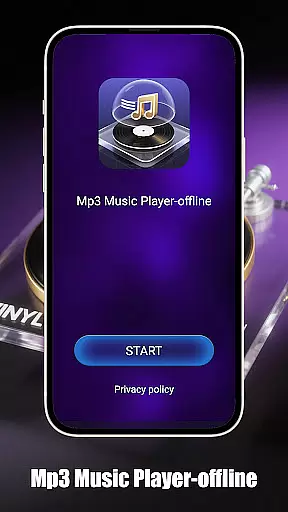
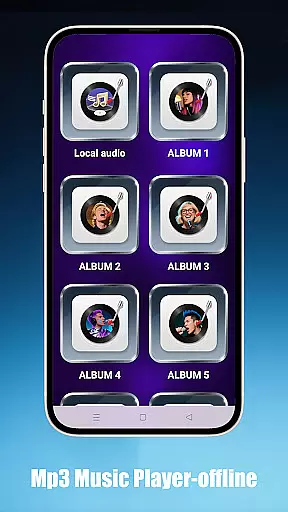
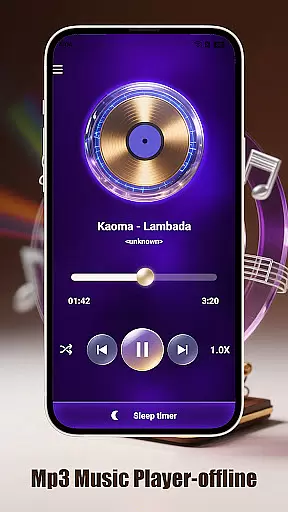
Mp3 Music Player - Offline is a sleek and no-frills music player designed for true music lovers. It allows users to play local MP3 files with powerful controls without the need for an internet connection. With features like smart playback modes, effortless local music access, and a design focused on user experience, this app ensures an uninterrupted and immersive music experience.
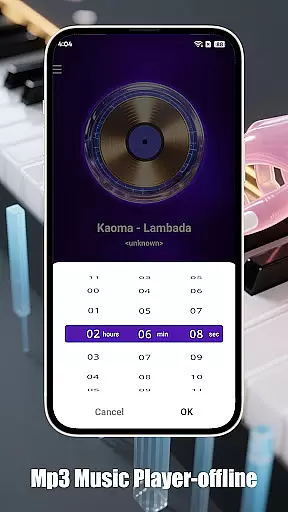
The app supports various playback modes including loop, shuffle, and single-track playback. Users can also adjust playback speed, making it ideal for podcasts or learning sessions. Additionally, its sleep timer feature helps conserve battery life by automatically stopping music after a set time.
One of the standout features of Mp3 Music Player - Offline is its smart playback modes. Users can choose between loop, shuffle, or single-track playback options. The adjustable speed feature (ranging from 0.5x to 2.0x) caters to those who prefer listening at different speeds, especially useful for educational content or podcasts.
Effortless local music access is another key aspect. The app allows users to browse and play songs by folder, artist, or album. Its ultra-fast search functionality ensures that users can find their favorite tracks instantly. Furthermore, the minimalist interface offers a landscape-optimized UI for an immersive full-screen experience, ensuring there are no distractions while enjoying music.
When it comes to music players, the size and authenticity of the music library are crucial factors. Mp3 Music Player - Offline focuses on allowing users to play their local MP3 files without the need for internet connectivity. This ensures that users have complete control over their music collection while maintaining copyright legality.
The app supports a wide range of local music files, enabling users to organize and access their personal collections effortlessly. By playing files stored directly on the device, it guarantees that all music is legally owned by the user, thus respecting copyright laws. This makes it an ideal choice for those who prioritize legal compliance in their music consumption.
Additionally, the ability to browse songs by folder, artist, or album enhances the user experience by providing multiple ways to manage and enjoy one's music library. The ultra-fast search feature further simplifies finding specific tracks, ensuring a seamless listening experience tailored to individual preferences.
Audio quality is paramount for any music enthusiast, and Mp3 Music Player - Offline delivers exceptional sound fidelity through its advanced features. The player offers adjustable playback speed ranging from 0.5x to 2.0x, catering to diverse listening needs such as podcasts or language learning sessions.
This flexibility in audio settings allows users to customize their listening experience according to their preferences. Whether you want to slow down a track for careful analysis or speed it up to cover more content quickly, this app provides the tools necessary to do so effectively.
Moreover, the minimalist interface ensures there are no distractions, allowing listeners to focus solely on their music. With a landscape-optimized UI for an immersive full-screen experience and a lightweight design that conserves battery life, Mp3 Music Player - Offline combines high-quality audio with practical functionality, making it a top choice for discerning audiophiles.
User-friendly interface
No internet required
Adjustable playback speed
Sleep timer functionality
Lightweight and battery-friendly
Limited to local MP3 files
No streaming service integration
Basic equalizer settings
No social sharing options
Lacks advanced audio effects

Performance-Synthesizer & Multi-Track-Sequencer, polyphonic + multi timbral!
 4.70
4.70
Your song collections with lyrics and chords on Android smartphones and tablets.
4.80
Network/Cloud Streaming, Visualization, Graphic Equalizer and Sound Effects.
4.20
Next generation modular control surface
4.10
Ultimate Sonos Controller
4.70
24,000 free audio books and no ads!
4.90
The original SP-1200 experience on your iPad
4.20
Sheet music reader, piano & music note player. Play music score & learn to read.
3.90
Be a true music maker: create beats, mix and make music like a real DJ!
4.30
Make songs with AI! Any genre, custom lyric, song generator for music creation!
4.80
Over 100 million tracks available for high quality streaming and download
4.60
Super Sound Editor, Song Maker & Mixer, Vocal Remover, Voice Recorder & Changer!
4.60
Fun & Easy Voice Changer – Record, Edit & Add Hilarious Effects!
4.50
The Music Journey in Your Hands
4.30
No wifi music app. Mp3 offline. Tuner radio, young radio music. Music downloader
4.20
The official Sonos app
4.10
The iconic iOS metronome app is now on Android.
3.70
Control your MIDI USB or Bluetooth devices in app and avoid some trampling
3.30
The Minimalistic Premium Music Player. Handmade with passion for music
2.20


User Reviews