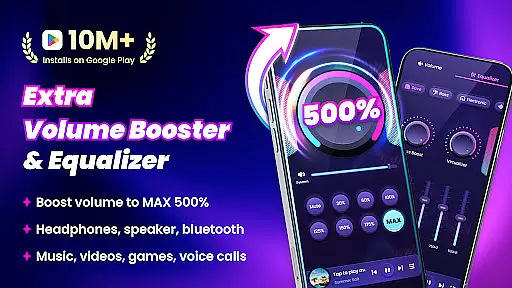
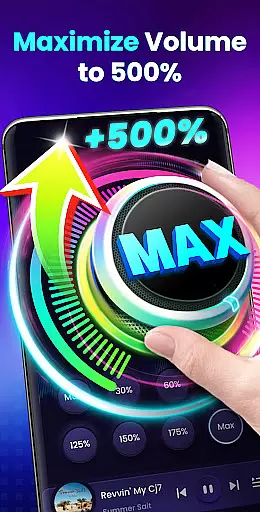
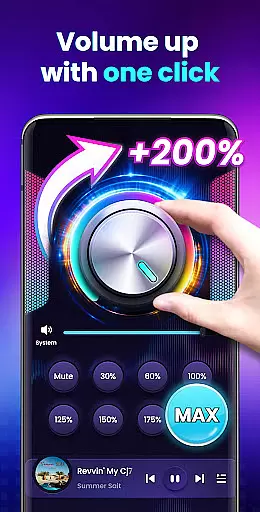

Volume Booster - Sound Booster is a powerful audio enhancement application designed specifically for Android users who seek louder sound output from their devices. This app allows you to amplify your device's volume up to 200%, surpassing the standard maximum limit, making it ideal for music playback, video streaming, gaming, and more.
The app not only boosts the overall system volume but also enhances the audio quality of external speakers, headphones, and Bluetooth devices. With its user-friendly interface and advanced features such as stereo surround sound effect and music spectrum visualization, Volume Booster ensures an immersive audio experience tailored to individual preferences.
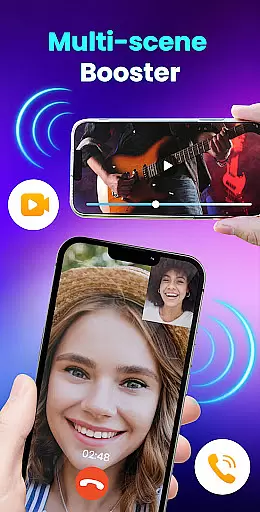
Whether you're at home or on the go, this portable sound amplifier transforms your Android device into a high-powered speaker system, perfect for parties, workouts, or personal entertainment.
Volume Booster - Sound Booster stands out with its comprehensive feature set that caters to diverse audio needs. The app provides eight customizable sound modes, enabling users to fine-tune their listening experience with just one tap. These modes cover various scenarios including music, movies, audiobooks, alarms, and ringtones.
In addition to boosting system and media volumes, the app includes a built-in music player with essential controls like play/pause, next/previous track, and album art display. Its innovative widget and notification bar shortcuts allow quick access to volume adjustments without needing to open the app itself.
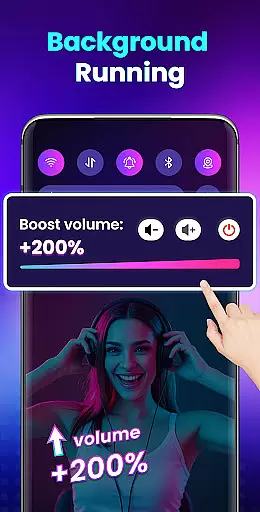
Designed by top professionals, the app supports background operation and lock screen controls, ensuring uninterrupted audio enhancement. Moreover, it requires no root permissions, making it accessible and safe for all Android users.
Volume Booster - Sound Booster offers a unique approach to enhancing your audio experience by allowing users to amplify their device's volume up to 200%. While it doesn't provide a traditional music library, its capabilities effectively expand the range of sound levels available for any music or audio content on Android devices. This means you can enjoy a richer and louder playback of your existing music collection.
The app ensures that this volume enhancement doesn't compromise the original sound quality, maintaining the integrity and authenticity of the audio content. Whether you're listening to music, audiobooks, or alarms, each sound is amplified while preserving its intended essence and nuances.
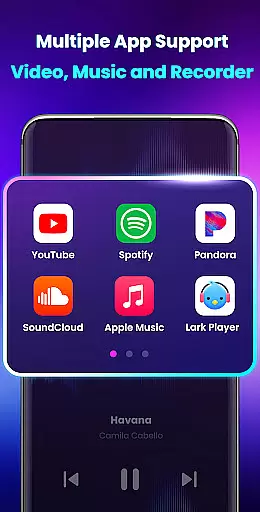
With support for various audio sources including external speakers, headphones, and Bluetooth devices, the app provides versatile amplification options. This compatibility ensures that all types of audio content are delivered with enhanced clarity and depth, offering an immersive listening experience across different mediums.
One of the standout features of Volume Booster - Sound Booster is its ability to enhance audio quality without distortion. The app employs advanced algorithms to boost volume levels while maintaining the purity of sound. This ensures that even at higher volumes, the audio remains clear and free from unwanted noise or artifacts.
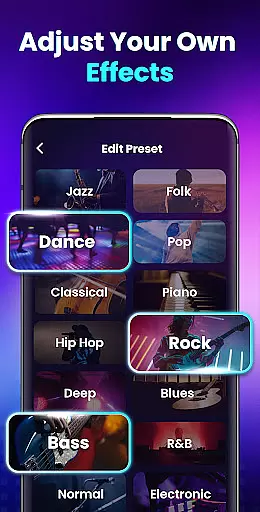
The app includes eight sound modes that allow users to customize their listening experience according to their preferences. These presets cater to different genres and scenarios, providing optimal sound settings with just one tap. Whether you prefer deep bass for electronic music or crisp highs for classical pieces, these modes ensure the best possible audio output.
Additionally, the built-in music player controls offer further refinement of audio playback. Users can adjust settings such as equalizer levels and stereo surround effects, creating a personalized soundscape that suits their individual tastes. This combination of volume amplification and customizable audio options makes Volume Booster - Sound Booster a comprehensive tool for enhancing overall audio quality on Android devices.
Boosts volume up to 200%
Preserves sound quality
Easy-to-use interface
Comprehensive sound modes
Background operation support
No iOS version available
May drain battery faster
Limited advanced EQ settings
Occasional audio distortion
Not compatible with all devices

Gorgeous UI, Powerful music Search and Equalizer, the great choice for you!
 4.70
4.70
DJ Music Mixer - DJ Remix: remix songs, make beat music & record mix of DJ.
4.40
Walkout Song DJ is the most intuitive app to manage your sports music.
4.70
Recording studio w/ 10k beats, pro vocal FX and a network of 20M rappers & fans!
4.60
AI Music Maker: Generate And Compose AI Tunes & AI Songs & AI Music & AI Melody!
4.60
Turn your Android phone into a professional audio analyser with up to 120 bands.
4.00
Master Salsa Rhythm quickly and with a lot of fun!
4.30
Offline Tunes, Unlimited Vibes
3.90
Play your music offline without limits
4.80
Unleash your creativity! Turn simple prompts into full fledged songs.
4.70
Bass Booster & Volume Equalizer Pro improves your music and video sound quality
4.60
Let your Android device with the sound effects you want
4.50
Enjoy singing any song, no matter how high or low it is
4.30
A sleek, no-frills player designed for true music lovers.
4.20
Smart piano keyboard, Classical to Pop, Real-time multiplayer connection!
4.20
The official Sonos app
4.10
The only true audiophile music player with Hi-Fi audio rendering and DSP engine
3.90
MilkDrop for Android TV
3.00
The Minimalistic Premium Music Player. Handmade with passion for music
2.20


User Reviews