
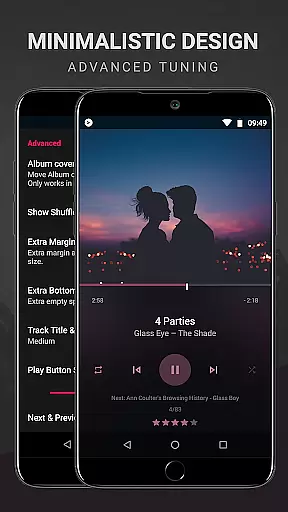
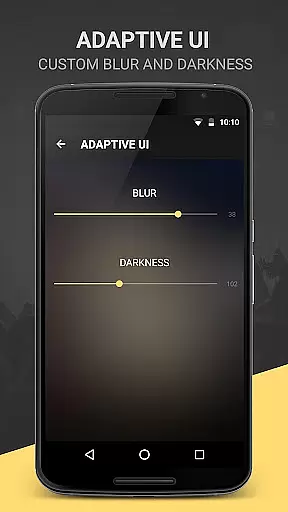
BlackPlayer EX is a premium music player tailored for audiophiles who appreciate both quality and customization. This advanced application removes ads while offering an extensive suite of features beyond the standard BlackPlayer, including light themes, Chromecast support, and customizable crossfading.
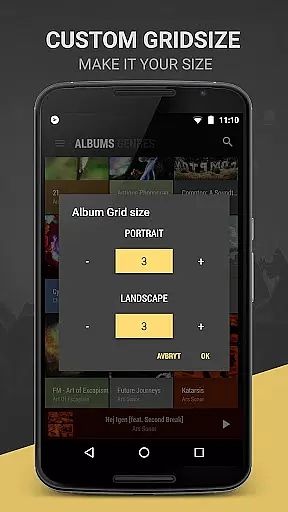
Users can personalize their interface with settings like custom colors, grid sizes for artists and albums, and even manually set artist images. With smart functions such as Zap for discovering music quickly, and advanced options like tracking played tracks monthly, this app provides a rich audio experience on Android devices.
Ideal for those seeking control over their listening environment, BlackPlayer EX enhances music enjoyment through its robust library management and playback capabilities, making it an excellent choice for discerning listeners.
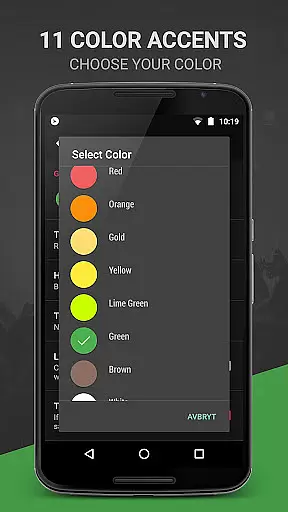
BlackPlayer EX stands out with its comprehensive feature set designed to offer users unparalleled control over their music experience. The app includes 6 extra fonts, 11 color accents, and 8 additional Now Playing themes, allowing deep personalization.
Functionality is enhanced with options like grouping music by year or composer, screen always-on, and rotation lock. Users can customize library pages completely—adding, removing, and sorting elements—and enjoy unique features such as the floating window control widget and visualizer (in beta).
Advanced functionalities extend to notification customizations, genre viewing modes, and more. With exclusive perks like developer support and early access to new features, BlackPlayer EX ensures a cutting-edge musical journey tailored specifically to user preferences.
BlackPlayer EX offers an extensive music library that supports various formats including MP3, FLAC, and WAV, ensuring users can access a wide range of audio content. The application focuses on copyright authenticity by allowing users to play locally stored music files, thus respecting the legal ownership of music tracks.
The app's capability to manually search and set artist images enhances the personalization of the music library, making it not just vast but also visually tailored to user preferences. This feature ensures that users can organize and manage their collections with ease and accuracy.
With options like grouping music by year and composers, BlackPlayer EX provides a structured approach to music management. This organization helps users navigate their libraries efficiently, enhancing the overall experience of interacting with their legally acquired music collection.
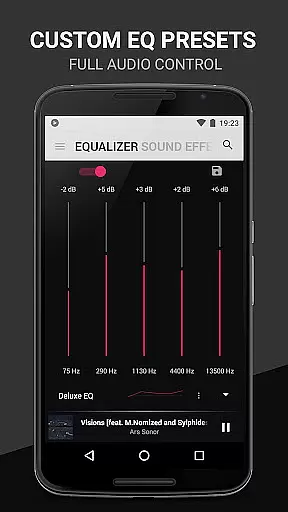
Audio quality is paramount in BlackPlayer EX, which includes a built-in Equalizer, BassBoost, Virtualizer, and Left/Right sound balance. These features allow users to customize their listening experience according to their preferences, ensuring high-quality playback for all types of audio content.
The app supports gapless playback, a feature crucial for maintaining the integrity of live or classical music recordings. This seamless transition between tracks enhances the listener's immersion, providing a more authentic and uninterrupted auditory experience.
Additionally, BlackPlayer EX offers customizable audio settings such as chromecast support and widget transparency adjustments. These options ensure that users can optimize their audio experience across different devices and environments, further emphasizing the app's commitment to delivering superior sound quality.
Highly customizable
Ad-free experience
Chromecast support
Gapless playback
Developer support
Paid version only
No cloud integration
Limited format support
Complex UI for beginners
Beta features unstable

Tune in to the greatest hits on UK Radio | The home of Capital, Smooth & Heart.
 4.90
4.90
Control your MIDI USB or Bluetooth devices in app and avoid some trampling
3.30
JBL PartyBox APP works with 110/310/710/120/320/520/Encore/Encore 2/Encore Ess 2
4.80
Listen radio AM / FM Stations. Live AM / FM Radio App Station. Radio Com.
4.70
The official Sonos app
4.10
Offline Music Player & MP3 Player.Powerful equalizer, Lyrics, Themes, Tag Editor
4.80
The original SP-1200 experience on your iPad
4.20
Slow music down without changing pitch.
3.70
Uninterrupted Tunes, Unmatched Vibes
3.90
Unleash your creativity! Turn simple prompts into full fledged songs.
4.70
Ultimate Sonos Controller
4.70
Super Sound Editor, Song Maker & Mixer, Vocal Remover, Voice Recorder & Changer!
4.60
A complete sound package for the sound engineer or enthusiast
4.60
10-Band Audio Equalizer, Sound / Bass Booster for Spotify Users & Music Players
4.40
Manage your Sonos system directly from your home-screen!
4.40
Time Guru will strengthen your internal sense of musical time via random muting.
4.30
Time Trainer: accurate metronome w tools to help you develop your internal time!
4.20
Turn your Android phone into a professional audio analyser with up to 120 bands.
4.00
Powerful beat maker & DJ mixer to remix tracks, make music, & perform DJ mix
3.70


User Reviews