



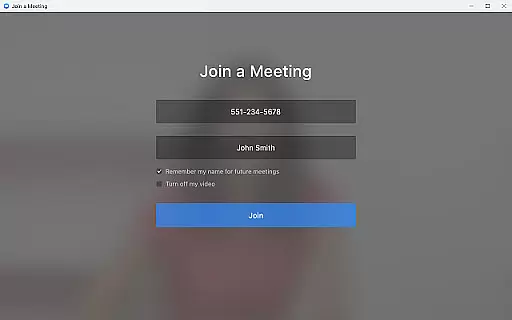

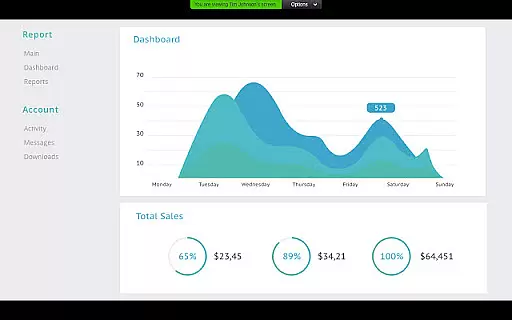
Zoom for Chromebook is a comprehensive business communication tool that combines team chat, video meetings, phone capabilities, and collaborative whiteboarding in a single web application. Designed specifically for Chrome OS, this app allows professionals to work seamlessly from anywhere, ensuring productivity without platform limitations.
The app's key features include one-tap meeting scheduling and joining, AI-powered meeting summaries through AI Companion, virtual whiteboarding for brainstorming sessions, and customizable virtual backgrounds for a polished appearance during video calls. Additionally, Zoom for Chromebook supports placing and receiving phone calls or sending SMS messages, making it an all-in-one solution for remote and hybrid work environments.
With automatic updates and remote installation options for administrators, the app ensures users always have access to the latest features while maintaining centralized security controls. Optimized for Chrome OS 91+, Zoom for Chromebook delivers a seamless experience for businesses looking to enhance their communication and collaboration workflows.
Zoom for Chromebook stands out with its robust feature set tailored for modern business needs. The app enables users to schedule or join video meetings effortlessly with a single tap, streamlining the process of connecting with colleagues and clients. Its integration with AI Companion provides automated meeting summaries, helping users stay informed and productive even when they can't attend every session.
Collaboration is at the core of Zoom for Chromebook, offering virtual whiteboards for creative brainstorming and team discussions. Users can also engage in public or private chats with both internal team members and external contacts, fostering open communication channels. The ability to place phone calls and send SMS messages further enhances connectivity, especially for teams relying on unified communications.
Additional notable features include customizable virtual backgrounds, which allow users to maintain professionalism during video calls, and automatic updates that ensure the app remains up-to-date with the latest enhancements. Administrators benefit from remote installation options, enabling centralized configuration and improved security management across devices.
Zoom for Chromebook offers a comprehensive suite of collaborative work features that are essential for modern businesses. The app combines team chat, video meetings, phone capabilities, and whiteboard functionalities into a single platform, streamlining communication and project management.
One of the standout features is the ability to schedule or join video meetings with a single tap, making remote collaboration seamless and efficient. Additionally, the app supports automated meeting summaries through AI Companion, ensuring that all team members stay informed even if they cannot attend every meeting.
The app also facilitates both internal and external communication by allowing users to chat in public or private channels. This flexibility ensures that teams can collaborate effectively while maintaining privacy when needed. Furthermore, the virtual whiteboard feature enables creative brainstorming sessions, enhancing team productivity and innovation.
Overall, these collaborative work features make Zoom for Chromebook an invaluable tool for businesses looking to enhance their remote work capabilities and improve team efficiency.
Effective task management is crucial for business productivity, and Zoom for Chromebook excels in this area by integrating various tools that help streamline workflows. With its combination of communication and organizational features, the app ensures that tasks are managed efficiently and deadlines are met without hassle.
The app allows users to place and receive phone calls or send SMS text messages directly from the platform, which helps keep all communication centralized. This integration minimizes the need to switch between different apps, saving time and reducing the risk of missing important messages or updates related to ongoing tasks.
Moreover, the inclusion of AI Companion provides automated meeting summaries, which serve as valuable records for tracking task progress and decisions made during discussions. These summaries ensure that action items are clearly documented and easily accessible for review, aiding in better task oversight and accountability.
By consolidating essential business functions into one application, Zoom for Chromebook simplifies task management processes, enabling teams to focus more on execution and less on administrative overheads.
Seamless integration
User-friendly interface
All-in-one solution
Automatic updates
Remote admin tools
Paid features required
Limited AI availability
Chrome OS dependent
SMS costs extra
Subscription needed

All Your Gig Work. One App.
 4.30
4.30
The revolutionary flexible staffing platform
4.40
Employee Management Made Easy
4.80
Finance, Investing, Stocks, Trading and Stock news
4.60
Find work, shifts and gigs near you. Jobs lasting a few hours to a few months.
4.30
Master crypto trading with real-time simulations and exciting challenges!
4.50
view, manage, and share every PDF file you have
3.60
Job search app that finds jobs for you! Takes the work out of looking for a job!
4.90
Chat, meet, and collaborate to achieve more together, all in one place on Teams
4.60
Get instant construction estimates: accurate home repair & material calculator.
4.70
Use Generative Summary to understand your rental or insurance docs in seconds.
4.70
Ship, Track, Find a Location or Get a Quote with UPS. Anytime. Anywhere.
4.60
No more passwords, easier sign-in, and greater protection for your accounts.
4.60
From Gone to Back Again — In Just a Few Taps
4.50
Make money as a delivery driver with DoorDash and work when you want as a Dasher
4.30
Shop, deliver, and earn with the Spark Driver™ App
4.10
Simple, Fast & Lightweight
3.90
Access All PDF Files
3.40
Find part-time earning opportunities near you that pay within days.
3.20


User Reviews