

LinkedIn is the world's largest professional networking platform, connecting over 1 billion members worldwide. This business app serves as a comprehensive career development tool, enabling users to build their professional profiles, search for job opportunities, and expand their business networks. The platform allows professionals to showcase their skills through detailed online resumes, connect with industry experts, and stay informed about the latest business news and trends.
One of LinkedIn's key strengths lies in its multifunctional approach to career advancement. Users can set customized job alerts based on their preferences, apply for positions directly through the app, and even signal recruiters that they're open to new opportunities. The app also facilitates meaningful connections by allowing users to engage with collaborative articles, follow top industry voices, and participate in professional community discussions. Whether you're looking for remote work, freelance opportunities, or full-time positions, LinkedIn provides the tools needed to advance your career.
This professional networking app proves especially valuable for job seekers and business professionals who want to maintain an active presence in their industries. By providing access to company insights, salary information, and recruiter connections, LinkedIn empowers users to make informed career decisions while building lasting professional relationships.
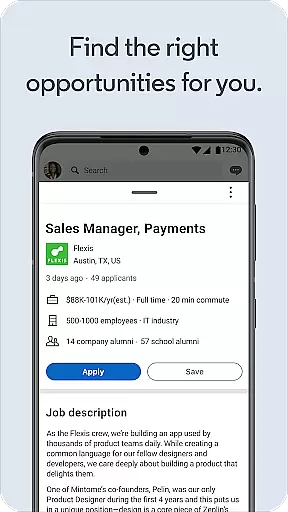
LinkedIn offers an impressive array of features designed to enhance professional networking and career development. The app's job search functionality stands out as particularly robust, allowing users to filter opportunities by location, industry, and employment type - whether they're seeking remote work, part-time positions, or full-time roles. The integrated job application system enables candidates to apply for positions directly through their LinkedIn profiles, streamlining the recruitment process.
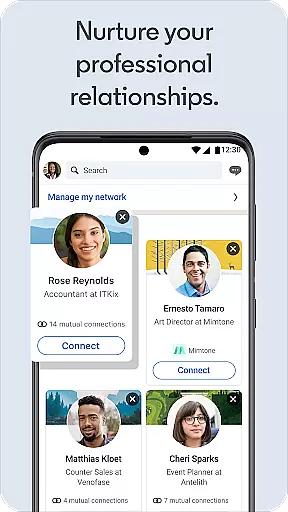
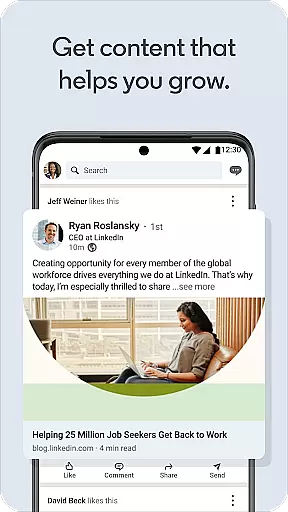
Beyond job searching, LinkedIn excels in facilitating professional connections and knowledge sharing. The platform's social networking capabilities enable users to grow their networks strategically through profile-building tools and connection suggestions. Business professionals can stay current with industry developments through the app's dedicated business news section, which delivers real-time updates and collaborative articles from thought leaders. Additionally, the app's professional community features allow users to join interest-based groups and engage with like-minded professionals.
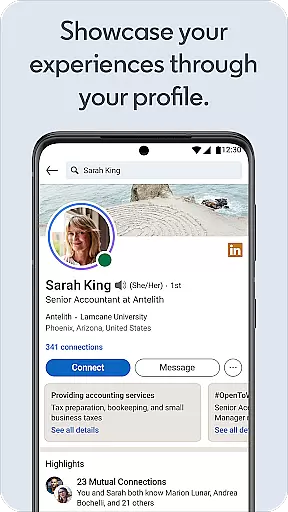
What sets LinkedIn apart is its comprehensive approach to professional branding. The app functions as an online resume builder, letting users create detailed professional profiles that highlight their skills and experience. These profiles serve as digital CVs that can be easily shared with recruiters and potential employers. Furthermore, the platform's premium subscription option offers advanced tools for those seeking enhanced visibility and networking opportunities, making it a versatile solution for career advancement.
In today's interconnected business environment, collaborative work features are essential for effective teamwork. LinkedIn offers a comprehensive platform that enables professionals to connect, share insights, and collaborate seamlessly.
The app facilitates real-time interaction through its messaging and commenting systems, allowing users to engage with posts, articles, and job listings instantly. This ensures that teams can communicate efficiently, regardless of geographical barriers.
Additionally, LinkedIn's Groups feature provides specialized spaces where professionals with similar interests can gather to exchange ideas and resources. These groups enhance collaboration by fostering communities around specific industries or professional goals.
By leveraging these collaborative tools, businesses can improve their operational efficiency, enhance knowledge sharing, and create stronger networks, ultimately leading to better career opportunities and business growth.
Effective task management is crucial for maintaining productivity and achieving professional objectives. LinkedIn incorporates several features that assist users in organizing their tasks and managing their professional responsibilities efficiently.
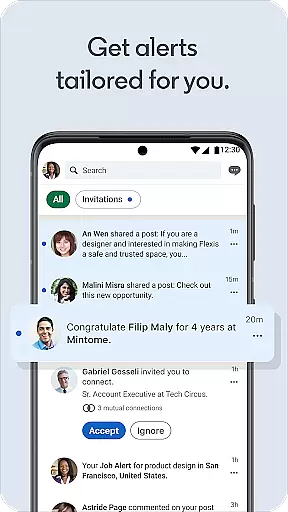
One key aspect is the ability to set job alerts tailored to individual preferences and career aspirations. Users receive notifications about relevant job openings, ensuring they never miss an opportunity to advance their careers.
Moreover, LinkedIn's calendar integration and event reminders help professionals keep track of important meetings, webinars, and networking events. This functionality ensures that users remain punctual and well-prepared for all professional engagements.
By utilizing these task management tools, LinkedIn empowers its users to stay organized, prioritize effectively, and achieve their career milestones with greater ease and confidence.
User-friendly interface
Extensive job database
Professional networking
Career development tools
Industry insights
Premium features costly
Occasional spam messages
Learning curve for new users
Limited free tools
Privacy concerns

viewing and sharing of PDFs
 3.60
3.60
TurboScan turns your phone into a full-featured PDF document scanner.
4.80
Find the right fit, faster.
4.70
Paychex Flex - Save Time and Stay Connected
4.60
Use Generative Summary to understand your rental or insurance docs in seconds.
4.70
Start earning fast. Apply Today.
4.80
Access All PDF Files
3.40
Make invoices, bills, receipts & estimates on the go with Invoice Generator.
4.70
Say hello to the mobile work experience built to help you thrive at work.
4.30
Recover what matters — quickly and easily.
4.70
AI-powered document scanner with auto enhance for perfect PDFs.
4.60
Ship, Track, Find a Location or Get a Quote with UPS. Anytime. Anywhere.
4.60
Earn money with the driver & delivery partner app for Uber, UberEats & Postmates
4.60
Amazon A to Z is the place to manage your work-life at Amazon.
4.50
Measure distances, surfaces and draw plans in seconds with CamToPlan!
4.40
Find work, shifts and gigs near you. Jobs lasting a few hours to a few months.
4.30
A secure, all-in-one team collaboration app
4.30
Deliver and earn money
4.30
All-in-one Mobile solutions for employees & managers to succeed at work
4.30


User Reviews