
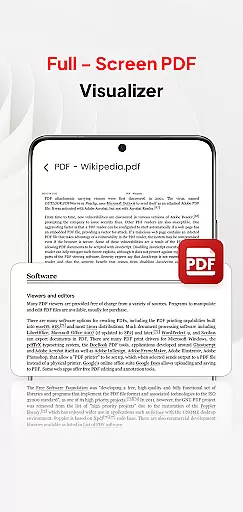
PDF Pro-View PDF is a comprehensive business application designed to streamline PDF management for professionals and casual users alike. This app offers instant access to PDF files with a single click, ensuring a seamless reading experience without any waiting time. Its sleek and intuitive interface allows users to effortlessly organize and manage all their PDF documents in one centralized location.
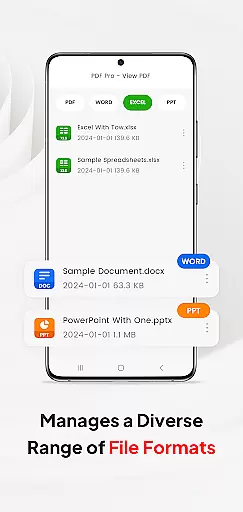
Beyond basic viewing, the app supports multiple document formats including Doc, PPT, and Excel, making it a versatile tool for various business needs. The smooth page navigation feature enhances readability, while the ability to share files with others adds a collaborative dimension to the app's functionality. Whether you're working on important business reports or simply reading documents on the go, PDF Pro-View PDF ensures that all your files are easily accessible regardless of your location.
PDF Pro-View PDF stands out through its robust feature set tailored for efficient document handling. The app provides instant access to PDF files stored anywhere on your device, eliminating the need to search through multiple directories. Its compatibility extends beyond PDFs, supporting various document types such as Word, PowerPoint, and Excel files, allowing users to manage different file formats within a single platform.
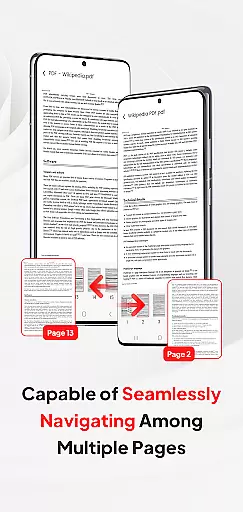
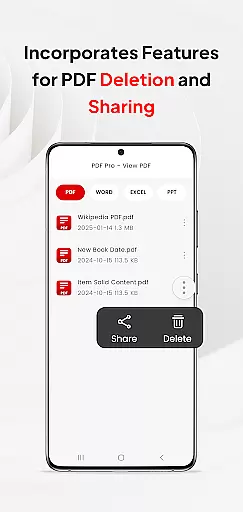
The app's smooth page navigation system enables rapid flipping through pages, creating an enhanced reading experience. Additionally, the built-in file sharing functionality makes collaboration effortless, letting users send documents to colleagues or clients directly from the app. For Android 11+ users, the app requires MANAGE_EXTERNAL_STORAGE permission to ensure reliable offline access and uninterrupted document management, addressing limitations of Android's native storage systems.
These features collectively create a powerful business tool that not only simplifies PDF viewing but also enhances overall document management efficiency, making it an essential app for modern professionals.
In today's interconnected work environments, collaborative work features are essential for seamless teamwork. PDF Pro-View PDF understands this need and offers functionalities that support real-time collaboration.
The application allows multiple users to view and manage PDF documents simultaneously, ensuring that teams can work together efficiently regardless of their physical location. This feature is particularly useful for projects requiring quick feedback and approvals on PDF documents.
Moreover, the app facilitates document sharing across various platforms, making it easier for team members to distribute files without compatibility issues. With support for multiple document types beyond PDFs, such as Doc, PPT, and Excel, collaboration extends to other file formats as well.
By integrating these collaborative tools, PDF Pro-View PDF not only enhances productivity but also ensures that all team members remain on the same page, thus improving overall project outcomes.
Effective task management is crucial for maintaining productivity and meeting deadlines. PDF Pro-View PDF incorporates features that assist users in organizing and tracking their PDF-related tasks efficiently.
One standout feature is the app's ability to provide instant access to PDF files with a single click, eliminating unnecessary wait times and allowing users to focus on their tasks without interruption. The quick page navigation further enhances this experience by enabling rapid movement through documents.
Additionally, the complete file accessibility offered by the app means that all PDF files are neatly organized in one place, streamlining task management. Users no longer need to search through multiple directories, saving valuable time and reducing stress.
These capabilities ensure that users can manage their document-related tasks more effectively, leading to improved efficiency and better time management across various business operations.
User-friendly interface
Multi-format support
Instant file access
Smooth navigation
Easy sharing options
Permission requirements
Limited free features
Occasional bugs
Ads in free version
Storage access needed

All Your Gig Work. One App.
 4.30
4.30
Quickly open and manage PDF files on your device.
3.80
FX Plus adds media, networking, and cloud capabilities to FX File Explorer.
4.10
A secure, all-in-one team collaboration app
4.30
Start earning fast. Apply Today.
4.80
Access to Paylocity, empowering employees with information they need 24/7.
4.70
Access All PDF Files
3.40
Say hello to the mobile work experience built to help you thrive at work.
4.30
Ship, Track, Find a Location or Get a Quote with UPS. Anytime. Anywhere.
4.60
Job search app that finds jobs for you! Takes the work out of looking for a job!
4.90
GoTo Mobile is a simple & secure calling, messaging & meetings solution
4.80
BuildCalc - the easiest AND the most advanced construction calculator app.
4.80
USPS Mobile®Access USPS.com’s most popular tools on-the-go.
4.70
Make invoices, bills, receipts & estimates on the go with Invoice Generator.
4.70
Grow your business and connect with more people with Meta Business Suite.
4.60
No more passwords, easier sign-in, and greater protection for your accounts.
4.60
Find jobs near you and temp work in minutes, from your phone.
4.50
Scan Business Cards & Conference Badges - Capture Leads at Events & Tradeshows
4.20
Build a store in minutes with our full suite of AI tools. Start for free!
4.20


User Reviews