
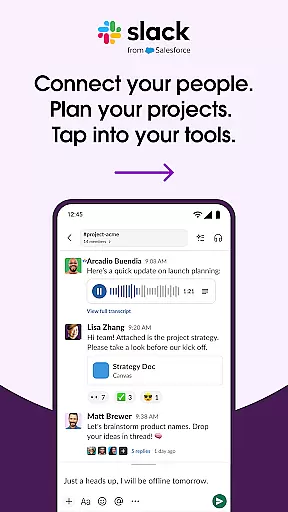

Slack stands as a pivotal tool in the realm of business communication, transforming how teams interact and manage projects. This platform enables companies to consolidate their communication and collaboration needs into a single, efficient space.
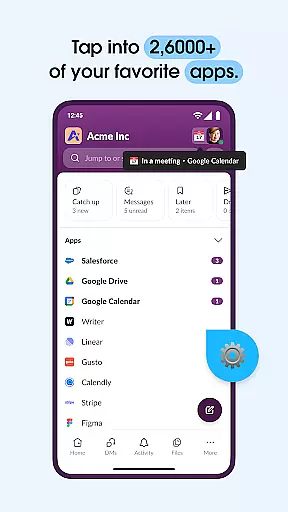
At its core, Slack offers dedicated channels for every project, ensuring organization and ease of access to discussions and documents. The ability to integrate with more than 2,600 applications such as Google Drive, Salesforce, and Dropbox makes it an indispensable asset for businesses looking to streamline their workflows.
With functionalities ranging from video conferencing to AI-assisted search capabilities, Slack empowers teams to maintain productivity and cohesion, regardless of geographical barriers. Its value proposition lies in fostering a seamless collaborative environment where ideas and information flow effortlessly.
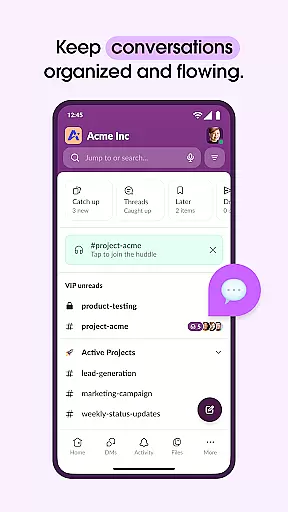
Slack's feature set is designed to enhance team productivity and streamline communication processes. One standout aspect is its channel-based messaging system, which keeps conversations organized by topics or projects, allowing for easy tracking and reference.
The platform excels in integration capabilities, connecting users with essential services like Asana, Figma, and Zendesk directly within the interface. Users can approve requests, manage calendars, and control file permissions without leaving Slack, thanks to these integrations.
Innovation shines through with Slack's AI and automation features. The AI-powered search function and meeting notes assistant exemplify how cutting-edge technology is leveraged to save time and improve accuracy, setting Slack apart from traditional communication tools.
Collaboration is at the heart of Slack's design, enabling teams to work together seamlessly regardless of location. The platform offers dedicated channels for every project, ensuring that discussions, documents, and decisions are organized and accessible.
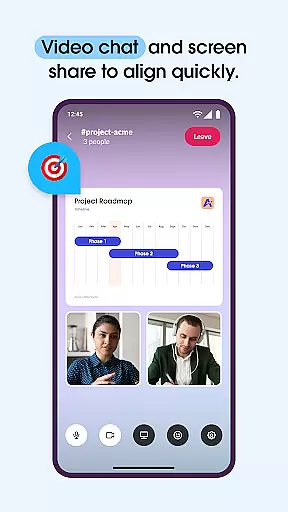
Slack allows direct video chats and screen sharing within its interface, facilitating real-time communication and collaboration on projects. This feature eliminates the need for external tools, streamlining workflows and keeping all collaborative efforts centralized.
For more complex ideas, users can record and send audio or video clips, enhancing clarity and understanding among team members. This ensures that even when typing isn't sufficient, your message is conveyed effectively.
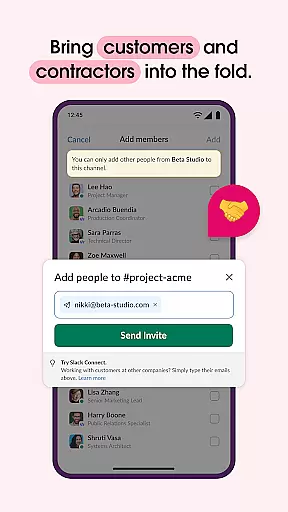
The ability to collaborate with not only internal teams but also external partners, customers, and vendors makes Slack a versatile tool for any business looking to enhance its collaborative capabilities.
Effective task management is crucial for project success, and Slack addresses this with robust features designed to keep projects on track. Pre-made and customizable templates help set up projects efficiently, providing a clear roadmap from inception to completion.
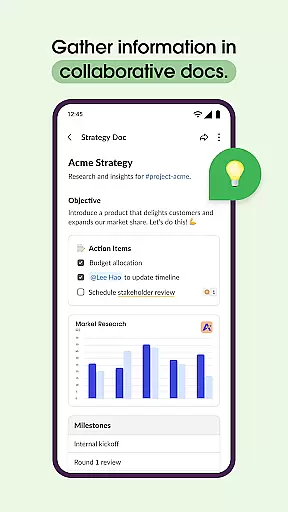
Shared documents reside alongside team conversations, allowing for real-time collaboration on marketing plans, product specs, and more. This proximity of content to discussion ensures that everyone is working with the most current information, reducing errors and miscommunication.
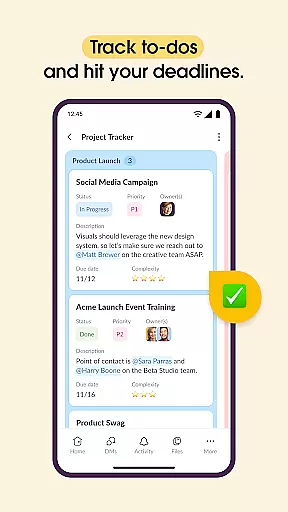
Project management tools within Slack enable users to track to-dos, assign tasks, and map out milestones. These features ensure accountability and transparency across the team, making it easier to monitor progress and address issues promptly.
While some advanced task management features require an upgrade to Slack Pro or higher tiers, the core functionality provides significant value for teams seeking to improve their organizational efficiency.
User-friendly interface
Extensive app integration
Robust search functionality
Effective team collaboration
Versatile communication options
Paid features necessary
Occasional connectivity issues
Steep learning curve
Limited mobile functionality
High cost for small teams

Get instant construction estimates: accurate home repair & material calculator.
 4.70
4.70
Paychex Flex - Save Time and Stay Connected
4.60
One marketplace. Hundreds of services. Unlimited possibilities. All on Fiverr.
4.40
Deliver and earn money
4.30
Master crypto trading with real-time simulations and exciting challenges!
4.50
Job search app that finds jobs for you! Takes the work out of looking for a job!
4.90
Say hello to the mobile work experience built to help you thrive at work.
4.30
On the go? Take FedEx with you.
4.00
Make money as a delivery driver with DoorDash and work when you want as a Dasher
4.30
GoTo Mobile is a simple & secure calling, messaging & meetings solution
4.80
Earn free swag, G-Cards & food • Enter sweepstakes • Find stores • So much more.
4.70
Manage work life on the go
4.50
From Gone to Back Again — In Just a Few Taps
4.50
Collaborate seamlessly with Google Chat, part of Google Workspace
4.50
VSD Viewer - Visio Drawings Viewer for Android Preview VSD, VDX, VSDX drawings
4.10
Zoom built for Chrome OS
3.90
Get your benefits on-the-go.
3.80
Roadie connects people with stuff to send with drivers already going that way.
3.50
Convert Your Lovable.dev Website into a Mobile App Instantly!
4.4


User Reviews