
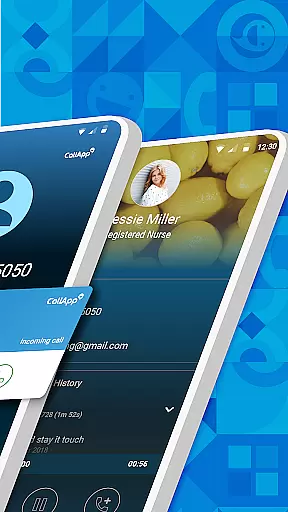
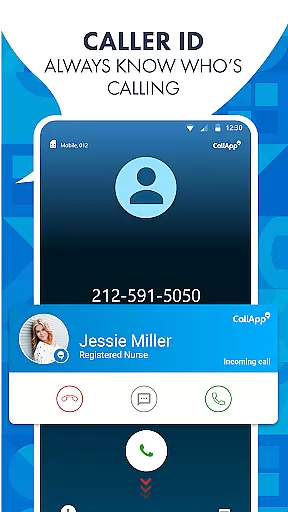

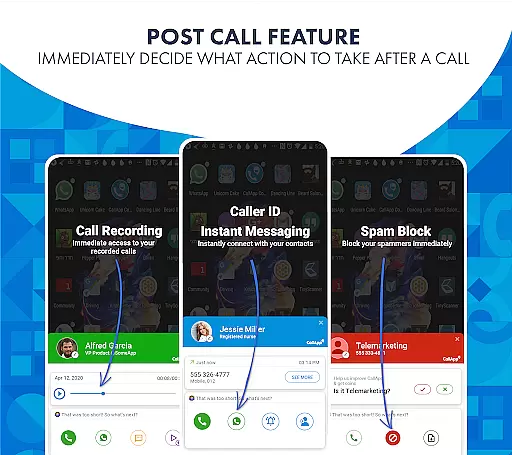
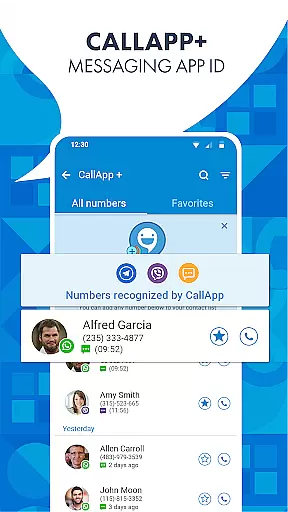
CallApp is a comprehensive communication app designed specifically for Android Wear users, offering advanced caller ID, spam blocking, and messaging capabilities. The app's core functionality revolves around identifying unknown numbers through its extensive database of over 7 billion phone numbers, ensuring you're always informed about incoming calls.
In addition to its robust caller ID feature, CallApp serves as a powerful tool for managing unwanted communications. It provides users with the ability to block spam calls, blacklist specific numbers, and filter out telemarketing attempts. This makes it an essential utility for anyone looking to streamline their calling experience while maintaining privacy and security on wearable devices.
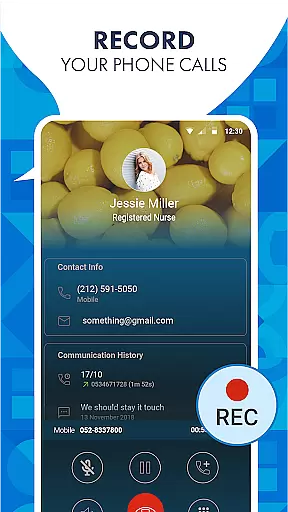
One of CallApp's standout features is its automatic call recording capability, which allows users to effortlessly record important conversations. This function not only enhances personal and professional interactions but also integrates seamlessly with the app's caller ID technology to optimize the recording process based on who is calling.
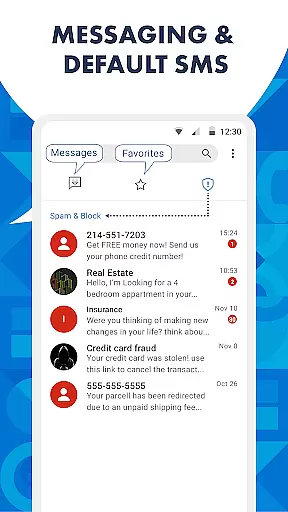
The application also excels in text and SMS management by serving as a default messaging platform that organizes messages into categories such as personal, favorites, and spam. By automatically detecting and blocking spam texts, CallApp ensures that your inbox remains clutter-free while prioritizing meaningful communications. Furthermore, its compatibility with WEAR OS enables swift interaction directly from smartwatches, making communication more efficient than ever before.
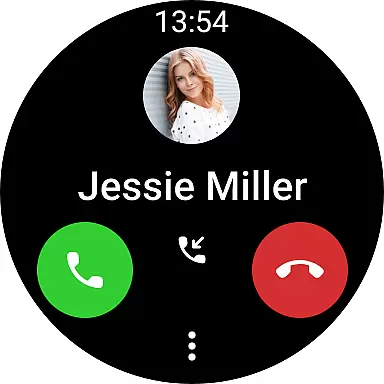
Companion app integration is essential for users who want seamless connectivity between their smart devices. CallApp excels in this area by offering robust integration with Wear OS, ensuring that your contacts, call history, and messages are always synchronized across your smartphone and wearable devices.
The application's architecture supports real-time data sharing, which means any update you make on one device is instantly reflected on the other. This feature allows users to manage calls and messages without needing to reach for their phones, providing unparalleled convenience and efficiency.
By leveraging the capabilities of Wear OS, CallApp ensures that all functionalities such as caller ID, spam blocking, and automatic call recording are accessible directly from your smartwatch. This level of integration enhances user experience by allowing quick access to critical features right from your wrist.
Device compatibility is a crucial factor when choosing an application for your smart devices. CallApp offers extensive support for Wear OS, making it compatible with a wide range of smartwatches. This ensures that regardless of your device model, you can enjoy the full suite of CallApp's features without compromise.
The app is designed to adapt seamlessly to different screen sizes and resolutions, maintaining optimal performance and visual clarity. Whether you're using a high-end smartwatch or a more budget-friendly option, CallApp provides a consistent and reliable user experience.
In addition to supporting various devices, CallApp also ensures that its features are fully functional across different versions of Wear OS. This commitment to compatibility means users can take advantage of advanced functionalities like caller ID, call recording, and spam blocking, regardless of their specific device configuration.
User-friendly interface
Extensive number database
Effective spam protection
Automatic call recording
Smartwatch integration
Limited iOS support
Occasional sync issues
Premium features cost
Privacy concerns
Resource intensive

Deck out your Wear OS Watch face with a beautifully decorated pine wreath!
 4.50
4.50
Authentic military-tactical design with ZULU time! Realistic and functional!
3.80
sleep, alarm, snoring, stress, healing, focus, sound therapy, circadian rhythm
4.10
Minimalistic design modern digital watch face.
4.4
A modern hybrid informative watch face for Wear OS designed by BALLOZI
4.80
A realistic hybrid watch face with many customization options.
4.60
Track your active life in one place and share the journey with friends.
4.40
Spam call blocker and caller ID for automatic call protection!
4.40
From periods to pregnancy & perimenopause, Flo helps you track it all. Try now.
4.70
Easy Voice Recorder is your everyday companion to record important moments.
4.70
Highly customizable hybrid watch face for Wear OS, perfect for everyday use.
4.60
Kia Access makes getting your vehicle information easier than ever
4.60
Gym & home workout plans with strength training, exercise tracking, HIIT & more.
4.60
Retro digital watch face with customizable colors and a unique lighting effect
4.60
Digital watch face. For Wear OS devices.
4.40
A white realistic classic analog watch face with many customization options.
4.40
Snowflake Rose Gold Watch Face - Digital, modern, & sleek with GYRO effect.
4.10
Daily Weather forecast with 15 weather images for Day & Night plus Big Bold time
4.10
A full-featured Amazon Alexa voice assistant that can show you things.
3.70


User Reviews