
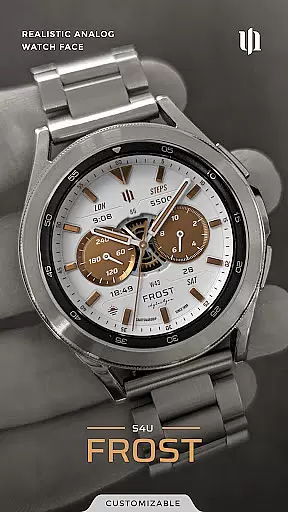
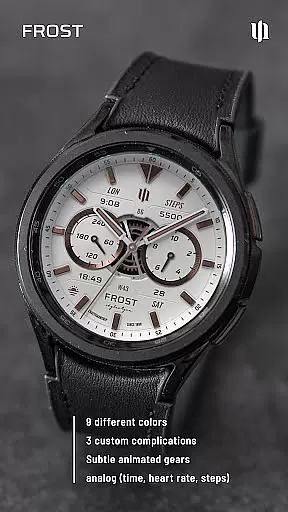
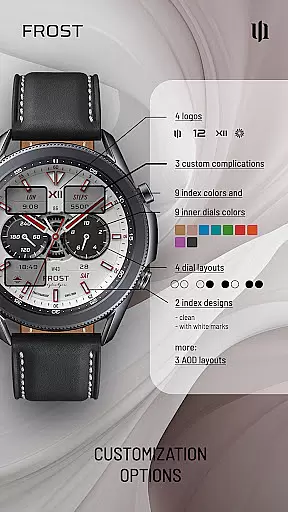
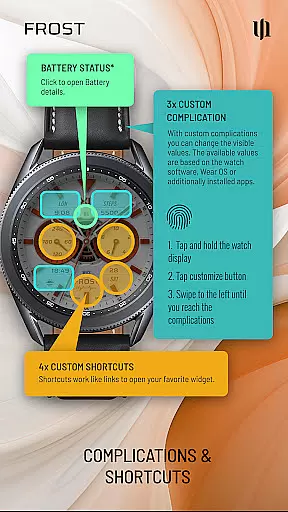
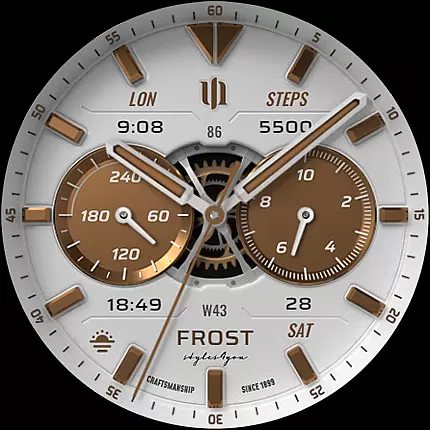
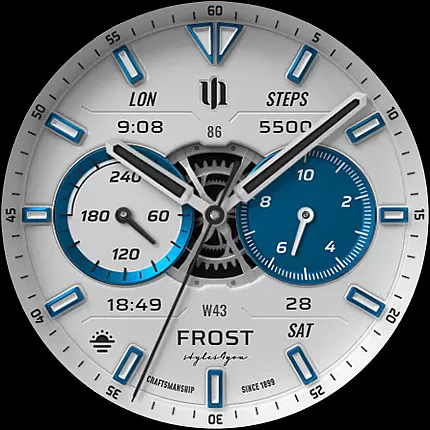
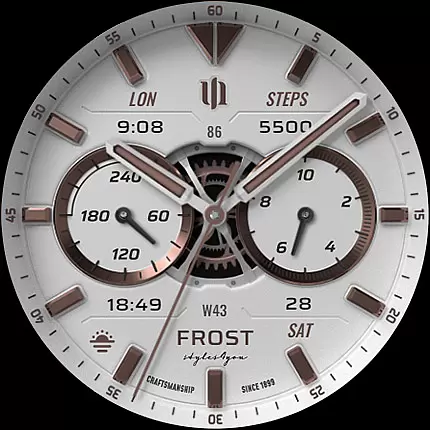
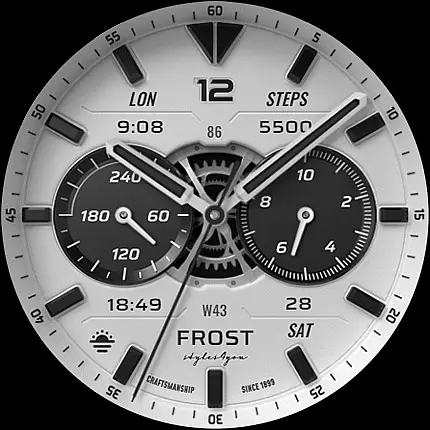
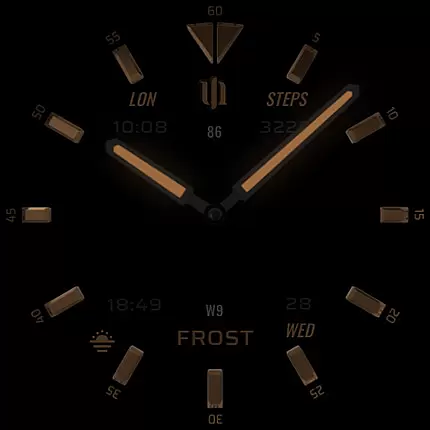
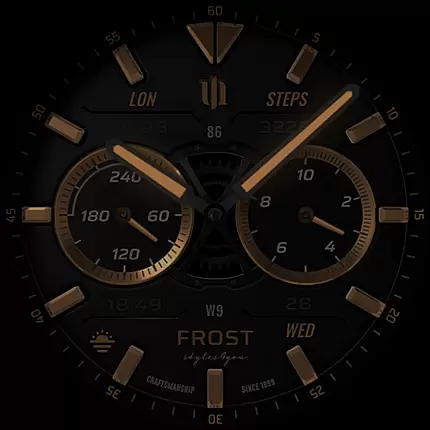
S4U Frost is a premium Wear OS watch face that combines classic analog design with modern smartwatch functionality. Featuring a realistic white analog dial, this app offers users an elegant timepiece with advanced customization options. The watch face supports 3 custom complications and includes many personalization features such as color schemes, AOD layouts, and shortcut configurations.
Designed specifically for Wear OS 4 and above, S4U Frost works seamlessly with popular smartwatches including Samsung Galaxy Watch series and Google Pixel Watch models. Its comprehensive feature set includes an always-on display with 3 layout options, 9 color customization choices, and 4 custom shortcuts to favorite widgets. These capabilities make it an ideal choice for users seeking both style and functionality in their wearable devices.
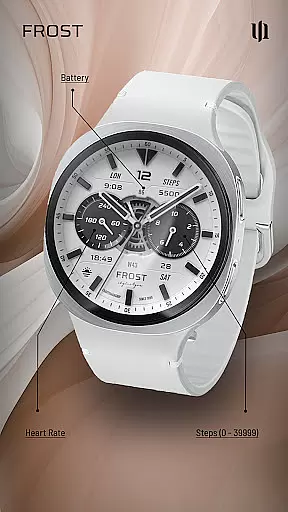
The watch face displays essential information including time, steps, heart rate, battery level, and calendar data while maintaining a sophisticated aesthetic. With its intuitive customization menu and extensive personalization options, S4U Frost provides users with a unique way to enhance their smartwatch experience while maintaining professional appearance.
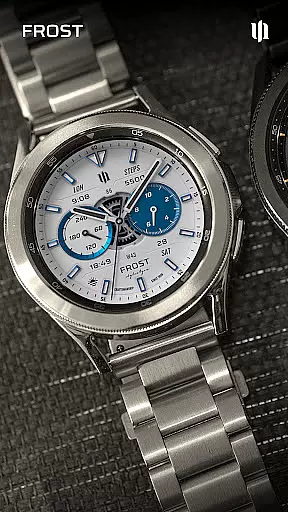
S4U Frost distinguishes itself through its extensive customization capabilities and sophisticated design elements. The watch face offers 3 customizable complications alongside 4 programmable shortcuts, allowing users to access their most important information and apps instantly. This level of personalization extends to visual preferences, with 9 color options for main hands and secondary complications, plus additional choices for index colors, background elements, and inner dial layouts.
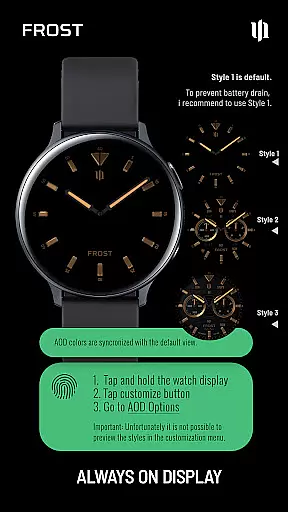
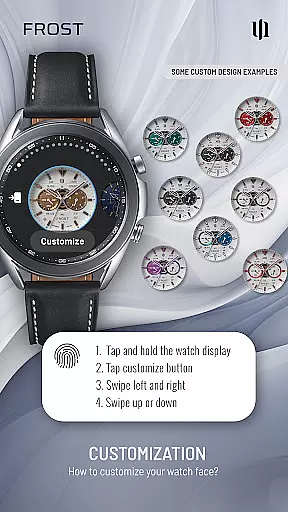
A key feature is the Always-On Display (AOD) functionality, which provides 3 distinct layout options while preserving battery life through intelligent dimming based on ambient light conditions. Users can personalize their experience through a straightforward interface: simply press and hold the center of the display, then swipe to navigate between customization options. The app supports various display elements including analog time, step count, heart rate monitoring, battery status, and calendar information.
Technical excellence is matched by user support features, including compatibility with Wear OS API 33+ devices and comprehensive installation guidance. The developer maintains active communication channels through multiple platforms, ensuring users can easily access support and stay informed about updates. This combination of technical sophistication, customization depth, and ongoing support makes S4U Frost a standout choice in the Wear OS ecosystem.
Companion app integration is essential for a seamless Wear OS experience. S4U Frost ensures that users can easily synchronize and manage their watch face settings through its dedicated companion app. This allows for effortless customization and troubleshooting directly from your smartphone.
The app provides clear instructions for installation and issue resolution. If users encounter any problems, they can follow the step-by-step guide in the Install/Issues section of the companion app. This guarantees a smooth setup process and minimizes potential disruptions to the user experience.
With this robust companion app integration, users can enjoy peace of mind knowing that support is readily available. Whether it's adjusting complications or resolving compatibility issues, the companion app serves as a vital tool for maximizing the functionality and enjoyment of the S4U Frost watch face.
Ensuring broad device compatibility is crucial for any Wear OS application. S4U Frost supports smartwatches running Wear OS 4 or higher (Wear OS API 33+), including popular models like Samsung Galaxy Watch series, Google Pixel Watch 1-3, and other Wear OS 4+ devices. This extensive compatibility ensures that a wide range of users can enjoy the realistic analog design and customization options.
Device compatibility extends beyond just the hardware. The application takes full advantage of the latest Wear OS features, such as enhanced performance and battery management systems. This means users benefit from optimized performance and extended battery life while using the S4U Frost watch face.
By focusing on comprehensive Wear OS and device compatibility, S4U Frost delivers a consistent and high-quality experience across different smartwatch models. Users can be confident that their chosen device will fully support all the advanced features and customization options offered by this sophisticated watch face.
Highly customizable
Realistic analog design
Multiple AOD layouts
Wide device compatibility
Comprehensive support options
Wear OS 4+ only
Complex setup process
Battery impact from AOD
Premium price point
Learning curve for features

"PER27 Galaxy Digital" is a digital Wear OS watch face designed by PERSONA
 4.10
4.10
WTW M17 is a premium and luxurious hybrid watch face
4.70
Watch face designed for Thanksgiving Day. 7 Background Styles included.
3.20
A modern premium sporty hybrid watch face for Wear OS by Ballozi
4.70
3 Complications. All shadow on/off. 30 Themes color palette...
4.1
Real-time results, stats, schedules and player profiles for all leagues
4.60
Hybrid Vibrant Health Watch Face for Wear OS
4.1
Fast and smart typing with Emojis, GIFs, and more
4.50
Track airplanes and follow flights with our real-time flight tracker
4.50
Diet tracker for weight loss - track calories, food and macros. Simple and easy!
4.70
A realistic hybrid watch face with many customization options.
4.60
MyNISSAN® lets you remotely control your car from your phone.*
4.50
Elegant animated Christmas tree with multiple customization options
4.20
Let's celebrate Thanksgiving - Wear Os watch face
4.20
The #1 source of faces for your smartwatch!
4.00
A Wintery Snow Globe on Your Wrist; now celebrating Christmas!
4.4
A heartwarming Christmas scene featuring a cute image of Santa and Rudolf
4.4
Artistic Digital Watchface
4.3
Funny animated watch face for Thanksgiving
4.5


User Reviews