
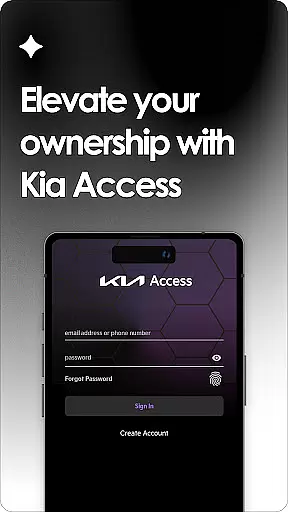
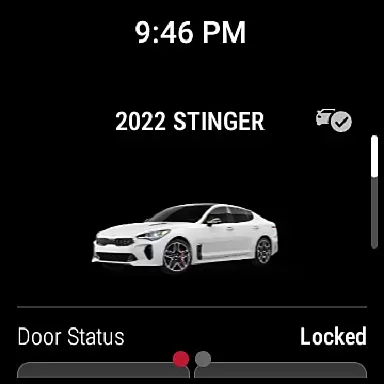
Kia Access is the official owner's application developed by Kia America, Inc., designed to provide users with seamless access to vehicle information and services. The app consolidates features from the Kia Owner’s Portal and Kia Connect (formerly UVO link), offering functionalities such as remote vehicle control, maintenance tracking, and navigation support directly from a mobile device.
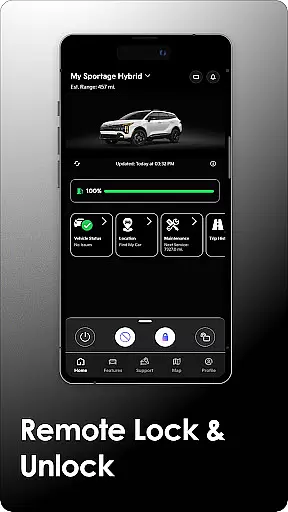
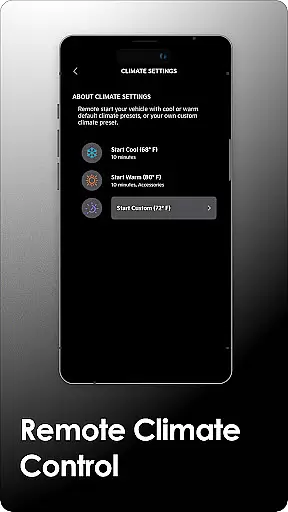
With Kia Access, users can remotely manage their vehicles, including locking/unlocking doors, setting cabin temperature, and locating their cars. For plug-in hybrid and electric vehicles, additional capabilities like battery status checks and charging station locators are available. This comprehensive suite of tools ensures that owners have all essential vehicle data at their fingertips, enhancing convenience and vehicle management.
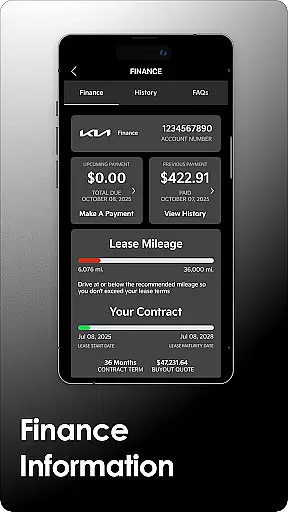
The app is particularly beneficial for users who want to streamline their vehicle ownership experience through digital means. By integrating key services into one platform, Kia Access provides an efficient way to stay informed about vehicle health, scheduled maintenance, and warranty details, making it an indispensable tool for modern Kia vehicle owners.
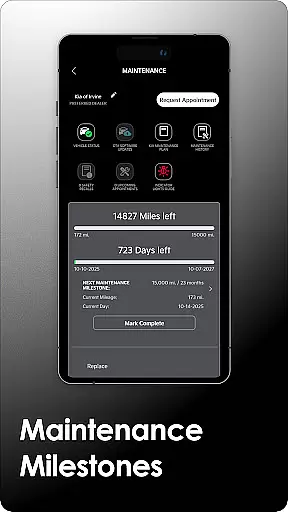
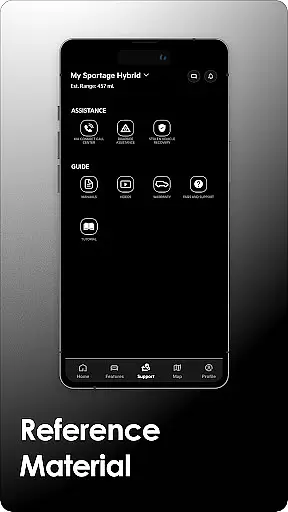
Kia Access offers a wide range of innovative features tailored to enhance the vehicle ownership experience. One of its primary functions is providing easy access to the vehicle's Owner’s Manual, quick guides, instructional videos, and warranty information, ensuring that users have all necessary documentation readily available.
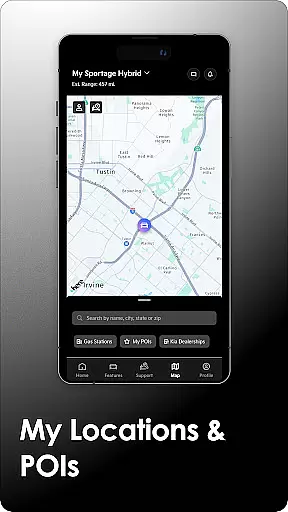
For vehicles equipped with Kia Connect, the app extends its functionality to include remote vehicle commands such as locking/unlocking doors, initiating horn and light signals, and even setting the car's internal temperature. These features allow users to manage their vehicles from anywhere, adding a layer of convenience and security. Additionally, users can send destinations directly to their vehicle's navigation system and locate their cars in crowded areas.
Plug-in hybrid and electric vehicle owners benefit from specialized features like battery status monitoring, driving range estimation, and charging station locators. These tools help optimize energy usage and ensure that drivers can plan their journeys effectively. Overall, Kia Access combines essential vehicle management tools with advanced connectivity features, delivering a comprehensive solution for Kia owners seeking to maximize their vehicle's potential.
Companion app integration is essential for users who want seamless connectivity between their smart devices. Kia Access excels in this area by offering a comprehensive suite of features that sync with your vehicle's systems. The app consolidates vital information and controls, such as vehicle health reports, navigation, and remote commands like locking/unlocking doors, directly to your smartphone or Wear OS device.
The true power of companion app integration lies in its ability to centralize functions. With Kia Access, you can send locations to your car's navigation system and even manage cabin temperature remotely. For electric and plug-in hybrid vehicles, the app provides unique capabilities like checking battery status, locating charging stations, and scheduling charging times. This ensures that all your vehicle's functionalities are accessible from your mobile device, enhancing convenience and control.
By using Kia Access, drivers benefit from real-time updates and interactions with their vehicle without needing to be physically present. Whether it's through quick access to the owneru2019s manual, maintenance milestones, or warranty information, the app keeps all necessary details at your fingertips. This level of integration not only simplifies vehicle management but also enriches the overall ownership experience by making it more interactive and user-friendly.
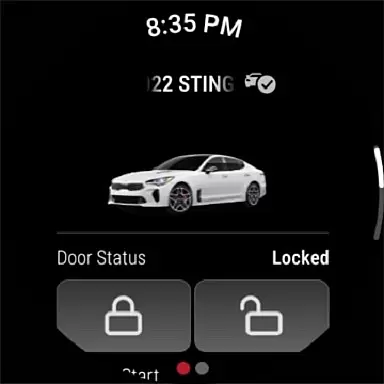
Wear OS/device compatibility is crucial for users who rely on wearable technology to stay connected with their vehicles. Kia Access offers robust support for Wear OS, ensuring that key functionalities are available right from your wrist. This compatibility allows users to receive important notifications and perform essential actions without needing to take out their smartphones.
The integration with Wear OS extends many of the convenient features found in the main Kia Access app. Users can remotely lock/unlock doors, initiate horn and light commands, and locate their vehicle with ease. These features are particularly beneficial when you're on the go and need quick access to your vehicle's controls without having to navigate through a full-sized app interface.
Moreover, the compatibility ensures that whether you're using a smartphone or a smartwatch, the transition between devices is smooth and intuitive. By supporting both platforms, Kia Access maximizes accessibility and convenience, allowing drivers to manage their vehicles efficiently regardless of the device they are using. This flexibility enhances user satisfaction and underscores Kia's commitment to providing cutting-edge technological solutions tailored to modern lifestyles.
User-friendly interface
Comprehensive vehicle management
Remote control capabilities
Specialized EV features
Convenient maintenance tracking
Limited to Kia vehicles
Subscription required for full access
Dependent on cellular coverage
Not available in all regions
Some features model-specific

Wear Os Watch Face - Animated Snow - Sesonal for Christmas & Winter
 4.3
4.3
Analog watch face with 8 complications and expedition styling
4.3
Easy Voice Recorder is your everyday companion to record important moments.
4.70
Watch face for Wear OS.
4.20
3 Complications. All shadow on/off. 30 Themes color palette...
4.2
Reliable phone calls with spam protection, caller ID and more helpful features
4.40
Professional weather radar and more
3.90
The most customizable hybrid watch face. For Wear OS 5.0, API 34+ and later
4.70
Hybrid watch face for Wear OS with customizable complications by Matteo Dini MD
4.70
Beautiful, colorful and practical watch face. For Wear OS devices.
5.00
The Chevron App allows you to pay for fuel from the comfort of your car!
4.80
Real-time weather radar with temperatures, warnings, hurricanes, and widgets
4.80
The most customizable minimal watch face. For Wear OS 5.0, API 34+ and later
4.70
Rose gold watch face with festive lights & customizable features.
4.60
Current temperature, weather hourly, weather radar by the weather forecast app
4.40
Snowflake Rose Gold Watch Face - Digital, modern, & sleek with GYRO effect.
4.10
Embrace the festive spirit with our Christmas Countdown watchface for Wear OS
4.10
Get helpful reminders, take progress photos and find answers to your questions.
3.90
Stay in touch with your friends and family using LINE!
3.40


User Reviews