
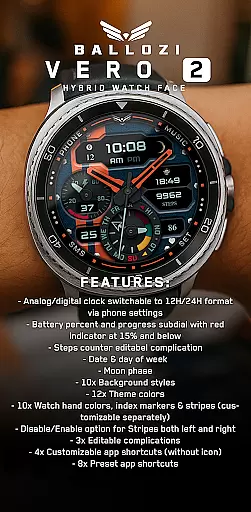
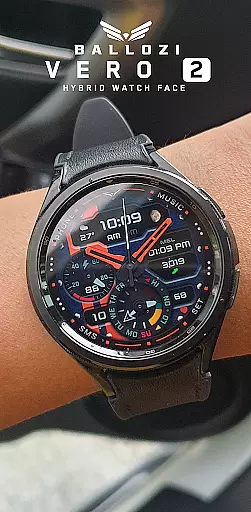
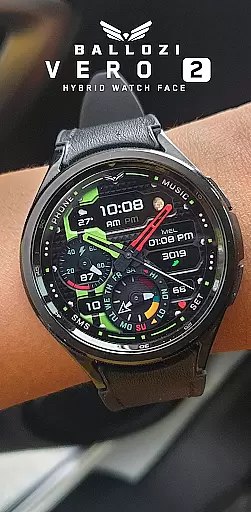
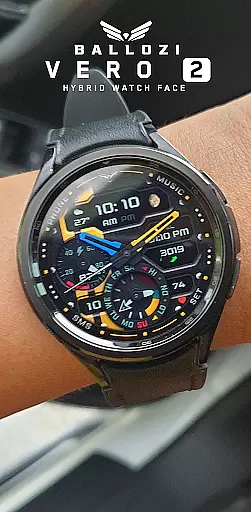
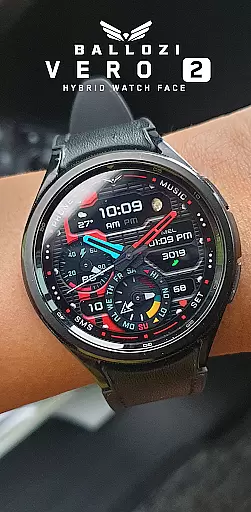
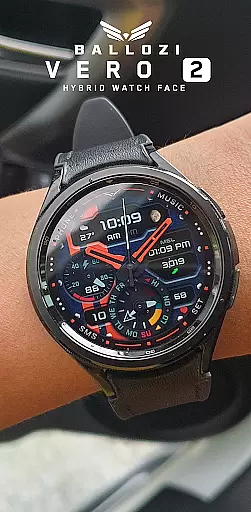
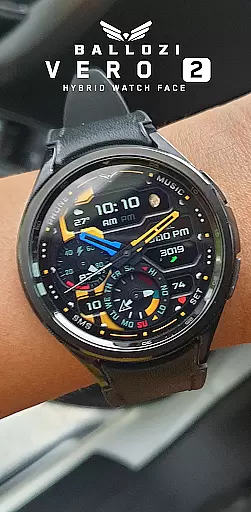
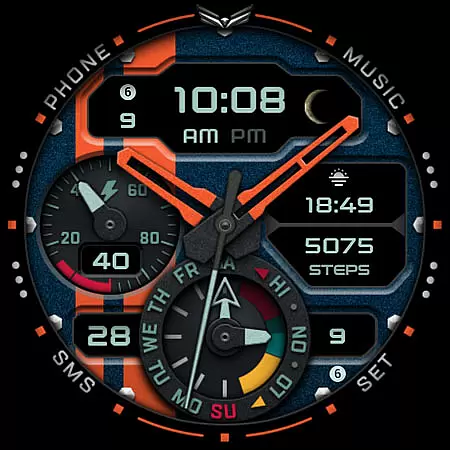
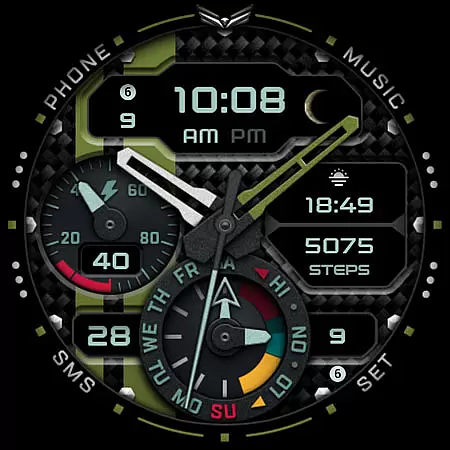
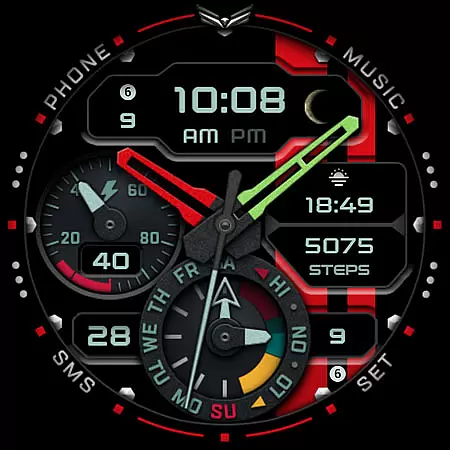
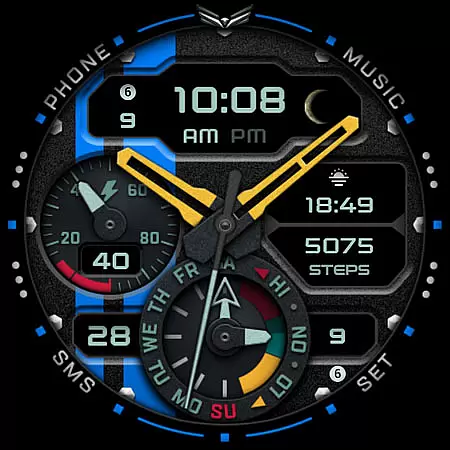
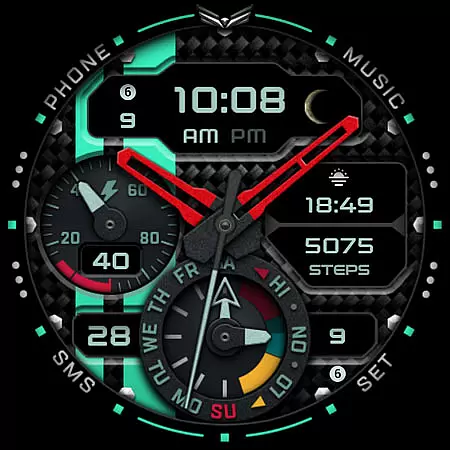
Ballozi VERO 2 Hybrid Analog is a feature-rich Wear OS watch face that combines modern design with practical functionality. This hybrid watch face offers both analog and digital clock displays, switchable between 12H and 24H formats through phone settings. Users can enjoy a variety of customization options including 10 background styles, 12 theme colors, and 10 watch hand colors, allowing for a personalized look that suits individual preferences.
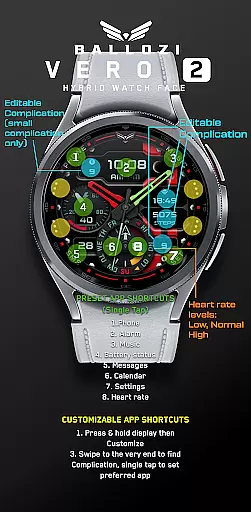
The watch face provides essential information at a glance, such as battery percentage with a red indicator when it drops to 15% or below, steps counter, date, day of the week, and moon phase. With 3 editable complications and 4 customizable app shortcuts, users can tailor their watch face to display the most relevant information. Additionally, there are 8 preset app shortcuts like Phone, Alarm, Music, and Battery Status, ensuring quick access to frequently used apps.
Designed for smartwatches running Wear OS 5.0 or higher (API level 34+), Ballozi VERO 2 is compatible with various brands including Samsung watches. Installation is straightforward, whether through the Galaxy Wearable app or other Wear OS devices' companion apps. The watch face also supports further customization via the 'Customize' option on the watch itself, making it easy to adjust settings directly from the device.
Ballozi VERO 2 stands out with its extensive customization capabilities. The watch face allows users to choose from 10 background styles, 12 theme colors, and 10 watch hand colors, which can be customized separately for a unique appearance. It features an analog/digital clock that can be switched between 12H and 24H formats based on user preference, providing flexibility in time display.
Functionality is enhanced with practical indicators and complications. A battery percent subdial warns users when the battery drops to 15% or below with a red indicator. Steps counter, date, day of the week, and moon phase complications keep users informed about their daily activities and calendar. Moreover, the watch face includes 3 editable complications and 4 customizable app shortcuts without icons, enabling users to prioritize their most-used apps.
For ease of use, Ballozi VERO 2 offers 8 preset app shortcuts including Phone, Alarm, Music, Battery Status, Messages, Calendar, and Settings. These shortcuts ensure quick access to essential functions. Customization is intuitive, allowing users to press and hold the display, hit 'Customize', swipe to select what to customize, and choose from available options. This level of personalization ensures that each user can tailor the watch face to their specific needs and preferences.
Companion app integration is essential for Android Wear applications as it ensures seamless synchronization between the wearable and its paired smartphone. BALLOZI VERO 2 excels in this area by providing users with comprehensive installation options that cater to various devices, ensuring that the watch face is easily accessible on your smartwatch.
The application provides clear instructions for installation on both Samsung and other Wear OS devices, allowing users to activate the watch face through their phone's interface. This includes accessing the Galaxy Wearable app for Samsung watches or finding the newly installed face within the respective companion apps of other brands.
By offering multiple customization options directly from the phone, such as background styles, theme colors, and complications, users can tailor their experience without needing to interact with the watch interface extensively. This approach not only simplifies personalization but also enhances user engagement by making it intuitive and straightforward.
Device compatibility is a critical aspect of any Android Wear application, determining its ability to function across different Wear OS-powered devices. BALLOZI VERO 2 ensures broad compatibility by supporting smartwatches running Wear OS 5.0 or higher (API level 34+), which covers a significant range of modern wearables.
This compatibility allows users to enjoy an array of features tailored specifically for Wear OS, including switchable analog/digital clocks, battery indicators, step counters, and more. By adhering to these standards, BALLOZI VERO 2 guarantees that users will have access to all its functionalities regardless of their specific device model.
Moreover, the emphasis on compatibility extends beyond mere operation; it encompasses optimal performance and visual fidelity. With support for high-resolution displays and adaptive design elements, BALLOZI VERO 2 delivers a consistent and visually appealing experience across various screen sizes and types, reinforcing its position as a versatile choice for Wear OS users.
Highly customizable
Intuitive interface
Versatile compatibility
Comprehensive features
User-friendly design
Limited to Wear OS
No iOS support
Complex setup
Premium feel costs
Battery consumption

A heartwarming Christmas scene featuring a cute image of Santa and Rudolf
 4.4
4.4
A watch face that fuses motorsport precision with contemporary smartwatch design
4.1
Stunning modern digital watch face with 7 complications and strong contrast
4.5
Sleek, highly customizable watch face inspired by Galaxy Watch Circle Dashboard.
4.2
Your second brain for organizing your life: to-do, calendar, reminder.
4.70
Real-time results, stats, schedules and player profiles for all leagues
4.60
Funny animated watch face for Thanksgiving
4.5
Fast and smart typing with Emojis, GIFs, and more
4.50
Start and succeed with PAP
4.10
Rose gold watch face with festive lights & customizable features.
4.60
Christmas watch face. For Wear OS devices.
4.30
"PER27 Galaxy Digital" is a digital Wear OS watch face designed by PERSONA
4.10
Embrace the festive spirit with our Christmas Countdown watchface for Wear OS
4.10
Daily Weather forecast with 15 weather images for Day & Night plus Big Bold time
4.10
Animated Watch Face and Customizable with 24 Backgrounds. Perfect for Christmas!
3.90
Christmas and New Year - Themed Watchface
4.1
Precision analog watch face with 7 complications and style options
4.2
Contemporary digital watch face with five complications
4.4
3 Complications. All shadow on/off. 30 Themes color palette...
4.3


User Reviews