
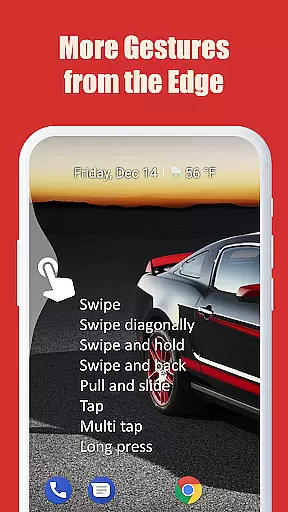
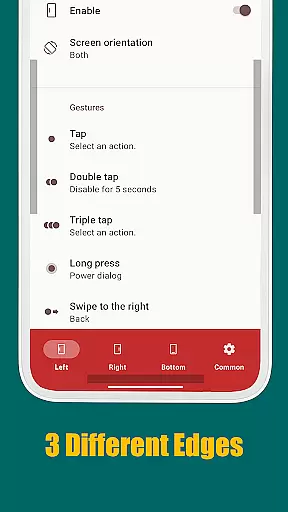
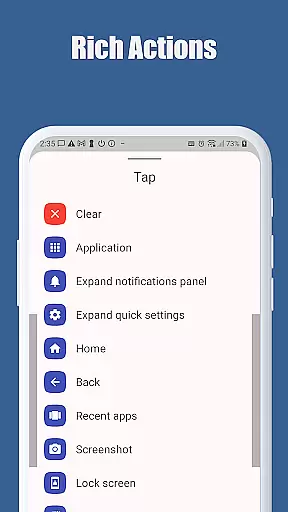
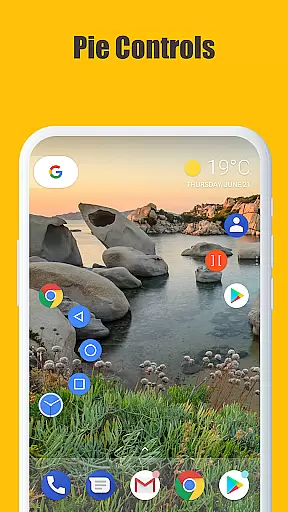
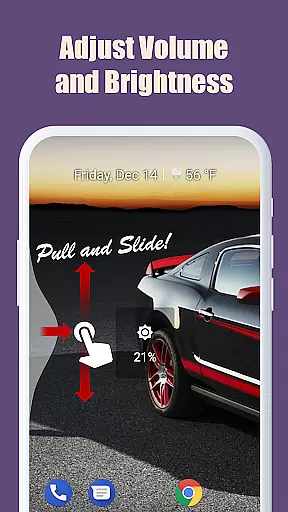
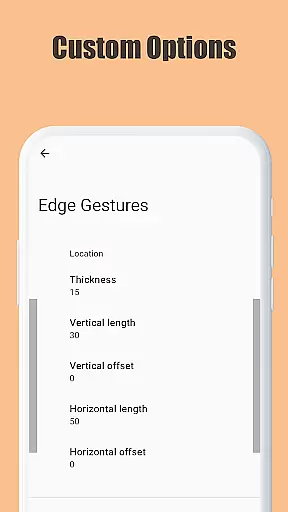
Edge Gestures is a powerful tool designed to enhance your device's navigation through intuitive screen edge gestures. With support for various gesture types, including taps, swipes, and pie controls, this app allows users to execute multiple actions quickly. Whether launching applications, controlling brightness, or toggling split screens, Edge Gestures streamlines these processes into simple motions. The customizable edge areas ensure that the tool fits seamlessly into any user's workflow, making device interaction more efficient.
This app is particularly useful for those who prefer hands-free or one-handed device operation. By assigning specific gestures to common functions like accessing notifications or switching apps, users can significantly reduce the time spent on navigation. Its compatibility with Android 6.0 and higher ensures broad usability across devices, providing a consistent experience for all users.
Edge Gestures stands out due to its extensive range of supported actions and customizable options. Users can choose from a variety of gesture types such as tap, double tap, long press, swipe, and more. Each gesture can be assigned a specific function, ranging from launching apps to controlling system settings like brightness and volume. This flexibility allows users to tailor the app to their unique needs and preferences.
One of the key features of Edge Gestures is its ability to customize the edge area's thickness, length, and position. This ensures that the gestures are comfortable and accessible for every user, regardless of their device handling style. Additionally, the app requires minimal permissions, focusing solely on the accessibility service API to perform essential functions without compromising user privacy. These aspects make Edge Gestures an innovative and user-friendly tool in the realm of device navigation.
Edge Gestures delivers a highly accurate and effective gesture-based navigation system for Android devices. The app supports a wide range of gestures, including taps, swipes, and pie controls, each precisely calibrated to ensure seamless interaction.
The application's core functions are designed with meticulous attention to detail. For instance, users can launch apps, adjust brightness, toggle split-screen mode, or expand the notification panel with simple edge gestures. These features are implemented using Android's accessibility service API, ensuring reliable performance across different device models and OS versions.
What sets Edge Gestures apart is its ability to execute commands without delay or misinterpretation. Whether you're scrolling quickly through a webpage or switching between apps, the response time remains consistently fast. This reliability makes it an essential tool for streamlining daily smartphone tasks.
Despite its advanced functionality, Edge Gestures maintains an intuitive and user-friendly interface. The setup process is straightforward, allowing users to customize gesture areas for thickness, length, and position according to their preferences.
Each supported actionu2014whether itu2019s launching an app, controlling media volume, or accessing quick settingsu2014is easily configurable via a clean, minimalistic UI. Users donu2019t need technical expertise to map gestures to specific actions; everything is presented in a logical, easy-to-navigate menu structure.
Moreover, the app avoids overwhelming users with unnecessary complexity. By focusing on essential tools like soft keys (back, home, recent apps) and productivity enhancers (brightness adjustment, split-screen toggling), Edge Gestures strikes a perfect balance between powerful capabilities and ease of use.
Intuitive gestures
Customizable edge areas
Broad action support
Minimal permissions required
Enhances navigation efficiency
Limited to Android 6.0+
Requires accessibility permission
Some gestures may need practice
Interface could be more visually appealing
Occasional gesture misinterpretation

Transfer Files, APK from Phone to Watch & Install.
 4.5
4.5
Extremely fast, secure, and protects your privacy
4.80
card-reader app
2.20
An easy-to-use calculator designed to save time calculating and bending conduit
4.30
Create your own live wallpaper or check out thousands already made presets
3.90
Effortlessly run ADB commands directly on your device without a PC.
4.20
Making emulation easy for everyone!
4.30
Pro Emulator is an easy to use game console emulator for a range of consoles.
4.40
Enhance your Beats
3.70
Bedrock Together: Join any bedrock server on Xbox/PS
4.80
The one-and-only remote control for PC, Mac, and Linux
4.70
FV File Manager Pro, Fast and powerful file manager for Android
4.60
HD Video player and downloader for all formats, fast & smooth 4K video playback.
4.60
App to pay for FUTO Keyboard
4.60
Head tracking for PC sim games such as MSFS 2024 or Elite:Dangerous. No headset!
4.50
Mirror your screen to Fire TV - Super fast and simple
4.40
pdf merge, word to pdf, jpg to pdf, edit pdf, convert to pdf and much more!
4.20
1-Click close all background apps on Android TV
3.90
Unleash gamepad precision for ultimate mobile gaming dominance.
3.90


User Reviews