
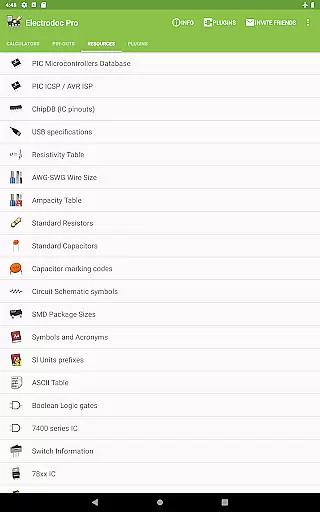
Electrodoc Pro is a comprehensive electronics toolkit designed for professionals, hobbyists, and students alike. This application serves as an all-in-one reference and calculator suite for various electronic components and circuits. With its extensive range of calculators, pin-out diagrams, and technical references, Electrodoc Pro eliminates the need for multiple tools when working on electronics projects.
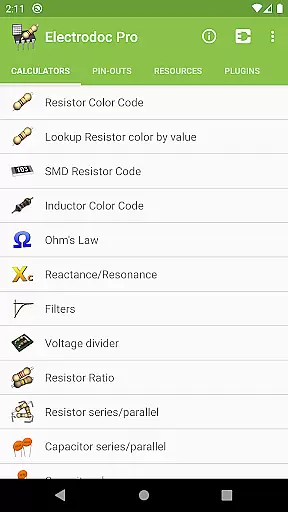
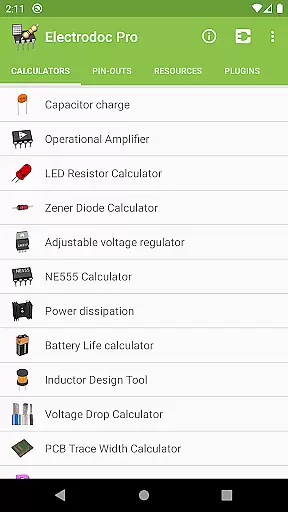
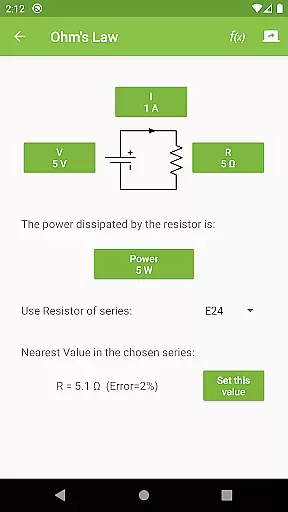
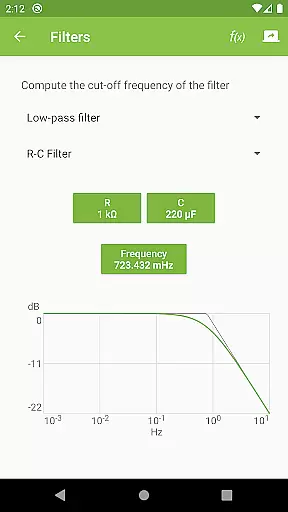
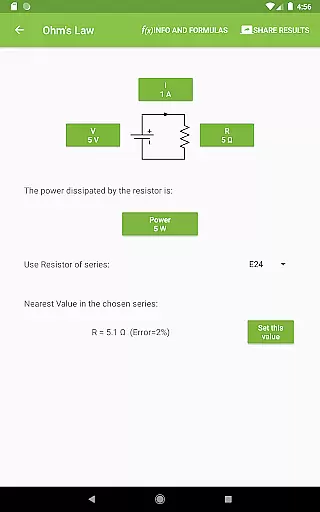
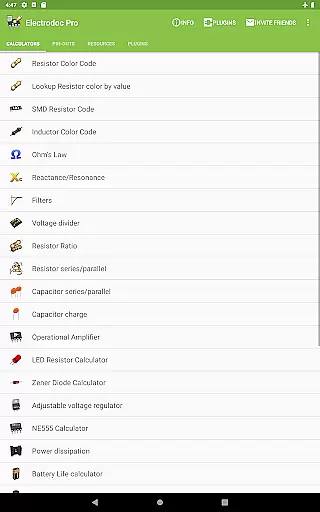
The app includes advanced features such as Resistor Color Code decoding, Ohm's Law calculations, Reactance/Resonance analysis, and Voltage Divider computations. It also provides specialized tools like the NE555 Calculator, Inductor Design Tool, and PCB Trace Width Calculator, making it indispensable for circuit design and troubleshooting. Whether you're calculating power dissipation or referencing complex port pin-outs, Electrodoc Pro streamlines the process with accuracy and ease.
One of the standout aspects of Electrodoc Pro is its ability to function without ads, offering uninterrupted productivity. Its intuitive interface and robust functionality make it suitable for both beginners and seasoned engineers. From decoding SMD resistor codes to exploring detailed resources like AWG-SWG wire sizes and 7400 series IC information, this app proves invaluable in any electronics workspace.
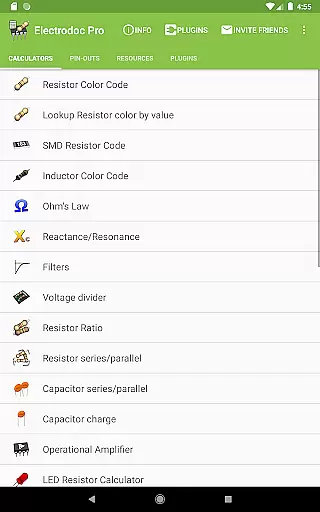
Electrodoc Pro stands out due to its rich feature set tailored specifically for electronics enthusiasts. The app offers over 30 specialized calculators covering everything from basic resistor calculations to complex circuit designs. For instance, users can utilize the LED Resistor Calculator or Zener Diode Calculator to ensure precise component values in their projects. Additionally, the inclusion of EIA resistor series support across all calculators ensures industry-standard precision.
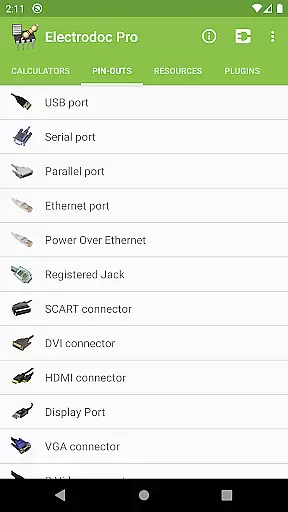
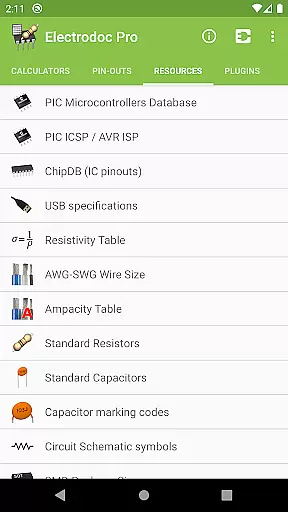
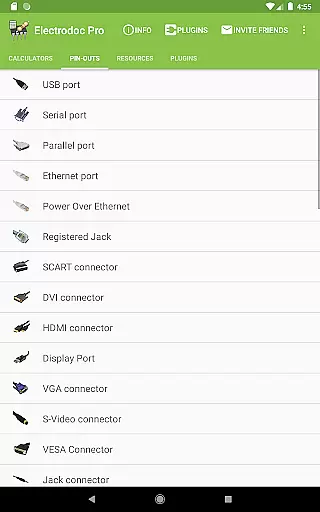
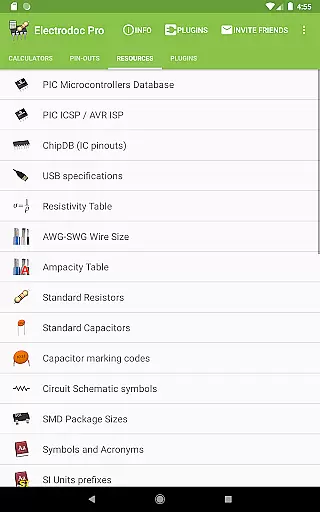
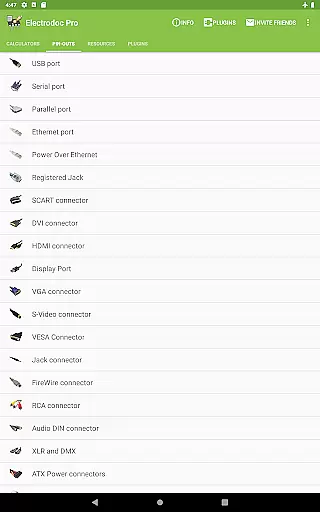
Beyond calculators, Electrodoc Pro provides an exhaustive collection of pin-out diagrams and technical references. These include USB ports, HDMI connectors, Arduino boards, and more, catering to a wide array of hardware interfaces. Furthermore, the Resources section contains essential tables such as Standard Resistors, Capacitor Marking Codes, and SI Unit Prefixes, which are crucial for accurate electronics work. The app's plugin support expands its capabilities even further, allowing integration with microcontroller databases and simulators.
Another notable feature is the app's commitment to regular updates and improvements. Users benefit from new tools and references added periodically, ensuring that Electrodoc Pro remains relevant in the ever-evolving field of electronics. This dedication to enhancement, combined with its ad-free PRO version, makes Electrodoc Pro a reliable and future-proof addition to any electronics toolkit.
Electrodoc Pro stands out as a comprehensive electronics toolkit, offering precise calculations and references essential for both hobbyists and professionals. The app's core functions, such as Resistor Color Code, Ohm's Law, and Reactance/Resonance calculators, are designed with meticulous attention to detail, ensuring accurate results every time.
The effectiveness of Electrodoc Pro is evident in its wide array of features. From the SMD Resistor Code to the NE555 Calculator, each tool has been optimized to provide quick and reliable computations. This ensures that users can efficiently work on their electronic projects without second-guessing the accuracy of their calculations.
Users benefit significantly from the app's dedication to precision. Whether calculating voltage drops or designing inductors, Electrodoc Pro delivers trustworthy data, empowering users to make informed decisions. This reliability not only saves time but also enhances the overall quality of the user's electronic designs.
Moreover, the app's continuous updates and expansions, including full support for EIA resistor series and plugin capabilities, demonstrate its commitment to staying current with industry standards. This dedication ensures that Electrodoc Pro remains an invaluable tool in any electronics enthusiast's arsenal.
Despite its extensive functionality, Electrodoc Pro maintains an interface that is both simple and intuitive. The design philosophy focuses on providing users with easy access to a multitude of tools without overwhelming them, making it suitable for both beginners and seasoned professionals.
Navigating through the app is straightforward, thanks to its well-organized layout. Each tool and calculator is easily accessible from the main menu, categorized logically to help users find what they need quickly. This thoughtful organization reduces the learning curve typically associated with complex applications.
The intuitiveness of Electrodoc Pro extends to its interactive elements. Tools like the Resistor Color Code and Lookup Resistor color by value offer visual aids and step-by-step guidance, enhancing user understanding and interaction. These features ensure that even those new to electronics can utilize the app effectively.
Furthermore, the absence of ads in the PRO version contributes to a seamless user experience. By eliminating distractions, Electrodoc Pro allows users to focus entirely on their tasks, fostering a more productive and enjoyable interaction with the application.
Comprehensive toolset
User-friendly interface
Regular updates
Ad-free experience
Wide compatibility
Paid PRO version
Steep learning curve
Occasional bugs
Limited offline help
Heavy on storage

pdf merge, word to pdf, jpg to pdf, edit pdf, convert to pdf and much more!
 4.20
4.20
1-Click close all background apps on Android TV
3.90
Save any video in HD - paste the link, download fast and watch offline.
4.1
Detect hidden spy camera with advanced scanning {{ Premium version }}
4.00
Making emulation easy for everyone!
4.30
Screen Mirroring for Roku Sticks, Roku TCL TV and Roku Hisense TV
4.50
Introducing Smart Printer, your ultimate destination for printing solutions!
4.00
Creation, Learning, Entertainment & More — The All-in-One AI Search Engine
4.70
Enhance your Beats
3.70
WiFi Signal Strength Meter help you detect WiFi Signal Strength in real time.
4.80
Easily install aab(Android App Bundle) files on your Android device with our app
4.80
The Ultimate Bluetooth Keyboard & Mouse. Securely control your PC, Mac, and more
4.50
Game Booster, GFX Tool is now compatible with newer game update
4.50
Complete kernel toolbox with features to manage and tweak your rooted device
4.30
Remote for Roku, Fire TV, Samsung TV, LG TV, Android TV, Chromecast and VIZIO TV
4.20
Fun lie-detection pranks for friends and parties.
3.80
Safely recover deleted photos, videos, and files with a single easy tap.
3.70
A recovery soft,it features photo recovery, video recovery, file recovery.
3.40
Transfer Files, APK from Phone to Watch & Install.
4.2


User Reviews