
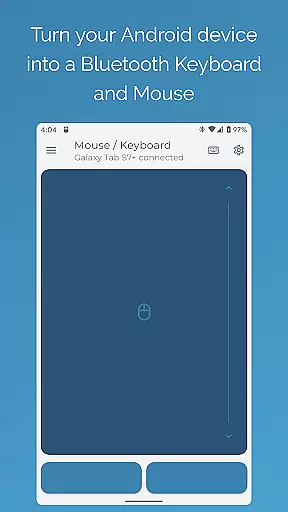
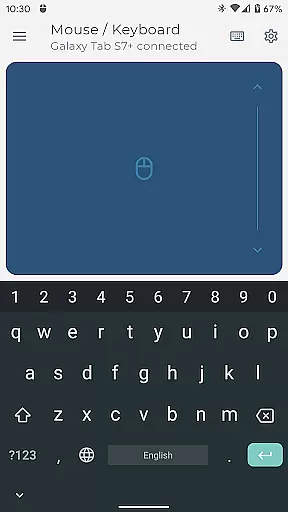
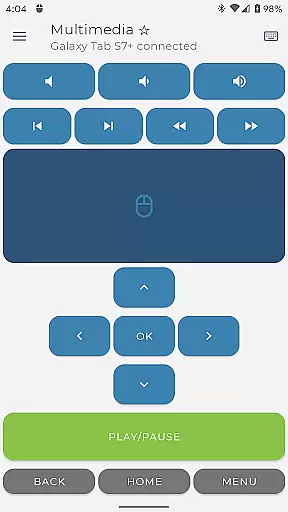
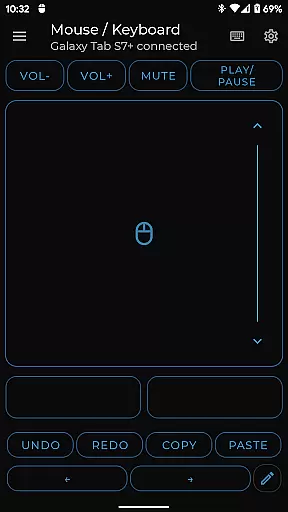
Bluetooth Keyboard & Mouse Pro revolutionizes the way you interact with your devices by turning your Android phone into a versatile remote control tool. This powerful application establishes a direct Bluetooth connection, enabling you to seamlessly operate computers, tablets, and media centers without any additional software or server dependencies.
The app offers an impressive array of functionalities including precision mouse control, multi-touch trackpad support, and international keyboard layouts. Its standout features like Keep-Alive Mode and Presenter Mode make it particularly valuable for professionals who need reliable remote control during important presentations or extended work sessions.
Whether you're managing presentations, controlling multimedia playback, or scanning barcodes for inventory management, this tool provides a secure and efficient solution that works across multiple operating systems including Windows, iOS, Android, and Chrome OS.
Bluetooth Keyboard & Mouse Pro stands out through its comprehensive feature set designed for maximum productivity. The app's direct Bluetooth connectivity ensures instant response times while maintaining complete privacy - no server intermediaries are involved in the connection process.
Among its most notable capabilities is the Keep-Alive / Jiggler Mode which prevents computers from sleeping during critical tasks. The app also supports over 100 international keyboard layouts, making it ideal for multilingual professionals. Its integrated scanner functionality streamlines inventory management by allowing direct QR code and barcode scanning to connected devices.
Advanced users will appreciate the ability to create custom control layouts tailored to specific applications or games. The combination of voice-to-text functionality, clipboard synchronization, and multimedia controls creates a comprehensive remote management solution that adapts to various professional needs.
Bluetooth Keyboard & Mouse Pro delivers exceptional core functionality by transforming your Android device into a versatile control hub. The app establishes a direct Bluetooth connection with your devices, ensuring instant responsiveness without the need for additional software or server intermediaries.
The precision control features include a fully functional keyboard, mouse, and multi-touch trackpad, allowing users to seamlessly navigate through presentations, media controls, and more. Its highly responsive design ensures every interaction feels natural and accurate, whether you're typing, scrolling, or clicking.
Advanced functionalities such as Keep-Alive Mode, Presenter Mode, and Multimedia Control further enhance its effectiveness. These tools are specifically engineered to provide practical solutions for both productivity and entertainment needs, making it an indispensable utility for professionals and casual users alike.
Despite its powerful capabilities, Bluetooth Keyboard & Mouse Pro maintains an intuitive and user-friendly interface. The layout is thoughtfully designed to ensure that even first-time users can easily navigate through its features without a steep learning curve.
Key functions like Precision Control and Full PC Keyboard are immediately accessible, offering a familiar experience akin to using physical peripherals. Switching between international language layouts or utilizing specialized modes such as Presenter Mode requires minimal effort, thanks to clear visual cues and straightforward controls.
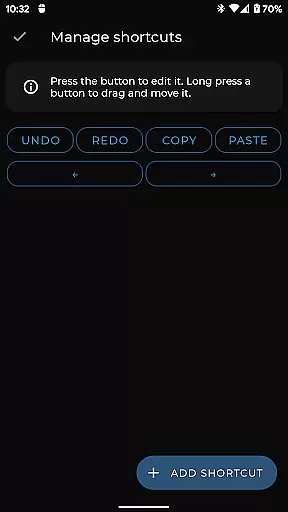
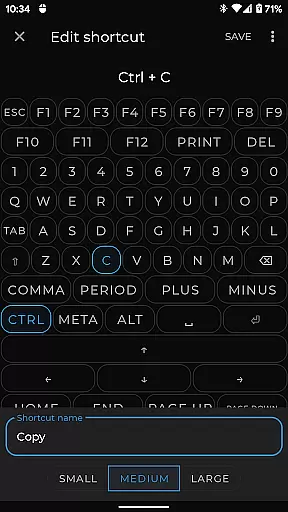
Custom Layouts allow advanced users to tailor their experience while maintaining overall simplicity. This balance of customization and ease-of-use ensures that all usersu2014regardless of technical expertiseu2014can harness the full potential of this tool effortlessly.
Instant Bluetooth connection
Serverless operation
Multi-platform support
Customizable controls
International keyboard layouts
Premium features locked
Complex setup required
Limited free functionality
Occasional connectivity issues
High resource consumption

Change your GPS location instantly. Simulate routes anywhere in the world.
 4.90
4.90
A powerful, easy-to-use flight computer on your phone or tablet!
3.80
Just swipe the edge to do something!
4.40
This app unlocks the Pro features of the Central for DayZ app
3.60
Create your own live wallpaper or check out thousands already made presets
3.90
Best leveling tool for your Android device. Hang paintings like a pro.
4.90
Signal Strength, Mobile, Wifi, Speed Test, Bad Signals, Cellular, 5G, LTE, 4G
4.20
Screen Mirroring for Roku Sticks, Roku TCL TV and Roku Hisense TV
4.50
NFC Tools can read and write NFC tags.
4.70
The ultimate tool for network analysis, wifi scanning and problem detection.
4.90
WiFi Signal Strength Meter help you detect WiFi Signal Strength in real time.
4.80
Unit and currency converter with easy and simple UI.
4.80
Small and simple app to Verify Root Access and BusyBox Install!
4.70
FV File Manager Pro, Fast and powerful file manager for Android
4.60
Play your X-Box games remotely in 1080p with any controller and zero latency
4.60 4.50
4.50
eXtended Permission Manager - a small app to manage permissions and AppOps
4.50
Quickly check the frequency of the Earth
4.30
Effortlessly run ADB commands directly on your device without a PC.
4.20


User Reviews