
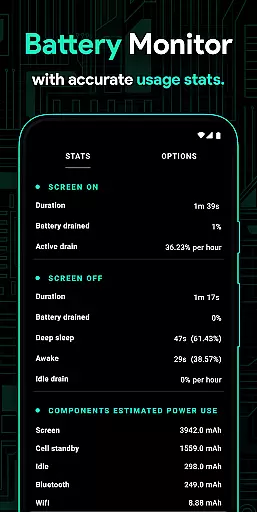
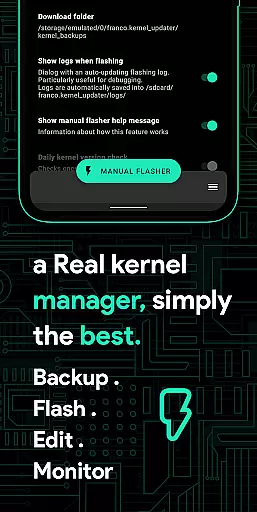
Franco Kernel Manager is a comprehensive toolbox designed for rooted Android devices, offering an extensive range of features to optimize and manage your device's kernel. It caters to both novice users and experts, providing tools for performance enhancement, battery optimization, and system customization. The app allows you to flash mods without a custom recovery, monitor detailed battery stats, and tweak various system settings.
With specialized features like per-app profiles, CPU/GPU controls, and support for different types of GPUs, this app empowers users to supercharge their devices. Whether you're looking to boost performance or extend battery life, Franco Kernel Manager combines all essential tools in one place, making it indispensable for power users seeking granular control over their device's operations.
Franco Kernel Manager stands out with its rich feature set tailored for ease of use and maximum functionality. Key highlights include a Battery Monitor notification that provides insights into power consumption, charging time estimates, and more. The app also offers detailed battery statistics, build.prop editing capabilities, and the ability to auto-flash kernels and Magisk modules without needing a custom recovery.
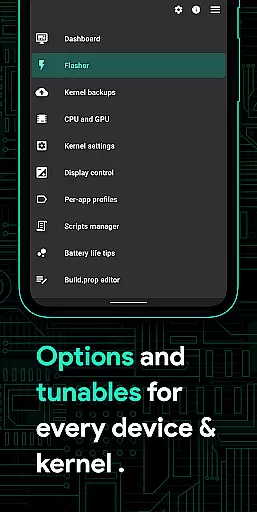
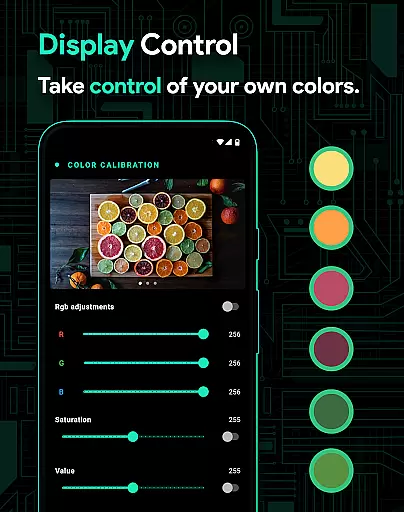
Advanced functionalities such as CPU frequency adjustments, governor profiles, stune tunables, and multi-cluster support cater to expert users. Additionally, features like High Brightness Mode (HBM), Display Color Temperature presets, and KLapse support enhance user experience. The app's Per-app profiles allow customized settings for specific applications, ensuring optimal performance based on usage scenarios.
Franco Kernel Manager offers a comprehensive suite of tools designed to enhance kernel management with precision and efficiency. The app provides detailed battery stats, allowing users to monitor power consumption in mAh for various components such as WiFi, screen, and signal. This granular insight ensures that users can make informed decisions about their device's energy usage.
With features like auto-flash kernels and Magisk modules, the application eliminates the need for a custom recovery, streamlining the process of updating or modifying device firmware. Its powerful CPU and GPU controls enable users to fine-tune frequencies, governors, and other settings, ensuring optimal performance tailored to individual needs.
The inclusion of per-app profiles allows for customized settings based on specific use cases, enhancing both performance and battery life. Whether gaming or reading an e-book, users can set preferences for CPU frequency, Wi-Fi status, and more, guaranteeing an experience optimized for their current activity.
Overall, Franco Kernel Manager combines robust functionality with user-centric design, empowering both novice and expert users to supercharge their devices effectively while maintaining ease of use.
The interface of Franco Kernel Manager is crafted to balance advanced functionality with user-friendly navigation, making it accessible for users of all expertise levels. Despite the complexity of the features offered, the app maintains an intuitive layout that simplifies access to critical tools without overwhelming the user.
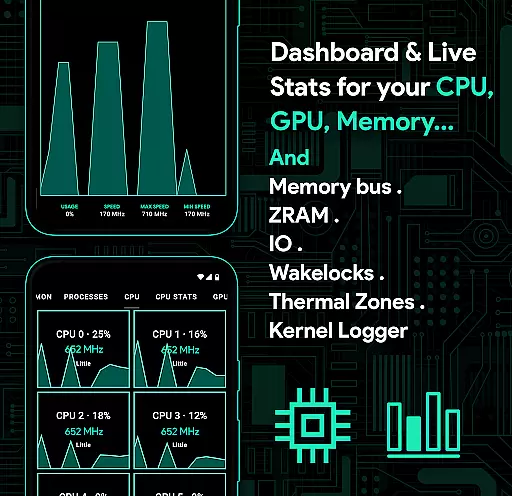
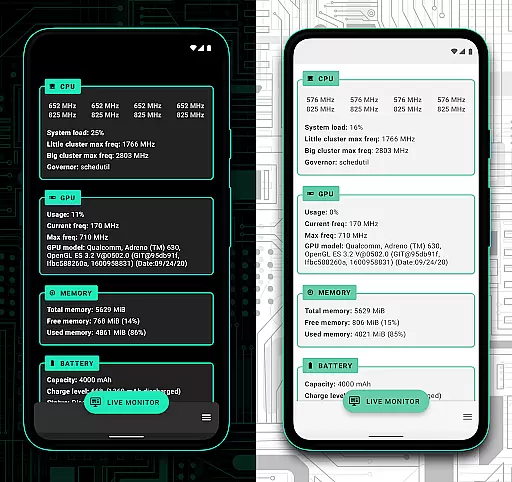
One notable aspect is the System Health section, which presents real-time data on CPU, GPU, RAM, and thermal zones through a visually appealing and easy-to-understand UI. Users can quickly assess their device's performance metrics and make necessary adjustments, ensuring their system runs smoothly and efficiently.
Additionally, the app supports light and dark themes, aligning with modern Android aesthetics and providing comfort during nighttime use. These themes not only enhance visual appeal but also contribute to a seamless user experience by reducing eye strain in low-light conditions.
By focusing on clarity and ease of interaction, Franco Kernel Manager ensures that even those new to kernel management can confidently navigate its extensive feature set, achieving enhanced device performance without a steep learning curve.
Comprehensive feature set
User-friendly interface
Extensive customization options
Supports multiple device types
Regular updates and active developer support
Requires root access for full functionality
Complex for beginners
Some features may void warranty
Occasional compatibility issues
Resource-intensive on older devices

HD Camera captures every special moment.
 4.60
4.60
VESC Tool can monitor and configure VESC-compatible devices over BLE and Wifi
4.20
PC precision for mobile gaming: dominate with keyboard and mouse!
4.30
Making emulation easy for everyone!
4.30
The Ultimate Bluetooth Keyboard & Mouse. Securely control your PC, Mac, and more
4.50
Play your X-Box games remotely in 1080p with any controller and zero latency
4.60
Pro Emulator is an easy to use game console emulator for a range of consoles.
4.40
Mobile Security with Scam Protection | Malware & Virus Cleaner | Safe Browser
4.70
The ideal app to be the digital eye of your family
3.40
App to pay for FUTO Keyboard
4.60
With videos, electrical calculators, and built-in ebook, Ugly’s has your answer.
4.50
Just swipe the edge to do something!
4.40
Universal TV remote control all TVs, Roku, LG, Samsung, Fire, Vizio, Sony, TCL.
4.40
Quickly & easily calculate the spacing of handrail balusters
4.20
MS-DOS in your pocket. Play old DOS games anywhere you are ;)
4.10
Automate everything from settings to photos, SMS to speech. ADC2 prize winner.
4.10
This app unlocks the Pro features of the Central for DayZ app
3.60
A non-root local ADB shell client. READ BELOW!
3.40
Unlock your Essential Key. Create custom shortcuts to your favorite apps!
4.3


User Reviews