
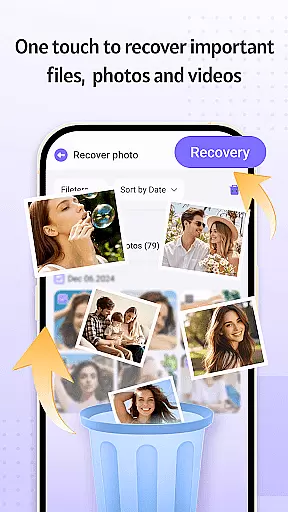
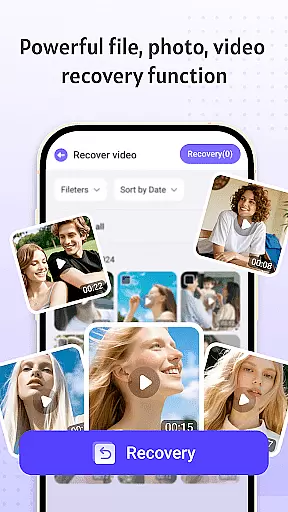
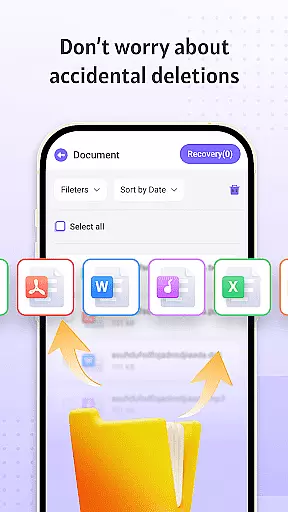

Recovery Photo is a professional file recovery tool designed to help users retrieve lost or deleted files across various categories. The app specializes in recovering photos, videos, and other important documents that may have been accidentally removed or lost due to system errors. Its powerful scanning technology ensures that even files deleted from the device's internal storage can be restored with minimal effort.
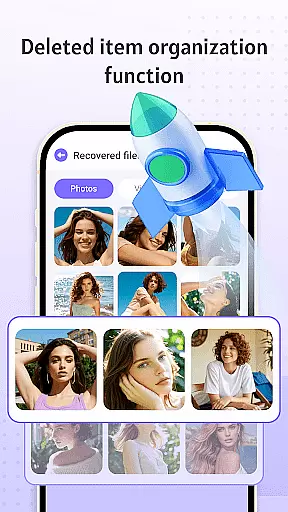
In addition to its core recovery functions, Recovery Photo offers a unique file management feature that allows users to organize and view recovered files directly within the app. This makes it easier to manage restored content without the risk of losing it again. Whether you're trying to recover cherished memories from photos or critical work documents, this app provides an efficient solution tailored for both casual users and professionals alike.
Recovery Photo stands out with its comprehensive set of features designed to address different data loss scenarios. First, the app includes specialized recovery modes for images, videos, and general files, ensuring that all types of media can be retrieved effectively. Each mode employs advanced algorithms to scan the device’s storage thoroughly, identifying recoverable files based on specific path patterns and metadata.
Beyond recovery, the app also provides tools for managing restored files. Users can categorize, rename, and organize their recovered content directly within the app, streamlining the post-recovery process. Additionally, Recovery Photo offers insights into the device's storage status, allowing users to monitor available space and optimize their device's performance while handling recovered files. These features collectively ensure a seamless experience from data retrieval to organization.
Recovery Photo is designed to offer reliable and efficient file recovery services, focusing on the accurate retrieval of lost data. The software employs advanced scanning algorithms that meticulously comb through your device's storage to locate recoverable files.
With dedicated features for photo, video, and general file recovery, the application ensures that users can retrieve a wide variety of file types. Each recovery process is optimized to maintain the integrity and quality of the recovered items, providing users with results that closely match the original content.
The effectiveness of Recovery Photo extends beyond mere recovery; it includes a management feature that allows users to organize and view their restored files easily. This comprehensive approach not only recovers lost data but also enhances the overall user experience by simplifying file management.
By continuously updating its scanning technology, Recovery Photo adapts to various storage media conditions and device models, ensuring broad compatibility and improved recovery outcomes. Users can trust in the software's ability to deliver consistent performance across different scenarios.
Achieving a balance between powerful functionality and user-friendly design, Recovery Photo offers an intuitive interface that simplifies the recovery process. From the moment users launch the app, they are greeted with a clean layout that guides them through each step of file retrieval.
The main dashboard categorizes recovery options into clear sections for photos, videos, and other files, allowing users to quickly select the type of content they wish to recover. Each section is designed with straightforward controls and progress indicators, keeping users informed throughout the scanning and recovery phases.
In addition to its recovery capabilities, the app provides tools for managing restored files. These features are seamlessly integrated into the interface, enabling users to organize their recovered data without navigating complex menus or settings.
Overall, Recovery Photo prioritizes accessibility and ease of use, ensuring that even those with limited technical expertise can confidently recover and manage their important files with minimal effort.
User-friendly interface
Effective recovery algorithms
Comprehensive file support
Integrated file manager
Secure local processing
Recovery success varies
No cloud backup option
Limited after factory reset
Device-specific issues
Premium features locked

Just one-tap to easy translate in any language after calls within seconds.
 4.20
4.20
Fluid navigation gestures for all of us!
4.30
Use your phone as a webcam on your computer over WiFi or USB.
4.40
Unlock your Essential Key. Create custom shortcuts to your favorite apps!
4.5
Excellent scientific calculator with symbolic algebra, integrals, derivatives
4.80
Mirror your screen to Chromecast and Android TV - Super fast and simple
4.60
Fun lie-detection pranks for friends and parties.
3.80
A clean app.
4.50
fast and easy mp3 music downloader
4.80
Navigate with Ease and Style
4.90
Monitor car performance in real time and troubleshoot malfunctions.
4.80
Fast Video Downloader, Movie Downloader, Torrent Downloader & Adblock Browser
4.70
Head tracking for PC sim games such as MSFS 2024 or Elite:Dangerous. No headset!
4.50
Button mapper, mouse toggle, sleep timer and a lot of another features
4.50
Universal TV remote control all TVs, Roku, LG, Samsung, Fire, Vizio, Sony, TCL.
4.40
A simple app to back up and restore SMS & MMS messages and call logs.
4.10
Automate everything from settings to photos, SMS to speech. ADC2 prize winner.
4.10
A powerful, easy-to-use flight computer on your phone or tablet!
3.80
Undelete and recover your lost or deleted files with DiskDigger!
3.40


User Reviews