
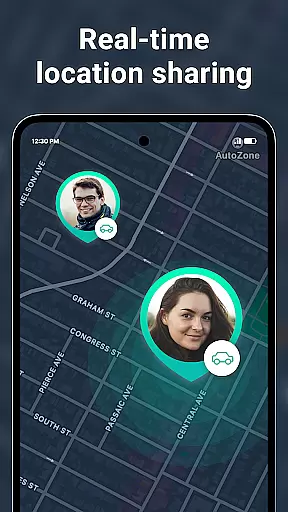
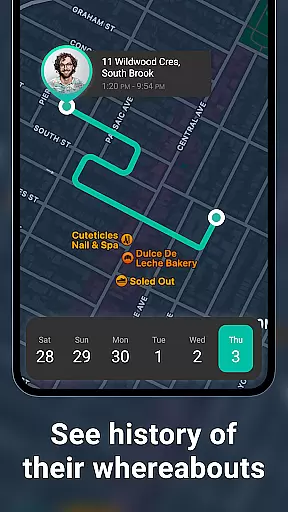
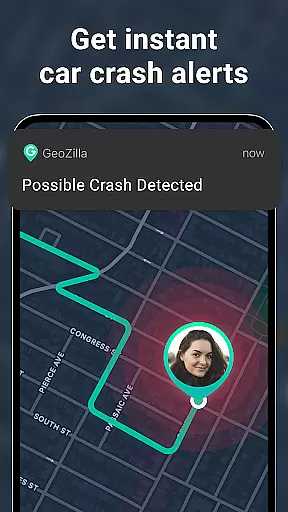
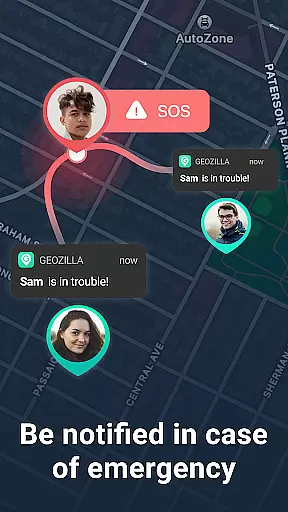
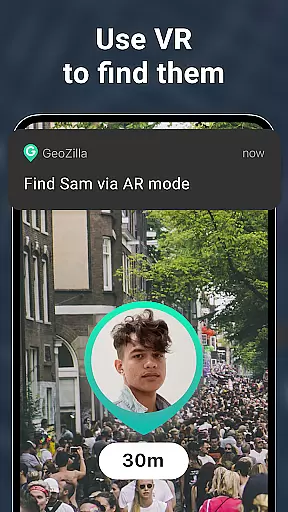
Geozilla is a comprehensive family safety and location-sharing app designed specifically for Android Wear devices. This innovative application allows families and trusted groups to stay connected through real-time location tracking, ensuring peace of mind regardless of physical distance. With features like emergency alerts, driving reports, and geofencing capabilities, Geozilla provides both safety and transparency for users who prioritize the well-being of their loved ones.
The app's core functionality revolves around creating private family circles where members can share their locations only with explicit consent. Through phone numbers, links, or QR codes, users can invite family members to join their circle. Once accepted, participants benefit from live location sharing, location history, and arrival/departure notifications. Additionally, Geozilla offers battery monitoring and safe driving insights, making it an invaluable tool for modern families seeking to maintain open communication and ensure mutual safety.
One notable use case for Geozilla is its compatibility with Wear OS, allowing users to track family members' locations directly from their smartwatches. This seamless integration enhances convenience and accessibility, particularly in situations where immediate access to location data is crucial. By combining advanced technology with stringent privacy measures, Geozilla delivers a reliable solution that empowers families to support one another while respecting individual boundaries and consent.
Geozilla stands out with its robust set of features tailored for family safety and connectivity. The app's primary strength lies in its real-time location tracking capabilities, which enable users to monitor the whereabouts of their family members instantly. This feature is complemented by location history, providing a detailed timeline of movements throughout the day. Such functionalities are essential for parents who wish to keep tabs on their children's daily activities without resorting to invasive methods.
Another significant aspect of Geozilla is its emphasis on proactive safety measures. The app includes geofencing tools that send alerts when a family member arrives at or departs from designated locations such as home, school, or work. Furthermore, Geozilla incorporates crash detection and SOS alerts, which can be lifesaving in emergencies. These features are augmented by battery monitoring, ensuring that users are aware of any potential device issues that could hinder communication. The inclusion of safe driving insights also promotes responsible behavior behind the wheel, contributing to overall family security.
What truly sets Geozilla apart is its commitment to privacy and transparency. Unlike other location-sharing apps, Geozilla requires explicit consent from all parties involved before any data is shared. This approach fosters trust among users, knowing that their personal information is handled responsibly. Moreover, the app's compatibility with Wear OS devices extends its utility beyond smartphones, offering unparalleled convenience and accessibility. By prioritizing user consent and employing cutting-edge technology, Geozilla establishes itself as a leader in the realm of family safety applications.
Companion app integration is essential for wearable devices to function seamlessly with smartphones. Geozilla excels in this area by ensuring that its Android Wear application works in harmony with its mobile counterpart.
The smart features such as real-time location tracking, emergency alerts, and driving reports are synchronized across both platforms, providing users with a consistent experience whether they are checking their phone or their smartwatch.
By installing Geozilla on your smartphone, you can easily share your location with your private family circle and receive important notifications directly on your Wear OS device. This cross-device functionality ensures that you are always connected to your loved ones, no matter which device you are using.
Moreover, the app's ability to deliver key safety features like geofenced location alerts and crash detection on a smartwatch adds an extra layer of convenience and assurance. With companion app integration, users can enjoy peace of mind knowing they are supported by Geozilla's safety features right from their wrist.
Ensuring compatibility with Wear OS and various devices is crucial for apps targeting the smartwatch market. Geozilla has been optimized to work with Wear OS, allowing users to know where their family members are or to share their own location directly from their smartwatch.
This compatibility means that regardless of the specific Android Wear device a user owns, Geozilla is designed to provide a reliable and smooth performance. The app takes advantage of the smartwatch's capabilities to offer features such as live location sharing and battery monitoring without compromising on speed or accuracy.
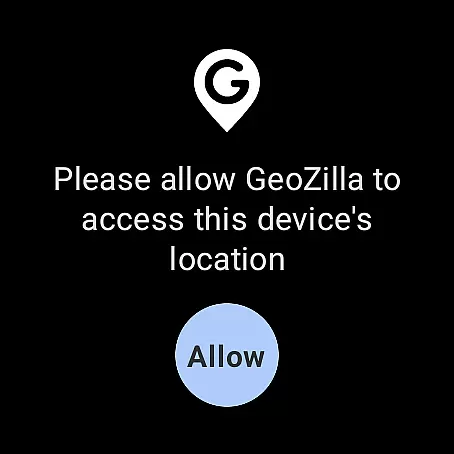
Geozilla also respects user permissions and privacy settings across devices. Whether it's through location services or motion and fitness tracking, the app requests transparent permissions and operates within the boundaries set by the user on both their smartphone and smartwatch.
With its commitment to privacy, transparency, and responsible use, Geozilla provides a secure environment for families who choose to stay connected via their Wear OS devices. Users can trust that the app will function properly while maintaining the highest standards of data protection and consent.
User-friendly interface
Real-time tracking
Emergency alerts
Driving insights
Privacy-focused
Limited free features
High battery usage
Requires constant internet
Subscription costs
Complex setup

Christmas - Festive - Christmas Village - Winter - Christmas lights
 5.00
5.00
Snowflake Rose Gold Watch Face - Digital, modern, & sleek with GYRO effect.
4.10
Current temperature, weather hourly, weather radar by the weather forecast app
4.40
Artistic Digital Watchface
4.0
Authentic military-tactical design with ZULU time! Realistic and functional!
3.80
Stay in touch with your friends and family using LINE!
3.40
Funny animated watch face for Thanksgiving
4.0
Retro digital watch face with customizable colors and a unique lighting effect
4.60
Want to take charge of your health? Let Google Fit help you reach your goals.
3.50
Real-time weather radar with temperatures, warnings, hurricanes, and widgets
4.80
The most customizable minimal watch face. For Wear OS 5.0, API 34+ and later
4.70
Highly customizable hybrid watch face for Wear OS, perfect for everyday use.
4.60
Kia Access makes getting your vehicle information easier than ever
4.60
Monitor health with the stress test and pulse checker in the heart rate app.
4.60
Embrace the holiday spirit with this magical animated watch face!
4.40
Bold weather Digital watchface with forecast & optional animated background
4.40
Find EV charging stations
4.30
Precision analog watch face with 7 complications and style options
4.2
Analog watch face with 8 complications and expedition styling
4.0


User Reviews