
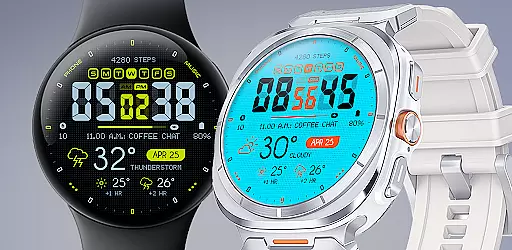
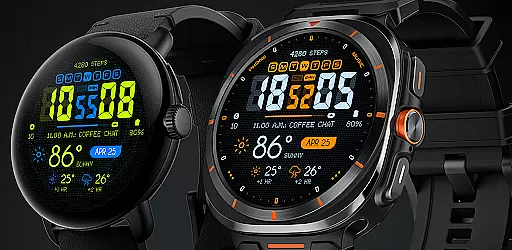
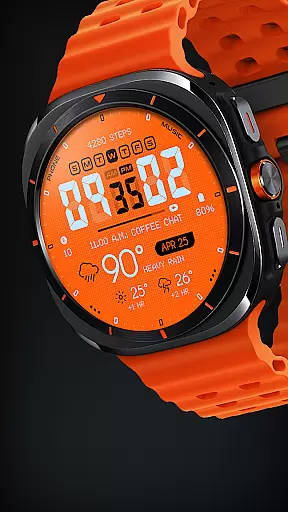
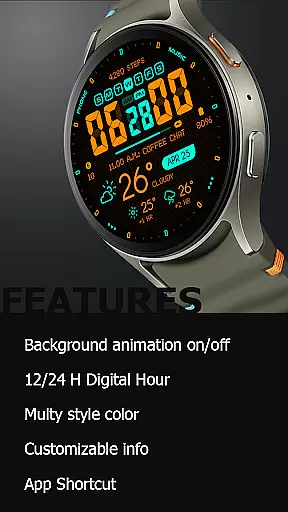
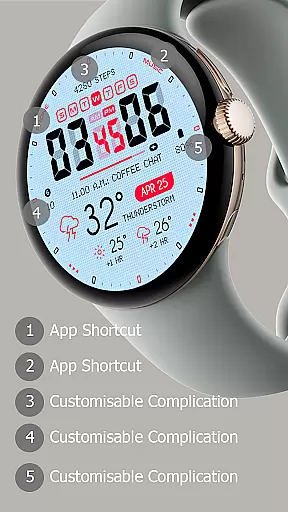
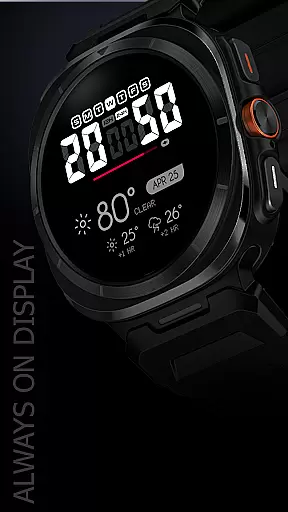
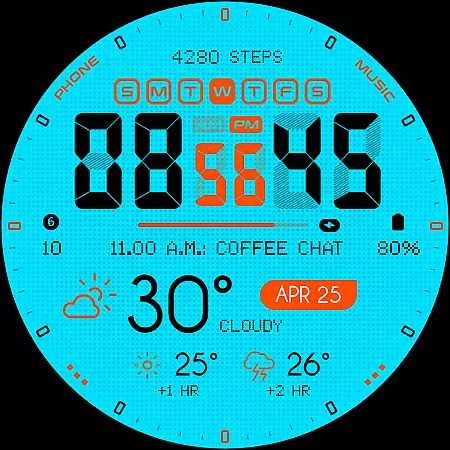
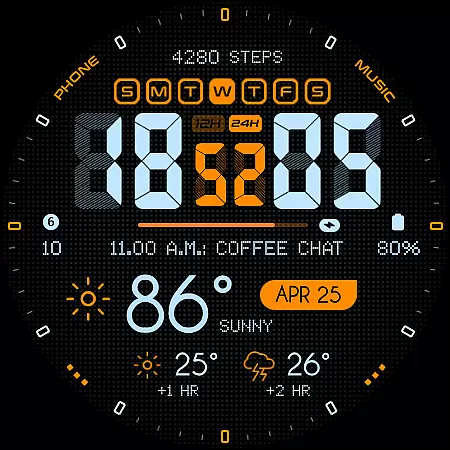
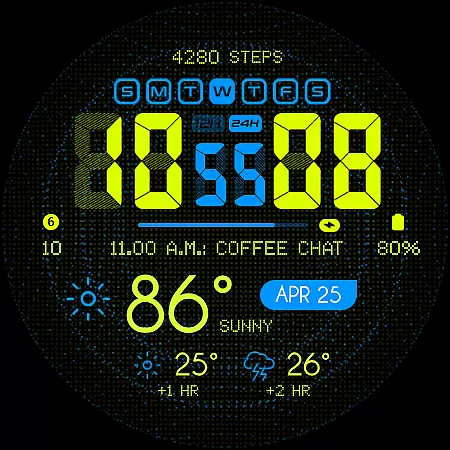
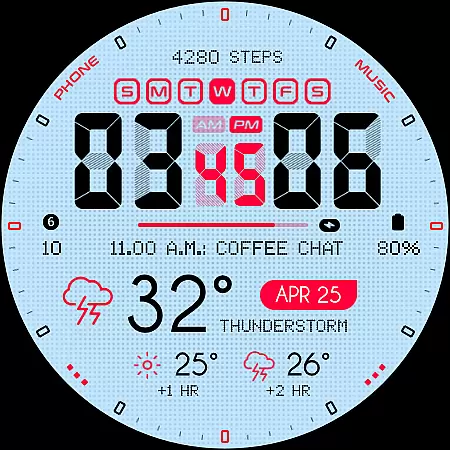
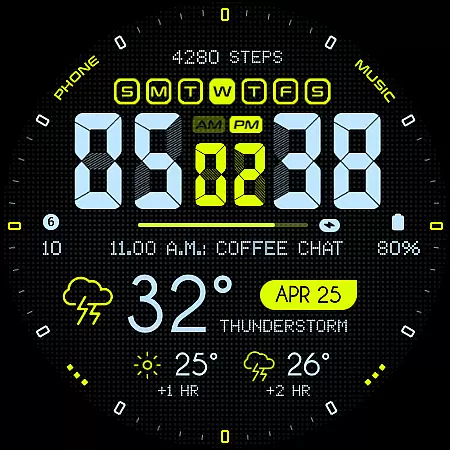
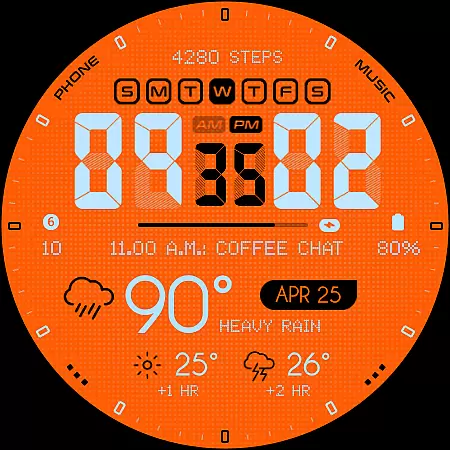
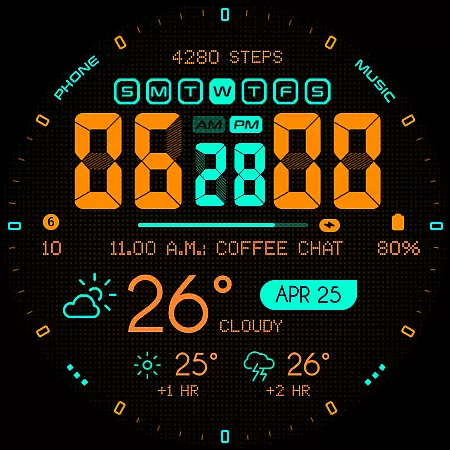
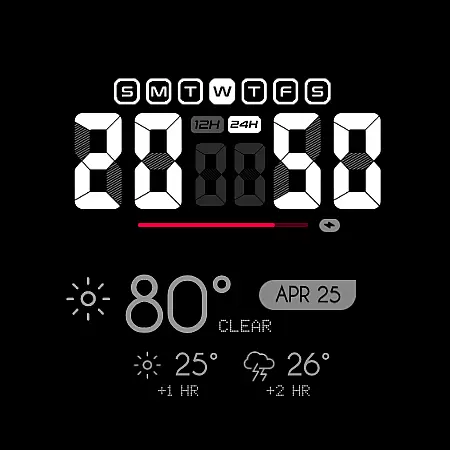
Oogly Atmos is a dynamic weather-themed watch face designed for Wear OS smartwatches. It combines vivid colors, real-time weather updates, and customizable features to deliver both style and functionality. With support for 12/24-hour formats, animated backgrounds, and an always-on display, it caters to users who value aesthetics and utility. Compatible with Galaxy Watch 5 or newer, Pixel Watch, Fossil, and other Wear OS devices running API 30+, this watch face ensures broad device support while offering a personalized experience.
Whether you're looking for a quick weather forecast or a visually appealing design, Oogly Atmos provides the perfect balance of form and function. Its intuitive interface allows users to toggle animations, customize displayed information, and access app shortcuts effortlessly. This makes it ideal for individuals who want their smartwatch to be both informative and inspiring.
Oogly Atmos stands out with its rich feature set tailored for smartwatch users. The watch face supports both 12-hour and 24-hour time formats, catering to different user preferences worldwide. One of its most notable features is the optional animated background, which adds movement and life to the display. For those who prefer simplicity, the animation can be turned off with a single tap, ensuring a distraction-free experience.
Customization is at the core of Oogly Atmos. Users can toggle the index on or off for a cleaner layout, adjust displayed information to suit their needs, and take advantage of the always-on display functionality. Additionally, the app shortcut feature allows quick access to frequently used apps directly from the watch face. These thoughtful design elements make Oogly Atmos not just a stylish accessory but also a practical tool for everyday use.
Companion app integration is essential for a seamless wearable experience. Oogly Atmos ensures that all features are perfectly synchronized between your smartphone and smartwatch.
The watchface offers real-time weather updates and customizable settings that can be easily managed through its companion app. This allows users to tailor their experience without hassle, directly from their phone.
With just one tap, you can activate or deactivate the animated background, switch between 12/24 hour formats, and customize information displayed on your watch face. This level of control enhances user convenience significantly.
Ultimately, this synchronization provides an integrated ecosystem where changes made in the app reflect instantly on the wearable device, ensuring both style and functionality work harmoniously together.
Ensuring broad device compatibility is crucial for any Wear OS application. Oogly Atmos supports WEAR OS API 34+ and is compatible with Galaxy Watch 5 or newer, Pixel Watch, Fossil, and other Wear OS devices with a minimum API of 30.
This wide range of support means more users can enjoy the vibrant colors and clean layout of Oogly Atmos regardless of their specific device model. The design adapts seamlessly across different screen sizes and resolutions.
Features such as Always-On Display, Background Animation control, and customizable information ensure that every user gets a personalized yet consistent experience. These elements contribute to making Oogly Atmos versatile and accessible.
By focusing on extensive compatibility, Oogly Atmos guarantees that everyone has access to accurate weather forecasts and visually appealing designs right on their wrist, enhancing both utility and aesthetics.
Visually stunning design
Real-time weather updates
Highly customizable options
Broad device compatibility
User-friendly interface
Limited to Wear OS
Requires API 30+
Animation may drain battery
No iOS support
Premium feel but not free

Calming & relaxing sounds for sleeping and stress relief. Stay focused all day!
 4.20
4.20
Embrace the holiday spirit with this magical animated watch face!
4.40
Rose gold watch face with festive lights & customizable features.
4.60
Christmas is near, let's count together the days left until Santa comes
4.2
Locate your family members by GPS phone location tracker everywhere and anytime
4.30
Funny animated watch face for Thanksgiving
4.5
Real-time weather radar with temperatures, warnings, hurricanes, and widgets
4.80
Viewer for Wyze/Yi/Eufy/Arlo/ONVIF/RTSP/P2P IP cams w/ adv. features & DIY DVR
4.00
Start and succeed with PAP
4.10
Beautiful, colorful and practical watch face. For Wear OS devices.
5.00
Diet tracker for weight loss - track calories, food and macros. Simple and easy!
4.70
WTW M17 is a premium and luxurious hybrid watch face
4.70
Kia Access makes getting your vehicle information easier than ever
4.60
Bold, Modern Hybrid Watch Face for Wear OS. 10 Colors, Rich Info Display.
4.30
Find EV charging stations
4.30
The ultimate destination for kids ages 3-8 to explore the Marvel Universe!
4.30
Elegant animated Christmas tree with multiple customization options
4.20
Your music, your playlists, and more—offline and unlimited.
4.20
The #1 source of faces for your smartwatch!
4.00


User Reviews