
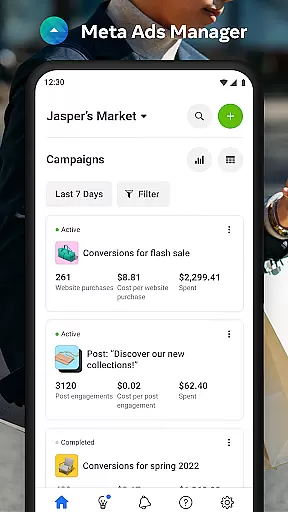

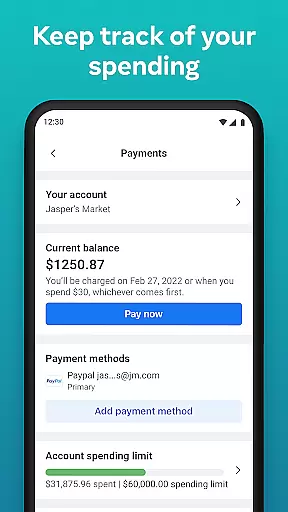
Meta Ads Manager is a comprehensive business tool designed to help marketers and advertisers manage their advertising campaigns across Meta's suite of platforms, including Facebook, Instagram, Messenger, and WhatsApp. The app enables users to create and edit ad campaigns, access real-time performance insights, and control campaign statuses with ease.
A key feature of the app is its ability to provide detailed analytics and reporting, allowing users to make informed decisions about their advertising strategies. Whether you're running a small business or managing large-scale marketing efforts, Meta Ads Manager ensures you stay connected to your campaigns at all times.
This app is particularly useful for digital marketers who need to monitor and adjust campaigns on-the-go. With quick alerts and side-by-side comparisons of campaigns, it offers both convenience and efficiency, empowering businesses to optimize their ad spend and maximize ROI.
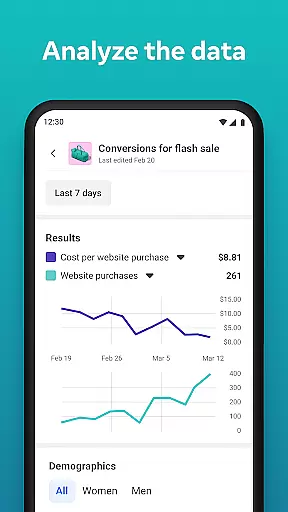
Meta Ads Manager stands out with its robust set of features tailored for modern advertisers. One of its core capabilities is the real-time insight dashboard, which provides users with up-to-date information on campaign performance metrics such as reach, engagement, and conversions.
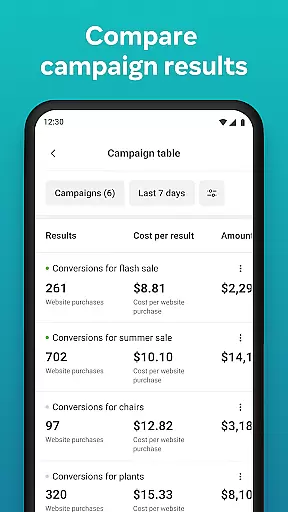
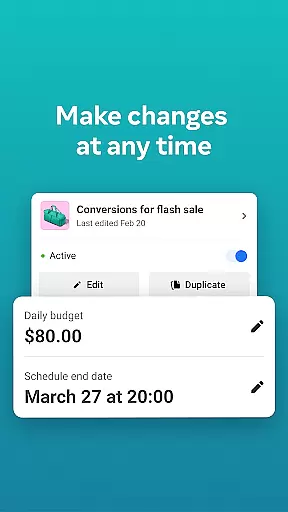
In addition to performance tracking, the app allows users to toggle campaigns on and off directly from their mobile devices. This flexibility ensures that advertisers can quickly respond to market changes or budget constraints. The side-by-side view feature further enhances usability by enabling easy comparison between different campaigns and ad sets.
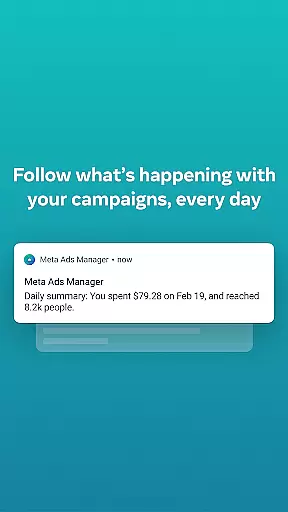
Another notable feature is the alert system, which notifies users about significant changes or issues with their ads. This proactive approach helps prevent potential losses and ensures optimal campaign performance. Overall, these features collectively make Meta Ads Manager an indispensable tool for data-driven advertising professionals.
Collaborative work features are essential for modern business applications, enabling teams to work together efficiently regardless of location. Meta Ads Manager excels in this area by providing a centralized platform where marketing teams can manage campaigns across multiple Meta technologies.
The application allows users to create and edit ad campaigns for platforms like Facebook, Instagram, and WhatsApp from a single interface. This unified approach ensures that team members can coordinate their efforts seamlessly, maintaining consistent messaging and strategy across different channels.
Real-time alerts and notifications keep all team members informed about campaign performance and any required actions. The ability to compare campaigns using side-by-side views further enhances collaboration by providing clear visual comparisons and data-driven insights.
These collaborative features significantly improve team productivity and decision-making, allowing businesses to respond quickly to market changes and optimize their advertising strategies effectively.
Effective task management is crucial for successful campaign execution, and Meta Ads Manager provides robust tools to handle this aspect. The application enables users to organize and control their advertising tasks with precision and efficiency.
Users can easily turn campaigns on and off, making it simple to manage active promotions and allocate resources effectively. The app's interface supports quick switching between different Pages and ad accounts, streamlining the management process for large-scale operations.
Detailed real-time insights provide valuable information about campaign performance, helping managers make informed decisions about resource allocation and strategy adjustments. These insights are readily available, ensuring that tasks are always aligned with current performance metrics.
By offering comprehensive task management capabilities, Meta Ads Manager empowers businesses to maintain better control over their advertising activities, leading to improved campaign effectiveness and better return on investment.
User-friendly interface
Real-time analytics
Cross-platform support
Quick campaign adjustments
Actionable alerts
Limited offline functionality
Requires stable internet
Premium features locked
Steep learning curve
Occasional bugs

 4.70
4.70
Quickly open and manage PDF files on your device.
3.80
FX Plus adds media, networking, and cloud capabilities to FX File Explorer.
4.10
Earn free swag, G-Cards & food • Enter sweepstakes • Find stores • So much more.
4.70
Find the right fit, faster.
4.70
Manage Your Shop
4.70
Say hello to the mobile work experience built to help you thrive at work.
4.30
ADP Mobile Solutions is an employee self service app
4.50
Chat, meet, and collaborate to achieve more together, all in one place on Teams
4.60
Start earning fast. Apply Today.
4.80
Make invoices, bills, receipts & estimates on the go with Invoice Generator.
4.70
Finance, Investing, Stocks, Trading and Stock news
4.60
VSD Viewer - Visio Drawings Viewer for Android Preview VSD, VDX, VSDX drawings
4.10
Shop, deliver, and earn with the Spark Driver™ App
4.10
enjoy effortless PDF reading anytime, anywhere
3.90
All document reader, pdf viewer app, read docs & excel files
3.80
Access All PDF Files
3.40
We are a dynamic team of creatives people of design, marketing, web & apps
3.00
Convert Your Lovable.dev Website into a Mobile App Instantly!
4.2


User Reviews