
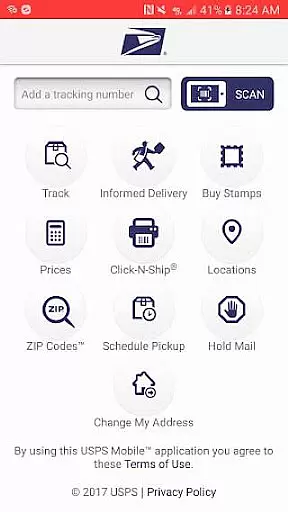
USPS Mobile® is a comprehensive business application designed to provide users with convenient access to essential postal services on the go. The app offers a wide range of functionalities, including calculating shipping prices, finding Post Office locations, looking up ZIP Codes, scheduling pickups, and managing mail holds. It also features integration with Informed Delivery®, allowing users to track packages and preview incoming mail digitally.
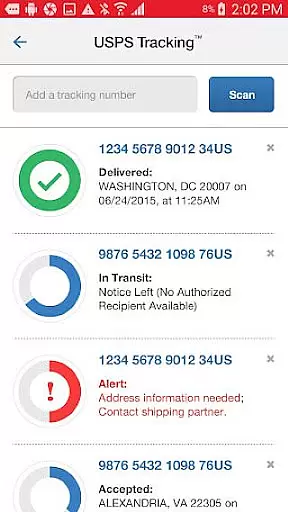
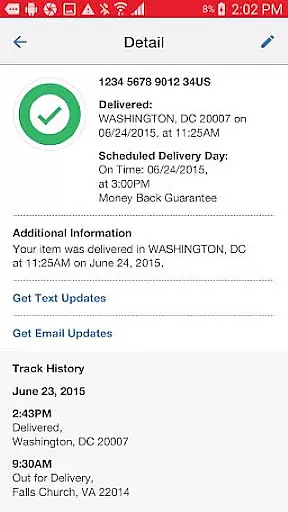
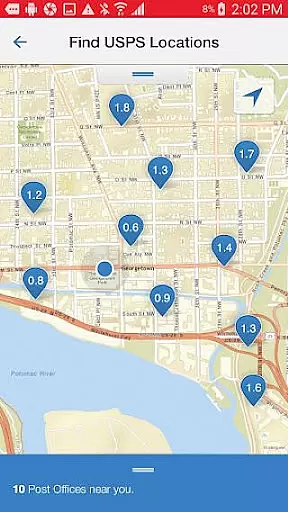
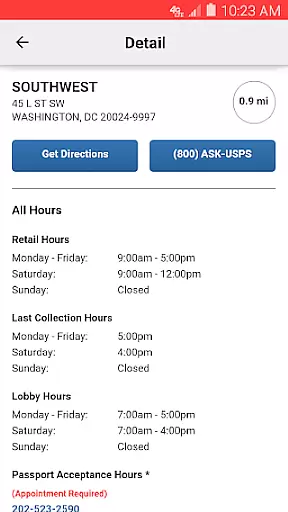
One of the standout features of USPS Mobile® is its ability to check the status of shipments sent using various delivery services such as Priority Mail®, Priority Mail Express®, and Certified Mail®. Users can nickname their shipments and receive text and email alerts regarding delivery statuses. Additionally, the app provides an easy-to-use locator for USPS® locations, utilizing GPS to display nearby options on a map along with their operating hours and directions.
This app is particularly useful for businesses and individuals who frequently use postal services. By offering tools that streamline shipping processes and enhance tracking capabilities, USPS Mobile® helps users save time and stay informed about their mail and packages, ultimately improving their overall postal experience.
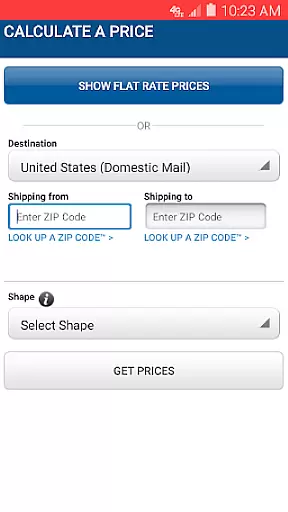
USPS Mobile® stands out with its rich array of features tailored to meet the needs of both personal and business users. One of the key functionalities is the ability to calculate domestic or international shipping prices, helping users determine the necessary postage for letters, cards, large envelopes, or packages. This feature supports both retail and online pricing options and allows users to add extra services and view the total cost.
The app also includes a robust locator tool for finding nearby USPS® locations, such as Post Offices™, Self-Service Kiosks (APC®), and collection boxes. Utilizing the device's GPS, it displays the closest options on a map, complete with regular and special hours, last collection times, and mapped results with driving, walking, or transit directions. Another notable feature is the ability to schedule free next-day pickups, enabling users to have their shipments collected from their home or office during regular mail delivery.
Additionally, USPS Mobile® offers advanced tracking capabilities through barcode scanning and integration with Informed Delivery®. Users can scan shipping labels with their device’s camera, store label numbers, and stay updated on delivery statuses. The app also allows users to link to Informed Delivery® to track packages and digitally preview incoming mail, providing grayscale images of the exterior, address side of letter-sized mailpieces.
In today's fast-paced business environment, the ability to collaborate effectively is crucial. The USPS Mobileu00ae app facilitates this by providing tools that allow users to manage shipments collectively. With features like nicknaming shipments and setting up text and email alerts for delivery statuses, teams can stay informed and coordinate efficiently.
The app enables businesses to keep track of multiple shipments sent using Priority Mailu00ae, Priority Mail Expressu00ae, Certified Mailu00ae, and other services. This shared visibility ensures that all team members are aware of the shipping statuses, which enhances communication and planning within the organization.
Moreover, the USPS Mobileu00ae app offers a scheduling feature for next-day pickups, allowing teams to arrange carrier pickups for various types of shipments from any location. This collaborative approach streamlines logistics operations and helps maintain productivity even when team members are not in the same physical space.
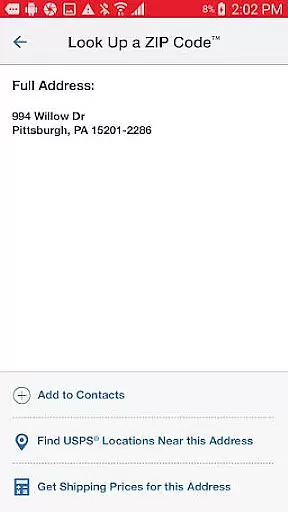
Efficient task management is at the core of the USPS Mobileu00ae app's design, empowering users to handle their postal-related tasks with ease. Whether it's calculating domestic or international shipping prices, finding the nearest Post Officeu2122, or looking up ZIP Codesu2122, the app provides a suite of tools that simplify these processes.
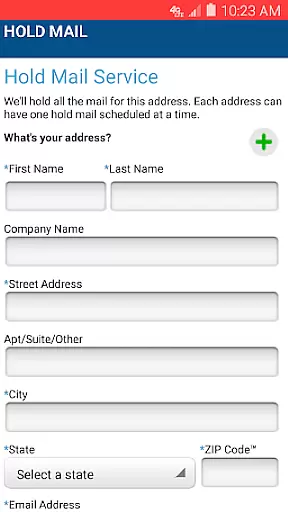
Users can also schedule free next-day pickups, request mail holds during absences, and scan shipping labels' barcodes using their device's camera. These capabilities ensure that each task related to shipping and receiving is managed effectively, saving time and resources.
Additionally, the integration with Informed Deliveryu00ae allows users to track packages and preview incoming mail digitally. This comprehensive task management system provided by the USPS Mobileu00ae app ensures that users never miss an important delivery and can plan their schedules accordingly.
User-friendly interface
Comprehensive tracking options
Convenient location finder
Free next-day pickup service
Integration with Informed Delivery®
Limited to USPS services
Occasional bugs reported
Requires internet connection
Some features have limitations
Not available in all regions

Find jobs and make money fast with JobStack.
 4.60
4.60
Find flexible, hourly jobs hiring near you in restaurant, retail & hospitality!
4.00
The revolutionary flexible staffing platform
4.40
ANDROID'S TOP MOBILE OFFICE - Word, Excel, PowerPoint and PDF at your fingertips
4.50
Manage work life on the go
4.50
Simple, Fast & Lightweight
3.90
One marketplace. Hundreds of services. Unlimited possibilities. All on Fiverr.
4.40
Find jobs near you and temp work in minutes, from your phone.
4.50
Job search app that finds jobs for you! Takes the work out of looking for a job!
4.90
Access to Paylocity, empowering employees with information they need 24/7.
4.70
Earn money with the driver & delivery partner app for Uber, UberEats & Postmates
4.60
Drive and earn extra money
4.50
ADP Mobile Solutions is an employee self service app
4.50
A secure, all-in-one team collaboration app
4.30
VSD Viewer - Visio Drawings Viewer for Android Preview VSD, VDX, VSDX drawings
4.10
Shop, deliver, and earn with the Spark Driver™ App
4.10
Work happy with AI Companion
4.10
Get your benefits on-the-go.
3.80
Access All PDF Files
3.40


User Reviews