
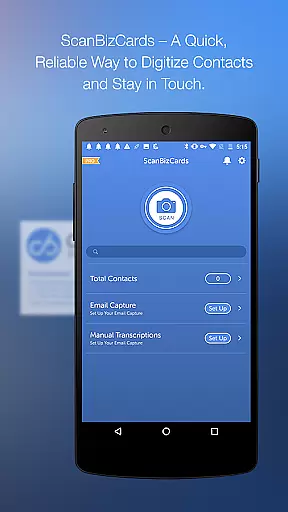
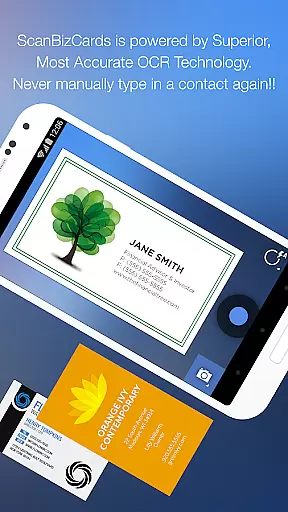
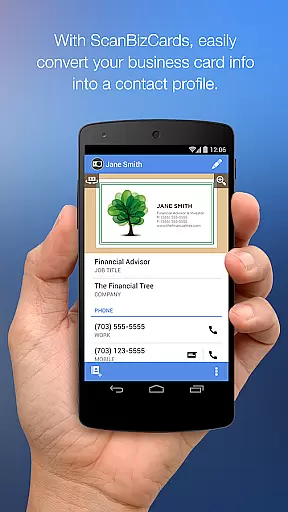
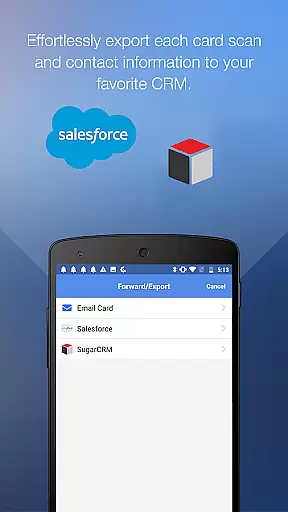
ScanBizCards Premium is a versatile business card management solution for Android users, particularly beneficial for professionals who frequently attend networking events or trade shows. The app allows users to digitize business cards either through its advanced OCR scanning technology or by submitting them for 100% accurate human transcription. With features like batch scanning and direct export to CRM platforms such as Salesforce and SugarCRM, it streamlines the process of managing contacts efficiently.
In addition to its core functionality, ScanBizCards offers unique capabilities like email signature capture, which automatically extracts contact information from incoming emails and saves it to the user's address book. This feature is especially useful for sales professionals who rely on maintaining up-to-date CRM records. Furthermore, the app supports 22 languages, making it an ideal tool for international business environments. Its ability to scan conference badges adds another layer of utility for frequent event attendees.
ScanBizCards Premium stands out with its comprehensive set of features tailored for efficient contact management. One of its key strengths is the dual scanning option: users can either utilize the fast and improved OCR engine, which scans cards five times quicker than before, or opt for human transcription services that guarantee 100% accuracy. This flexibility ensures that even poorly printed or complex cards are captured correctly.
The app also excels in integration capabilities. It allows unlimited exports to Salesforce CRM, a significant advantage for sales teams looking to keep their databases current. Additionally, features like batch scanning enable users to process multiple cards simultaneously, saving valuable time. Other notable functionalities include double-sided card scanning, 3D gallery view mode, and the ability to create personal notes for each contact. These features collectively enhance productivity and ensure that users can manage their professional networks effectively.
In today's interconnected business environment, collaborative work features are essential for seamless team operations. ScanBizCards Premium excels in this area by integrating with major CRM platforms like Salesforce and SugarCRM. This integration allows sales teams to effortlessly export scanned business cards directly into their preferred CRM system.
The app supports unlimited card exports to Salesforce for users who connect their email accounts, ensuring that customer-relationship management remains up-to-date across all team members. The recent upgrade to Email Signature Capture for Gmail and Outlook further enhances collaboration by automatically finding and saving new contacts from incoming emails.
For conference settings, the application serves as both a business card reader and badge scanner. This dual functionality enables professionals to quickly capture and sync trade show leads to their CRM, streamlining lead generation and follow-up processes. With batch scanning capabilities, multiple cards can be processed simultaneously, significantly reducing the time needed for data entry.
These collaborative features not only save valuable time but also ensure that all team members have access to the most current contact information, regardless of their location. The ability to maintain an organized digital repository of business contacts promotes more effective communication and relationship management within organizations.
Effective task management is crucial for maintaining productivity in business environments. ScanBizCards Premium addresses this need through its comprehensive contact management system. The application allows users to create personal notes for each business card, providing valuable context for future interactions and effectively serving as a task management tool for professional relationships.
The app's organizational features enable users to categorize their contacts using custom folder names, making it easier to prioritize and manage different types of relationships. The 3D gallery view mode offers a visual way to navigate through collected business cards, while the powerful search function helps locate specific contacts quickly when needed for particular tasks or projects.
ScanBizCards streamlines task management by offering four straightforward steps to convert physical business cards into digital contacts: capturing the image, scanning, reviewing, and adding to the address book. This systematic approach ensures that no important contact information is lost or forgotten in the process of managing professional networks.
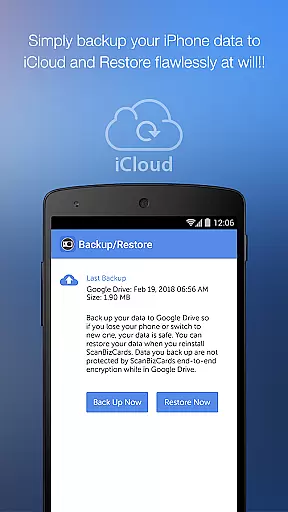
Furthermore, the ability to backup and restore data to Google Drive provides peace of mind and facilitates better task management across devices. Users can maintain their contact database securely and access it from multiple locations, ensuring they always have the necessary information at hand to complete their networking-related tasks efficiently.
User-friendly interface
Accurate OCR scanning
Unlimited CRM exports
Multi-language support
Email signature capture
Premium version costly
Limited free features
Occasional OCR errors
Requires internet
Heavy on storage

AI-powered document scanner with auto enhance for perfect PDFs.
 4.60
4.60
The Penny Puss app with DG penny finder
4.10
FaxCover - Create fax cover pages. Works with any app or fax machine.
4.90
Windows App allows you to connect to remote PCs and virtual apps.
3.70
viewing and sharing PDFs and other files—anytime, anywhere!
4.3
Delivery Track App - Tracking with Fedex, USPS, UPS, DHL. Monitor your Orders.
3.20
Find jobs near you and temp work in minutes, from your phone.
4.50
The app that lets you deliver with Amazon.
4.50
Chat, meet, and collaborate to achieve more together, all in one place on Teams
4.60
GoTo Mobile is a simple & secure calling, messaging & meetings solution
4.80
The MyWalmart App is available for all associates in stores.
4.70
Use Generative Summary to understand your rental or insurance docs in seconds.
4.70
Ask Accio anything about business. Alibaba-backed, built by experts, not just AI
4.60
Ship, Track, Find a Location or Get a Quote with UPS. Anytime. Anywhere.
4.60
Manage work life on the go
4.50
VSD Viewer - Visio Drawings Viewer for Android Preview VSD, VDX, VSDX drawings
4.10
The All-in-One File Manager for Phone, TV, Watch, Cars, XR / VR, Chromebook
4.10
Work happy with AI Companion
4.10
viewing and sharing of PDFs
3.60


User Reviews