
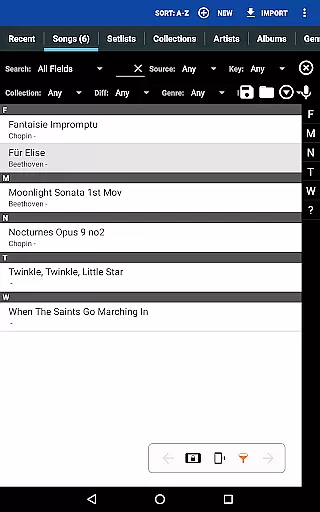
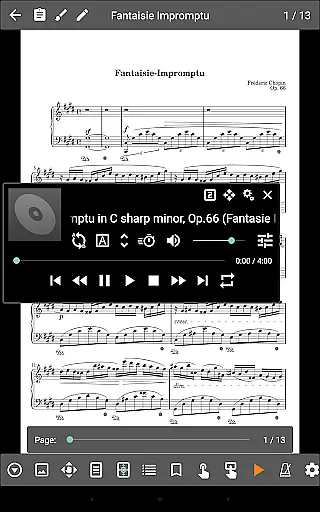
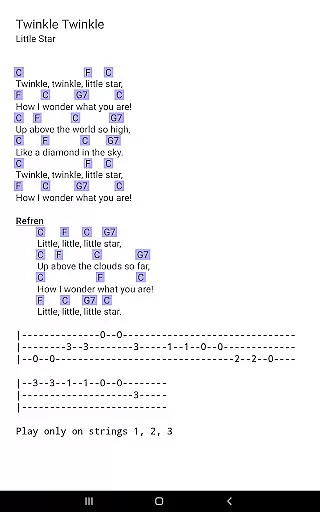
MobileSheets is a premier sheet music viewer designed specifically for Android tablets, offering musicians an efficient and versatile solution for managing and accessing their music library. The application eliminates the need for physical sheet music by providing instant access to any score within its digital library. With support for multiple file types including PDFs, images, text files, and chord pro files, MobileSheets ensures compatibility with a wide range of musical scores.
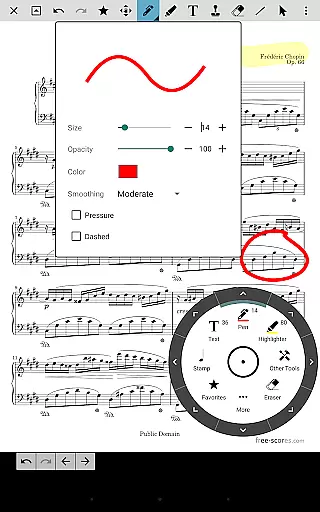
Beyond basic viewing, MobileSheets incorporates advanced features tailored to enhance the musician's experience. These include hands-free page turning through Bluetooth or USB devices, automatic scrolling, and even face gestures. Additionally, users can annotate their scores with freeform drawing tools, shapes, text, and stamps. The app also offers powerful library management capabilities, customizable audio playback, and MIDI device integration, making it an indispensable tool for practice and performance.
Designed for 7" and larger tablets, MobileSheets optimizes the viewing experience while maintaining ease of use. Its companion PC application simplifies song creation and editing, further streamlining the musician’s workflow. Whether organizing setlists, transposing chords, or utilizing bookmarks and link points for navigation, MobileSheets provides comprehensive functionality that empowers musicians to focus on their art without being encumbered by traditional paper scores.
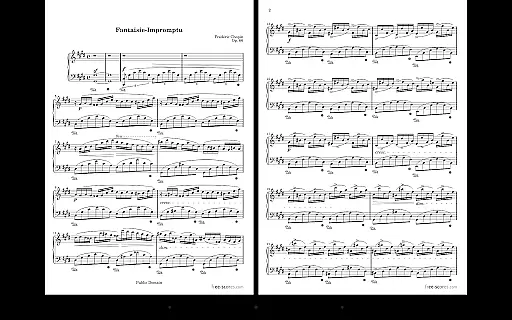
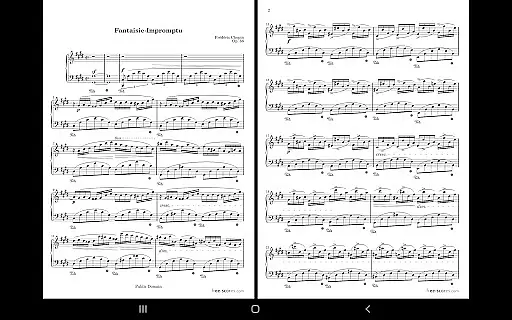
MobileSheets boasts an array of sophisticated features that cater to the diverse needs of musicians. One standout feature is its multiple modes of operation, which include two-page side-by-side viewing, half-page turns, and vertically scrolling pages. This flexibility allows users to customize their reading experience according to their preferences and performance requirements. Furthermore, the app supports hands-free page turns via Bluetooth or USB foot pedals, automatic scrolling, and innovative face gesture controls such as smiling or opening the mouth, ensuring uninterrupted play during performances.
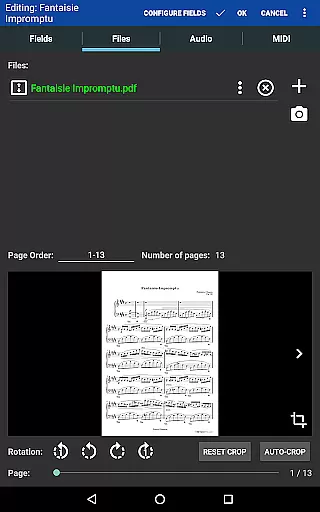
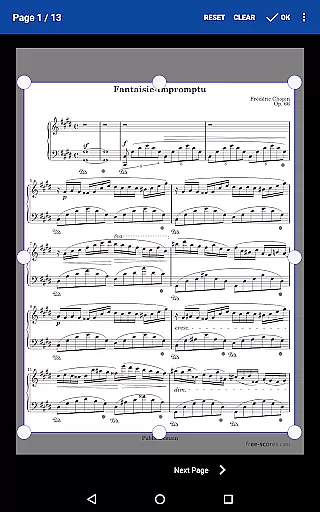
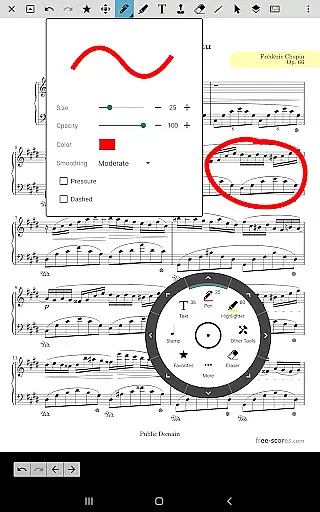
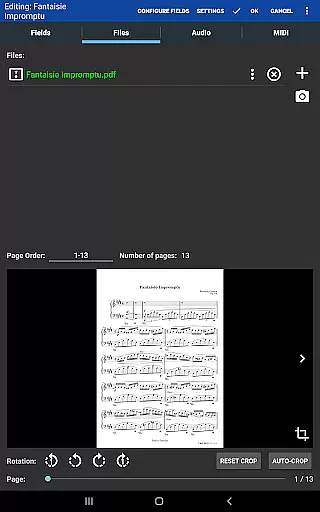
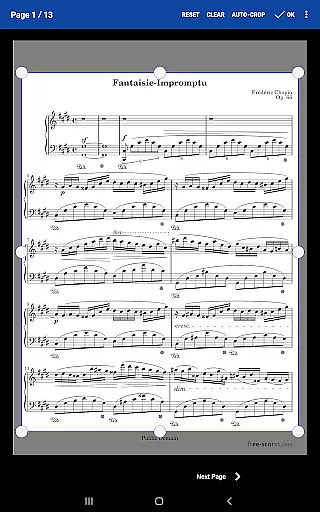
The annotation tools in MobileSheets are particularly robust, enabling users to mark up their scores with precision. Musicians can draw freely, add shapes, insert text notes, and apply stamps to highlight important sections. Another notable feature is the custom audio player, which supports A-B looping and various sizes, allowing users to synchronize audio tracks with their scores seamlessly. Additionally, the app facilitates efficient library management through extensive metadata fields, custom page ordering, and the ability to create setlists and collections, empowering users to organize their music effectively.
MobileSheets also excels in integrating technology to enhance musical practice. It communicates with MIDI devices over USB, enabling users to load songs or trigger actions directly from their instruments. The built-in metronome offers multiple display modes and sound effects, while smart buttons placed on scores can activate configurable actions when pressed. These features collectively contribute to a dynamic and interactive practice environment, setting MobileSheets apart as a cutting-edge tool for modern musicians.
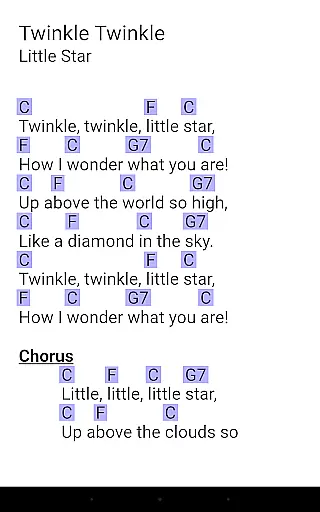
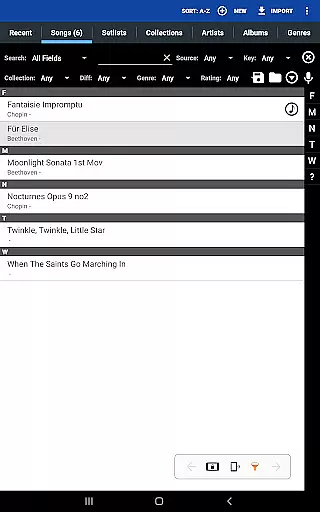
MobileSheets offers an extensive music library management system that supports a wide range of file types including PDFs, images, text files, and chord pro files. This ensures musicians have access to a vast repository of sheet music tailored to their preferences.
The application allows users to import CSV index files to break up large PDF songbooks, making it easier to manage individual pieces within larger collections. This feature not only enhances the organization but also helps maintain the integrity and authenticity of copyrighted materials by enabling precise indexing and referencing.
Furthermore, MobileSheets provides tools for transposing chords in text and chord pro files, allowing musicians to adapt scores while respecting original compositions. This functionality is crucial for maintaining copyright compliance and ensuring accurate representation of musical works.
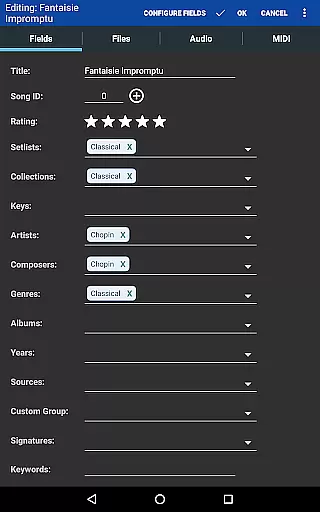
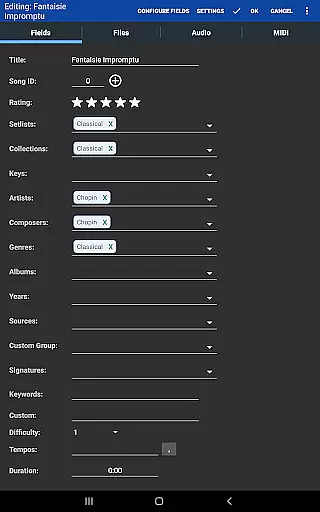
With its powerful library management features, MobileSheets gives users complete control over metadata fields, facilitating detailed cataloging and easy retrieval of scores. This meticulous approach to library management underscores the app's commitment to both sizeable music libraries and stringent copyright adherence.
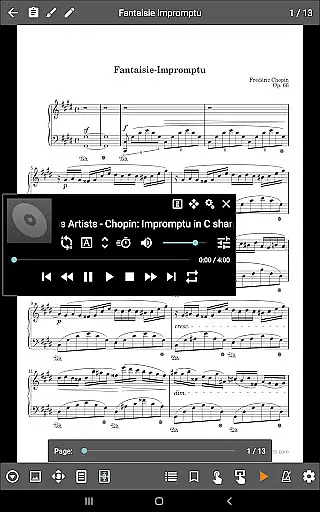
MobileSheets includes a custom audio player designed to enhance the experience of playing along with sheet music. The player supports various audio tracks associated with scores and features A-B looping, which is invaluable for practice sessions where repetition is key to mastering difficult passages.
The audio player comes in multiple sizes, offering flexibility in how it's displayed on screen. Musicians can choose a layout that best suits their viewing preferences without compromising the visibility of the sheet music, thus optimizing their performance setup.
In addition to playback capabilities, MobileSheets integrates seamlessly with MIDI devices over USB. This connectivity enables musicians to trigger actions or load songs directly from external hardware, providing a versatile environment for both practice and live performances.
While MobileSheets does not play back PDFs, images, or text/chord pro files, its robust support for high-quality audio playback ensures that musicians can rely on clear, crisp sound during rehearsals and performances. This focus on superior audio quality complements the visual aspects of sheet music, delivering a comprehensive musical experience.
User-friendly interface
Extensive file compatibility
Advanced annotation tools
Hands-free page turning
Powerful library management
No built-in playback for PDFs
Incompatible with small screens
Companion app not included
Limited free features
Requires manual setup

Make music anywhere. Turn your device into an instrument.
 4.4
4.4
Formerly known as Spotistats! View your top tracks, artists, albums and more!
4.40
Tune in to the greatest hits on UK Radio | The home of Capital, Smooth & Heart.
4.90
Remove ads permanently from Music Visualizer
4.1
Background pads for your band
3.80
Walkout Song DJ is the most intuitive app to manage your sports music.
4.70
The official Sonos app
4.10
The Minimalistic Premium Music Player. Handmade with passion for music
2.20
Master Salsa Rhythm quickly and with a lot of fun!
4.30
JBL PartyBox APP works with 110/310/710/120/320/520/Encore/Encore 2/Encore Ess 2
4.80
Performance-Synthesizer & Multi-Track-Sequencer, polyphonic + multi timbral!
4.70
Simple & Intuitive Metronome
4.70
Ultimate Sonos Controller
4.70
Offline Music Player&MP3 Player with themes, equalizer, lyrics, music play mode
4.60
Equalizer, Bass Booster and Volume Booster (Eq & Bass) improve sound quality
4.30
Enjoy singing any song, no matter how high or low it is
4.30
Offline and always ad-free - stream in the highest quality available.
4.10
The only true audiophile music player with Hi-Fi audio rendering and DSP engine
3.90
Simple mp3 and mp4 player with advanced features.
3.40


User Reviews