
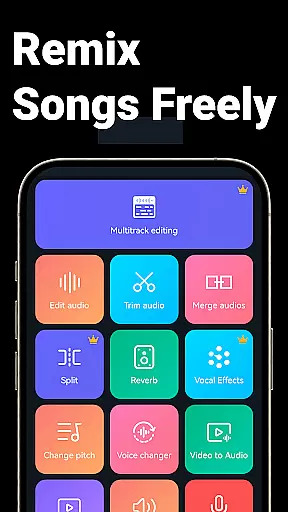
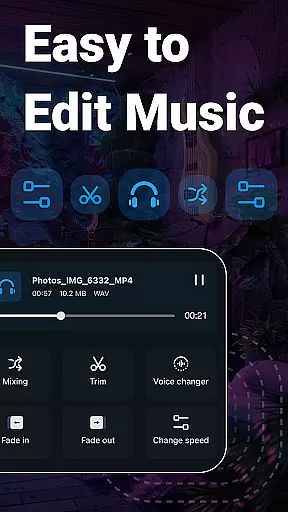
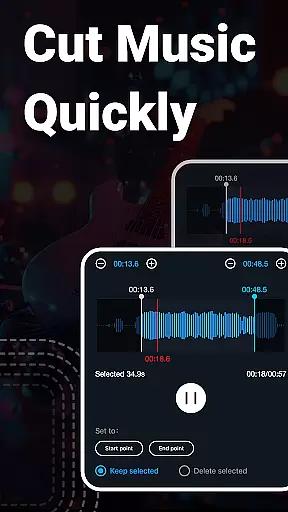
Music Audio Editor, MP3 Cutter is a comprehensive audio editing tool designed for both casual users and professionals. This powerful application allows users to cut, splice, mix, and convert audio files with precision. The app supports various audio formats including MP3, AAC, WAV, and FLAC, making it versatile for different user needs. Whether you're creating custom ringtones or editing music tracks, this app provides the necessary tools to achieve professional results.
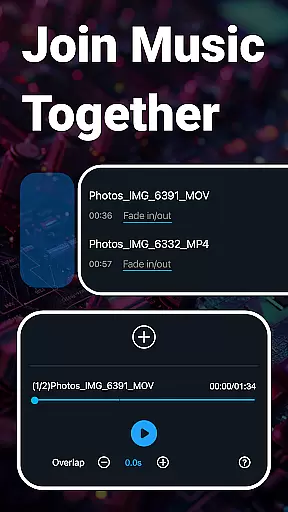
In addition to basic editing features, the app offers advanced functionalities such as vocal removal, pitch adjustment, and multitrack editing. Users can also convert videos to audio, apply fade-in and fade-out effects, and use the built-in equalizer to fine-tune their audio projects. With an intuitive interface and fast processing capabilities, Music Audio Editor, MP3 Cutter is suitable for anyone looking to enhance their audio editing experience on Android devices.
One of the standout features of Music Audio Editor, MP3 Cutter is its ability to handle complex audio tasks with ease. The app allows users to cut audio files with millisecond accuracy, ensuring precise edits every time. It also supports batch processing, enabling users to convert multiple files simultaneously, which is particularly useful for those managing large audio libraries.
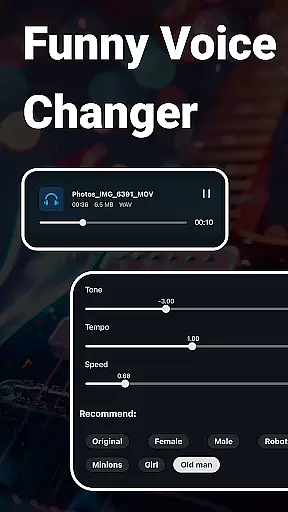
Beyond cutting and converting, the app includes creative tools like voice changers and tempo adjustments. These features allow users to experiment with different audio effects, from robot voices to slowed-down tracks. Additionally, the app's multitrack editing capability lets users layer multiple audio tracks, perfect for creating rich soundscapes or professional-quality mixes. With regular updates and new features in development, Music Audio Editor, MP3 Cutter continues to evolve, offering even more value to its users.
When it comes to music editing applications, the size and authenticity of the music library are crucial factors. Music Audio Editor, MP3 Cutter offers an extensive library with over 2000 royalty-free tracks available for download and use. This vast collection ensures that users have access to a wide variety of music genres and styles without worrying about copyright infringement.
The app's dedication to providing only legitimate and licensed content means that creators can confidently use these tracks in their projects. Whether you're creating a personal mixtape or professional content for commercial purposes, having a diverse and legal music library at your disposal is invaluable.
Moreover, the application supports multiple audio formats such as mp3, aac, wav, flac, m4a, and amr. This versatility allows users to work with their preferred file types and ensures compatibility across different devices and platforms. The ability to convert between these formats further enhances the user experience by providing flexibility in audio management.
In summary, Music Audio Editor, MP3 Cutter not only provides a large and varied music library but also guarantees the authenticity of its content. Users can explore, edit, and create with peace of mind, knowing they are working within legal boundaries while enjoying high-quality audio resources.
Audio quality is paramount when editing and producing music, and Music Audio Editor, MP3 Cutter excels in offering top-notch audio quality options. The app includes a robust music equalizer that provides a variety of adjustable parameters, allowing users to fine-tune their audio to perfection. With these tools, users can adjust bass, treble, and other frequency bands to achieve the desired sound profile.
In addition to the equalizer, the app features advanced functionalities like changing the playback speed, tone, and pitch of the audio. These capabilities ensure that users can manipulate their tracks precisely, whether they want to slow down a piece for practice or alter the pitch for creative effects. Such detailed control over audio attributes is essential for both amateur enthusiasts and professional musicians.
Another standout feature is the vocal remover tool, which allows users to strip vocals from songs, leaving only the instrumental track. This function is particularly useful for karaoke sessions, remixes, or any project where isolated instruments are needed. Coupled with batch audio editing support, this makes processing multiple files efficient and straightforward.
Overall, Music Audio Editor, MP3 Cutter delivers exceptional audio quality through its comprehensive suite of editing tools. By providing users with precise control over various audio parameters and supporting high-fidelity output, the app ensures that every creation meets professional standards.
User-friendly interface
Wide format support
Advanced editing tools
Batch processing capability
Regular feature updates
Occasional bugs reported
Some features require premium
Interface can be cluttered
Learning curve for beginners
Limited customer support

The Music Journey in Your Hands
 4.30
4.30
Remove ads permanently from Music Visualizer
4.5
VB-AUDIO Software / VBAN-Receptor allows listening to any VBAN Streams
4.10
JBL PartyBox APP works with 110/310/710/120/320/520/Encore/Encore 2/Encore Ess 2
4.80
Powerful beat maker & DJ mixer to remix tracks, make music, & perform DJ mix
3.70
Music Streaming suite for Ampache, Nextcloud Music and compatible backends.
4.2
Music, News & Sports Radio Tuner App. Tune in Live FM & AM Radio Stations.
4.80
Smart piano keyboard, Classical to Pop, Real-time multiplayer connection!
4.20
Reverse your voice & songs instantly! Fun singing challenge with cool effects.
4.60
Recording studio w/ 10k beats, pro vocal FX and a network of 20M rappers & fans!
4.60
Visualize the guitar fretboard, master scales & play through changes like a pro!
4.50
Manage your Sonos system directly from your home-screen!
4.40
Time Guru will strengthen your internal sense of musical time via random muting.
4.30
Bass Booster Pro takes auto-equalizing to the next level!
4.30
A High-Precision Audio Spectrum Analysis App
4.20
Network/Cloud Streaming, Visualization, Graphic Equalizer and Sound Effects.
4.20
Permanently backup Now Playing. Maps, filters & listening stats.
4.00
Control your MIDI USB or Bluetooth devices in app and avoid some trampling
3.30
The Skullcandy App Experience
3.20


User Reviews