
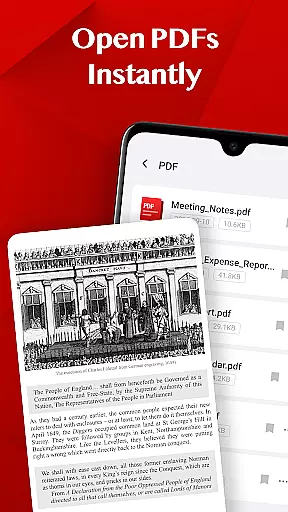
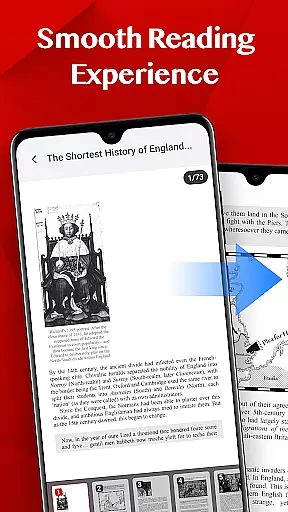
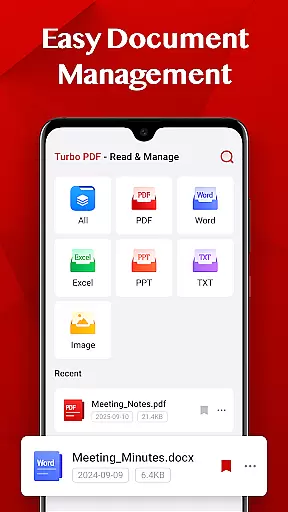
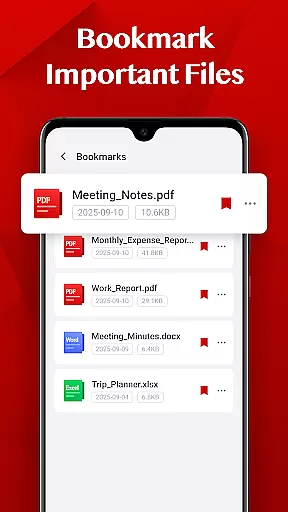
Turbo PDF is a lightweight and practical PDF reader designed for Android devices. With an intuitive interface, it allows users to open PDF files instantly without waiting. The app provides smooth scrolling, zooming, and page navigation, ensuring a seamless reading experience. It also includes essential document management tools such as sharing, deleting, and bookmarking important files. Turbo PDF is ideal for professionals and students who need efficient PDF management on the go.
The app's clean and responsive layout makes document organization simple and efficient. Whether you're reviewing work documents or studying educational materials, Turbo PDF ensures your PDFs are always well-organized and easily accessible. Its user-friendly design delivers significant value by streamlining daily tasks related to PDF handling.
Turbo PDF offers a range of features that enhance the PDF reading and management experience. One standout feature is its ability to open PDF files instantly, eliminating loading times. This ensures users can access their documents quickly, which is crucial in fast-paced environments.
The app provides smooth scrolling and zooming capabilities, allowing users to navigate through pages effortlessly. Its responsive layout adapts to different screen sizes, making it suitable for both phones and tablets. Additionally, Turbo PDF includes easy document management options like sharing, deleting, and bookmarking files. These features collectively help users maintain an organized digital workspace while maximizing productivity.
In the realm of collaborative work, Turbo PDF emerges as a pivotal tool for teams and professionals alike. This feature is crucial in today's interconnected workspaces, where seamless document sharing and management can significantly enhance productivity.
Turbo PDF facilitates an efficient platform for collaboration by allowing users to instantly open and manage PDF files on their Android devices. Its intuitive interface supports fluid scrolling, zooming, and page navigation, which are essential when multiple team members need to access documents quickly and without confusion.
Moreover, the app simplifies document organization through easy sharing and deletion options, ensuring that teams can maintain a clutter-free workspace. The bookmarking feature further enhances collaborative efforts by enabling users to mark important files, making it simpler for team members to reference key documents repeatedly.
By integrating these collaborative work features, Turbo PDF not only streamlines individual tasks but also fortifies team dynamics, allowing for more synchronized and efficient project handling across different sectors.
Effective task management is at the core of Turbo PDF's design philosophy, aiming to transform how individuals and teams handle their responsibilities. In a world where time is of the essence, having a reliable system to manage tasks can drastically improve efficiency and output quality.
The application offers a smooth reading experience with responsive layout controls, empowering users to navigate through tasks documented in PDFs effortlessly. This ease of access ensures that users can focus more on the content rather than struggling with unwieldy software interfaces.
Additionally, Turbo PDF's easy document management capabilities allow users to keep their tasks well-organized. By providing straightforward options to share or delete files, the app helps maintain a streamlined task list, reducing clutter and potential confusion.
With its bookmark feature, Turbo PDF enables users to prioritize important tasks by marking key documents, ensuring that critical information is always at their fingertips. This strategic approach to task management makes Turbo PDF an invaluable asset for anyone looking to optimize their workflow.
User-friendly interface
Fast PDF loading
Smooth navigation
Efficient file management
Cross-device compatibility
Limited advanced tools
No cloud integration
Basic design
Few customization options
Permission requirements

Formerly Facebook Ads Manager. Manage and create ads on the go.
 4.20
4.20
FX Plus adds media, networking, and cloud capabilities to FX File Explorer.
4.10
Your employer must have UKG Ready software configured for Mobile.
4.60
Manage Your Shop
4.70
Take the stress out of storage with the all-in-one app to manage your space.
3.70
Recover what matters — quickly and easily.
4.70
view, manage, and share every PDF file you have
3.60
Find part-time earning opportunities near you that pay within days.
3.20
Access to Paylocity, empowering employees with information they need 24/7.
4.70
Job search app that finds jobs for you! Takes the work out of looking for a job!
4.90
No more passwords, easier sign-in, and greater protection for your accounts.
4.60
Find work, shifts and gigs near you. Jobs lasting a few hours to a few months.
4.30
Deliver and earn money
4.30
Build a store in minutes with our full suite of AI tools. Start for free!
4.20
Smarter career moves start here. AI job alerts, insights & the right tools.
4.20
The All-in-One File Manager for Phone, TV, Watch, Cars, XR / VR, Chromebook
4.10
On the go? Take FedEx with you.
4.00
viewing and sharing of PDFs
3.60
Delivery Track App - Tracking with Fedex, USPS, UPS, DHL. Monitor your Orders.
3.20


User Reviews