
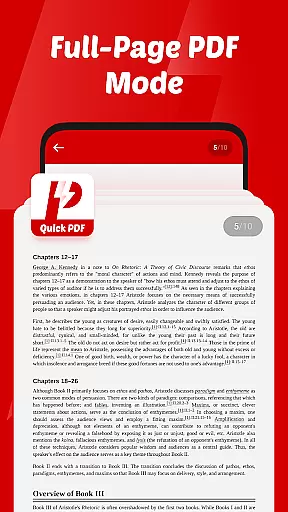
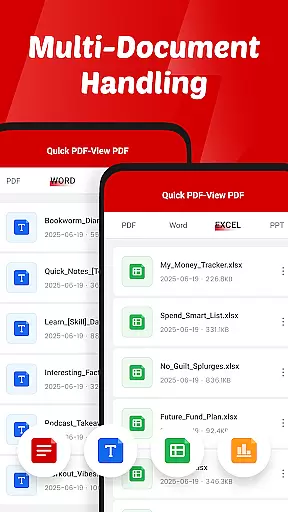
Quick PDF-View PDF is a versatile document management solution designed for professionals and students alike. This app allows users to effortlessly view, manage, and share PDFs and other essential file formats including DOC, PPT, and XLS. With its intuitive swipe controls and clutter-free interface, navigating through documents becomes a seamless experience.
The app stands out with its instant opening capability, ensuring that large files load quickly without compromising performance. Whether you're reviewing business reports or studying lecture slides, Quick PDF-View PDF provides the tools necessary to handle your documents efficiently. Its support for multiple formats makes it an indispensable tool for various professional and educational scenarios.
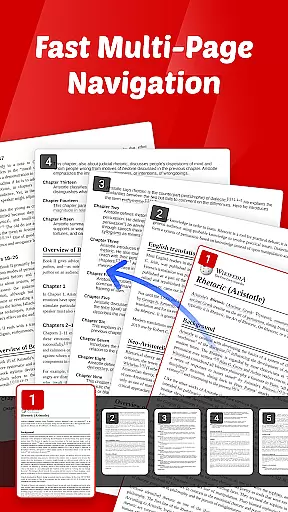
Quick PDF-View PDF offers a comprehensive set of features tailored for document handling. The app supports multiple file formats such as PDF, DOC, PPT, and XLS, making it adaptable to different user needs. Its intuitive swipe controls allow for smooth page navigation, enhancing the reading experience on mobile devices.
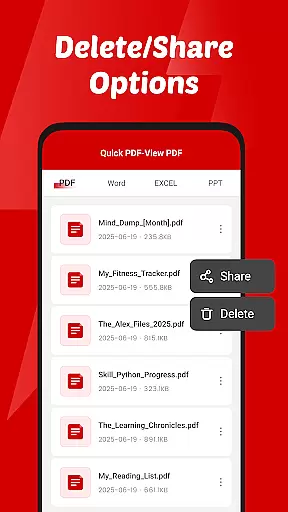
One of the standout features is the quick sharing functionality, enabling users to send documents directly from the app. Additionally, the app's request for file management permissions allows users to read, organize, and delete files seamlessly. These capabilities ensure that users can manage their documents efficiently while maintaining a high level of accessibility and convenience.
Collaborative work features are essential for modern business applications, enabling teams to work together efficiently regardless of location. Quick PDF-View PDF supports this by allowing users to share documents directly from the app, streamlining communication and collaboration.
The app's support for multiple formats including PDF, DOC, PPT, and XLS ensures that all team members can access and view files without compatibility issues. This versatility enhances productivity as users can focus on content rather than format conversions.
With intuitive swipe controls for smooth page navigation, team members can quickly find and reference specific sections of a document during collaborative sessions. This feature saves time and improves the overall efficiency of group work.
By providing a clutter-free interface, Quick PDF-View PDF allows teams to concentrate on their documents without distractions. The app's design promotes clear thinking and effective collaboration, making it an invaluable tool for businesses seeking to improve their document management processes.
Effective task management is crucial for maintaining productivity in any business environment. Quick PDF-View PDF contributes to this by offering instant access to PDFs stored on your device, ensuring you can quickly retrieve important documents when needed.
The app's file management permissions allow users to read, organize, and delete documents efficiently. These capabilities help maintain an orderly digital workspace, which is fundamental for successful task management and prioritization.
Quick sharing functionality enables seamless distribution of files within teams, supporting timely completion of tasks that require input from multiple parties. This feature reduces delays caused by waiting for document exchanges and keeps projects moving forward.
Designed with simplicity in mind, Quick PDF-View PDF provides a straightforward interface that minimizes learning curves and maximizes usability. This approach empowers users to manage their document-related tasks effectively without getting bogged down by complex software features.
User-friendly interface
Multi-format support
Fast document loading
Intuitive navigation
Efficient sharing options
Limited advanced editing
No cloud integration
Basic annotation tools
Occasional lag
Ads in free version

AI-powered document scanner with auto enhance for perfect PDFs.
 4.60
4.60
All Your Gig Work. One App.
4.30
Manage work life on the go
4.50
Get instant construction estimates: accurate home repair & material calculator.
4.70
Build a store in minutes with our full suite of AI tools. Start for free!
4.20
USPS Mobile®Access USPS.com’s most popular tools on-the-go.
4.70
Find part-time earning opportunities near you that pay within days.
3.20
All-in-one Mobile solutions for employees & managers to succeed at work
4.30
No more passwords, easier sign-in, and greater protection for your accounts.
4.60
Manage Your Shop
4.70
Ship, Track, Find a Location or Get a Quote with UPS. Anytime. Anywhere.
4.60
Find jobs near you and temp work in minutes, from your phone.
4.50
Deliver and earn money
4.30
The Penny Puss app with DG penny finder
4.10
The All-in-One File Manager for Phone, TV, Watch, Cars, XR / VR, Chromebook
4.10
Simple, Fast & Lightweight
3.90
Take the stress out of storage with the all-in-one app to manage your space.
3.70
viewing and sharing of PDFs
3.60
view, manage, and share every PDF file you have
3.60


User Reviews