
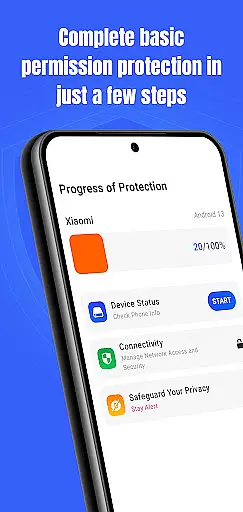
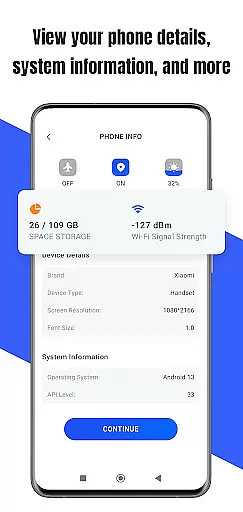
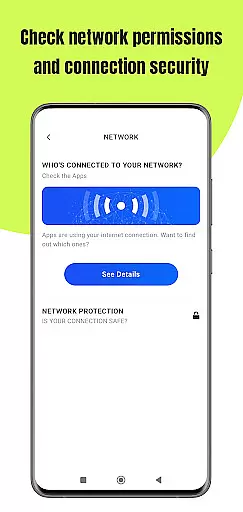
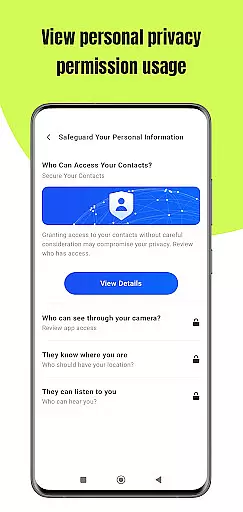
Permission Guard is a specialized security application within the Business category, designed to help users manage app permissions effectively. The core functionality revolves around monitoring and controlling the access rights of other apps on your device. It ensures that installed applications only access necessary data, protecting your privacy and business information.
The app provides detailed permission reports and real-time alerts when an app attempts to access sensitive information. This makes it particularly useful for business users who need to maintain strict control over company data. With its intuitive interface, Permission Guard allows administrators to set granular permission policies across multiple devices.
This level of permission management is invaluable in corporate environments where data security is paramount. By preventing unauthorized data access, businesses can avoid potential security breaches and maintain compliance with data protection regulations.
Permission Guard offers several distinctive features that set it apart in the Business security space. The app's permission scanning capability automatically reviews all installed applications and provides a comprehensive analysis of their permission requirements. This feature helps business users identify potentially risky apps that demand excessive access rights.
Another key feature is the centralized permission dashboard, which allows administrators to view and modify permissions across multiple devices from a single interface. The app also includes advanced reporting tools that generate detailed audit trails of permission changes, making it easier to track security incidents.
What makes these features particularly valuable is their ability to integrate with existing enterprise mobility management systems. This integration capability, combined with customizable permission templates for different user groups, creates a powerful tool for maintaining corporate security standards while streamlining administrative tasks.
Collaborative work features are essential for modern business applications, enabling teams to work together efficiently and securely. Permission Guard excels in this area by offering advanced permission management capabilities tailored for team environments.
The app allows administrators to set granular permissions for different team members, ensuring that each user has access only to the information necessary for their role. This feature is particularly useful for businesses handling sensitive data, as it minimizes the risk of unauthorized access.
With its intuitive interface, Permission Guard makes it easy for teams to monitor and adjust permissions in real-time. The app provides detailed logs of permission changes, allowing managers to track who accessed what information and when.
By using Permission Guard's collaborative work features, businesses can enhance their security posture while maintaining operational efficiency. Team members can focus on their tasks knowing that their data is protected and that they have the right level of access to perform their duties effectively.
Effective task management is crucial for productivity in any business setting. Permission Guard offers robust tools to help users manage their tasks related to app permissions with precision and ease.
The app provides a comprehensive dashboard where users can view all permission-related tasks in one place. This includes pending permission requests, recently granted permissions, and any permissions that need review or adjustment.
Permission Guard also supports task prioritization and scheduling, allowing users to focus on the most critical permission issues first. Automated reminders ensure that no important task is overlooked, helping maintain a high level of security and compliance.
By leveraging Permission Guard's task management capabilities, businesses can streamline their permission handling processes, reduce administrative overhead, and ensure that all team members are aligned with the organization's security policies.
Advanced permission controls
Real-time monitoring alerts
Centralized management dashboard
Detailed security reports
Multi-device administration
Requires technical knowledge
Premium features are costly
Occasional false positives
Limited free version
Device compatibility issues

Windows App allows you to connect to remote PCs and virtual apps.
 3.70
3.70
One marketplace. Hundreds of services. Unlimited possibilities. All on Fiverr.
4.40
Recover what matters — quickly and easily.
4.70
All your team communication in one place
4.70
Access to Paylocity, empowering employees with information they need 24/7.
4.70
Say hello to the mobile work experience built to help you thrive at work.
4.30
Ship, Track, Find a Location or Get a Quote with UPS. Anytime. Anywhere.
4.60
The app that lets you deliver with Amazon.
4.50
No more passwords, easier sign-in, and greater protection for your accounts.
4.60 4.70
4.70
Grow your business and connect with more people with Meta Business Suite.
4.60
Collaborate seamlessly with Google Chat, part of Google Workspace
4.50
The revolutionary flexible staffing platform
4.40
All Your Gig Work. One App.
4.30
Formerly Facebook Ads Manager. Manage and create ads on the go.
4.20
Scan Business Cards & Conference Badges - Capture Leads at Events & Tradeshows
4.20
Shop, deliver, and earn with the Spark Driver™ App
4.10
viewing and sharing of PDFs
3.60
Access All PDF Files
3.40


User Reviews