
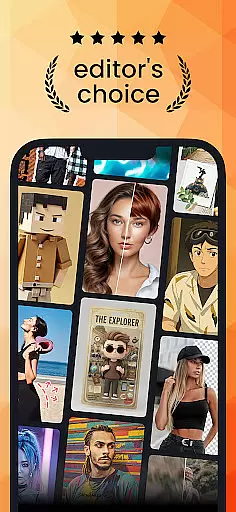
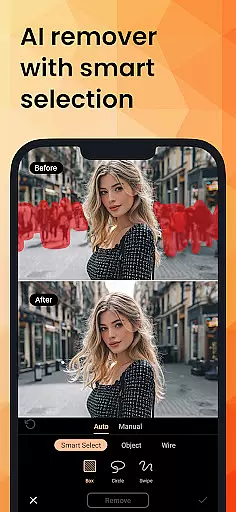
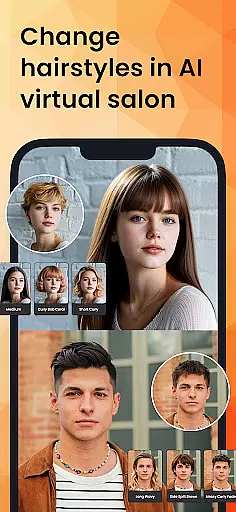
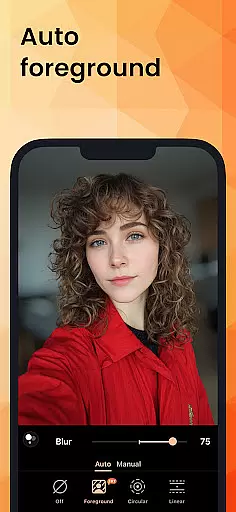
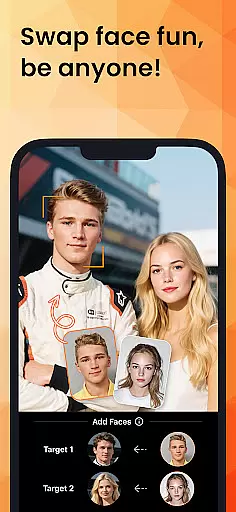
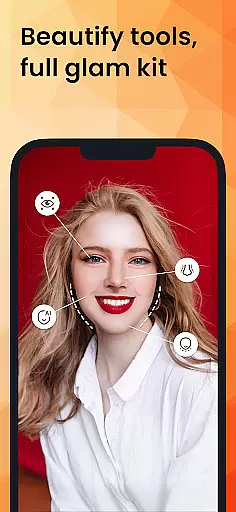
PhotoDirector is an intuitive AI-powered photo editor that empowers users to create and enhance stunning images effortlessly. With hundreds of styles, effects, templates, and tools at your disposal, this app transforms photography into an art form. Its groundbreaking features like AI Removal, AI Expand, and AI Hairstyle allow users to edit photos with precision and creativity.
Whether you're looking to cartoonize artwork, explore aesthetic styles, or generate video from images, PhotoDirector makes it fast and simple. The app supports a wide range of creative possibilities, including AI Face Swap, AI Outfit, and Image to Video, ensuring your photos stand out. Designed for both casual users and professionals, PhotoDirector brings imagination to life while offering advanced tools for detailed editing.
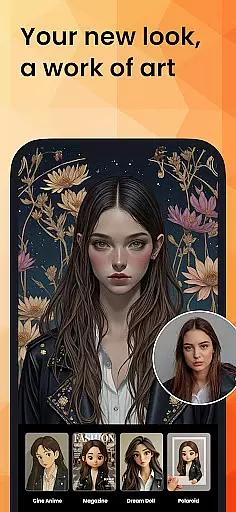
PhotoDirector boasts powerful AI-driven features that cater to all photo editing needs. Tools like AI Art let you turn images into sketches, cartoons, or anime styles, while AI Face Swap allows experimentation with different looks. The AI Hairstyle feature provides endless inspiration by simulating hairstyles in a virtual salon setting.
For routine tasks, the app simplifies editing with Quick Actions, auto-detection, and one-tap enhancements. Advanced options such as AI Background, AI Replace, and AI Enhance ensure professional-grade results. Additionally, users can access thousands of stickers, text styles, frames, and effects to customize their creations further. Premium subscribers enjoy unlimited content packs, Ultra HD 4K resolution saves, and an ad-free experience.
Real-time capture and preview functionality is essential for ensuring that every photo taken meets the user's expectations without delay. PhotoDirector excels in this area by providing an intuitive interface that allows users to see adjustments and enhancements instantly as they edit.
The app leverages advanced AI technologies to offer features like AI Art, AI Hairstyle, and AI Outfit, which transform images into various artistic styles or change elements within the photo seamlessly. This immediate feedback empowers users to make creative decisions on the fly, enhancing their overall photography experience.
With real-time previews of tools such as AI Removal and AI Background, users can erase unwanted objects or change the backdrop of their images effortlessly. The instant visualization of these edits ensures that photographers can fine-tune their work precisely, resulting in professional-quality photos every time.
AI Beauty and Enhancement features are crucial for elevating ordinary photos into extraordinary ones while maintaining a natural look. PhotoDirector stands out with its suite of AI-powered tools designed to enhance portraits without compromising authenticity.
Functions like AI Face Swap and Body Reshape allow users to experiment with different looks, from altering facial features to reshaping body contours, all while preserving realistic proportions. These capabilities ensure that edits appear genuine, avoiding the over-processed appearance common in other photo editing applications.
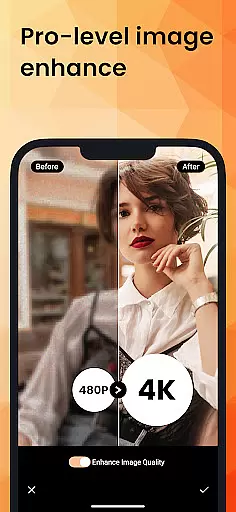
In addition to personalizing selfies, PhotoDirector offers AI Enhance, which automatically repairs low-resolution pictures and removes blur. This feature guarantees that every image retains clarity and detail, making it perfect for sharing on social media or printing in high definition.
User-friendly interface
Advanced AI tools
Versatile editing options
High-quality output
Regular updates
Premium subscription required
Some features are complex
Occasional bugs
Limited free content
Heavy on storage

Trendy TikTok time warp scan funny filter app brings you unique photos & videos.
 4.40
4.40
Virtual makeup, hair filters & body tuner—edit from face to full body!
4.20
Natural Beauty, Selfie Retouch
4.30
Be your best in every shot! Fix, edit and retouch your face in selfies & photos.
3.70
Create Business Headshots, Polaroid Filter, Retake Photos,Profile Pics,AI Photos
4.50
Amazing Photo Effects - The most fun you can have with your photos!
4.70
Photo editor & gallery. Crop pictures & edit photos offline, no wifi!
4.50
Fit multiple photos on one post. Create carousels & scroll layouts for Instagram
4.50
AI-powered video creator by MiniMax - Where ideas meet cinema
4.20
Gallery show photo, video, slideshow, is perfect 3D effect private photo albums.
4.80
Photo editor: AI filters, photo enhancer, pic collage maker, AI art generator.
4.80
PhotoSync Bundle Add-On License. Enables all features and services in PhotoSync.
4.60
AI photo editor with hair editor, retouch tools, hair color changer & filters!
4.50
HD Camera Pro with HD Video shooting, Panorama, Photo editor , Beauty Camera.
4.50
Smart, light, and fast photo and video gallery
4.30
Professional camera app that brings DSLR manual photography controls to Android.
4.20
Gallery Slideshow is slideshow maker app for slideshow from your gallery photos.
3.90
Hair color changer, AI haircut app, fun hair editor and buzz cut filter for all!
3.80
Superimpose one photo on top of another using the original Superimpose app!
3.20


User Reviews