
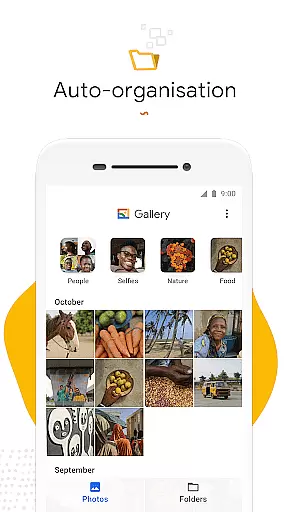
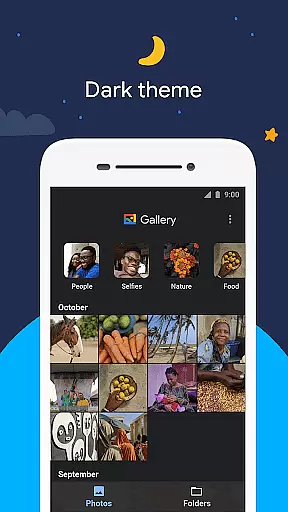
Gallery is a smart and efficient photo and video management app developed by Google. This application offers automatic organization of media files, grouping them into categories such as People, Selfies, Nature, Animals, Documents, Videos, and Movies. With its intuitive interface, Gallery ensures that users spend less time searching for specific images and more time enjoying their memories.
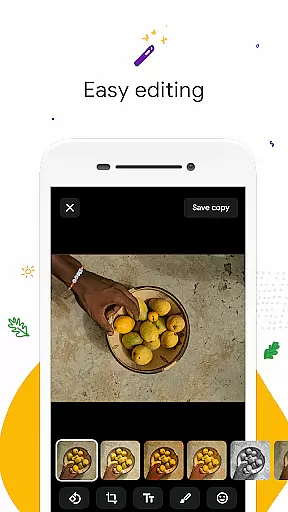
In addition to its organizational capabilities, Gallery provides powerful editing tools like auto-enhance, which allows users to improve their photos with just one tap. The app also supports folder creation and SD card usage, enabling flexible storage options without compromising performance. Its lightweight design ensures minimal memory usage, making it an ideal choice for devices with limited resources.
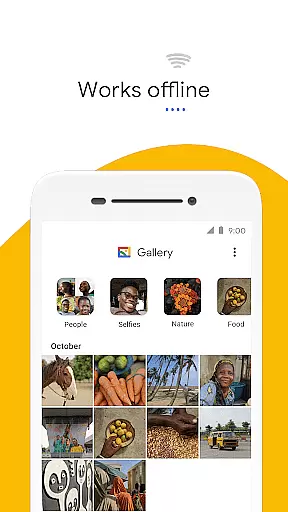
Whether you're looking to optimize your photo library or enhance your images effortlessly, Gallery delivers a seamless experience that works efficiently even in offline mode. This makes it particularly valuable for users who want to manage their media files without consuming excessive data.
Gallery stands out with its comprehensive feature set tailored for optimal photo and video management. One of its key features is automatic organization, which intelligently groups media files each night based on content type. This functionality helps users quickly locate specific images without endless scrolling, thus enhancing productivity and user satisfaction.
The app includes robust editing tools, notably the auto-enhance feature, which simplifies photo improvement with a single tap. Users can achieve professional-looking results without needing advanced skills or additional software. Furthermore, Gallery supports extensive customization through folder creation and seamless integration with SD cards, allowing users to organize and transfer files according to their preferences.
Performance optimization is another hallmark of Gallery. Its small file size ensures that it consumes minimal device memory, thereby maintaining fast operation speeds. Additionally, the app's ability to function effectively offline means users can manage their media libraries without worrying about data usage. These features collectively make Gallery a versatile tool for anyone seeking efficient and reliable photo management.
Real-time capture and preview functionality is essential for ensuring that users can take high-quality photos without any lag or delay. Gallery by Google offers a seamless experience in this aspect, allowing users to see exactly what the camera captures before taking the shot.
The app's interface provides an intuitive way to adjust settings such as exposure, focus, and white balance directly from the preview screen. This ensures that every photo taken meets the user's expectations regarding lighting and clarity.
Additionally, Gallery supports various shooting modes including burst mode and timer shots, which are displayed accurately in real-time on the screen. Users can confidently capture moments knowing they have precise control over their camera settings.
This feature not only enhances the photography experience but also saves time by reducing the need for post-processing adjustments. With Galleryu2019s real-time capabilities, capturing perfect images becomes effortless and efficient.
AI beauty and enhancement features have become increasingly popular among smartphone users looking to improve their selfies instantly. Gallery leverages advanced AI algorithms to offer natural-looking enhancements that preserve the authenticity of each photo.
One standout tool is auto-enhance, which automatically adjusts brightness, contrast, and color balance with just one tap. The result is a polished yet genuine appearance that doesn't look overly edited or artificial.
For more personalized touch-ups, Gallery includes options like skin smoothing and blemish removal. These tools use sophisticated AI models trained to recognize facial features accurately, ensuring edits enhance rather than distort the original image.
By prioritizing naturalness in its AI enhancements, Gallery empowers users to look their best while maintaining true-to-life representations of themselves in every picture captured.
User-friendly interface
Automatic photo organization
Powerful editing tools
SD card support
Lightweight design
Limited offline features
No cloud backup
Fewer filters
Basic video editing
Ads in free version

Remote control of the phone camera from your Wear OS smartwatch
 3.70
3.70
Search, tag and rate your way to an organized image gallery
4.40
An interval timer to automate photo taking process for timelapse
2.90
Photo prints, cards, & gifts at Walgreens. Easy ordering & fast local pickup !
4.80
The #1 app for B&W film developing featuring an advanced darkroom timer.
4.10
Add a dreamy vibe to your selfies and videos with soft style filters
4.2
Fit multiple photos on one post. Create carousels & scroll layouts for Instagram
4.50
Hair color changer, AI haircut app, fun hair editor and buzz cut filter for all!
3.80
Turn photos into cartoons & avatars! - Photo Editor, Cartoon Face!
3.90
Photo editor: AI filters, photo enhancer, pic collage maker, AI art generator.
4.80
Easily create custom gifts, cards, photo books & more on the Shutterfly app!
4.60
Cut and paste photo editor & eraser to customize photos easy and swap faces fun
4.50
HD Camera Pro with HD Video shooting, Panorama, Photo editor , Beauty Camera.
4.50
Effortlessly organize, view and share your photos & videos with Gallery app!
4.40
Photo editor: face & body editor, beauty cam, filters and quality enhancer.
4.00
Photobooth mini FULL app will allow you to add more fun to your parties
4.00
Gallery Slideshow is slideshow maker app for slideshow from your gallery photos.
3.90
Perfect photos with body shaping, BG changer and object remover.
3.70
GCamera allows all GCam features on all phone models! Better photos with GCamera
3.30


User Reviews