
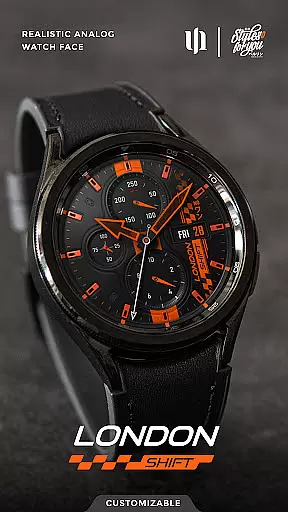
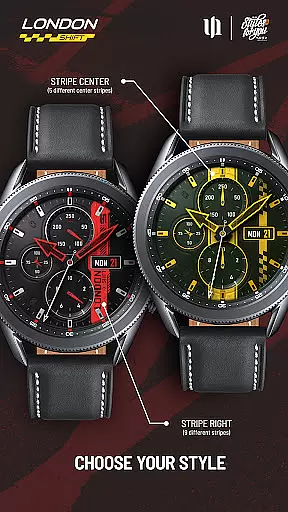
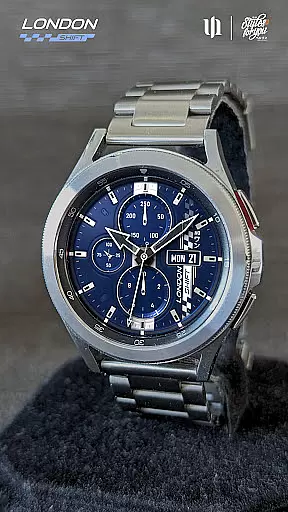
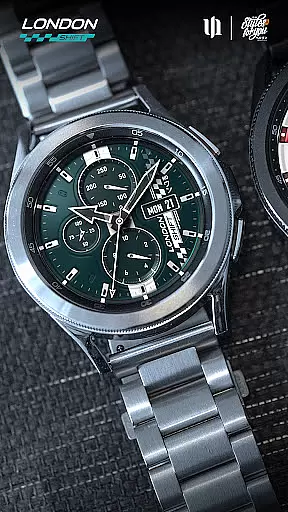
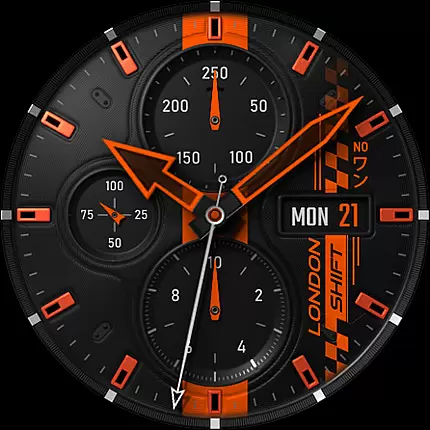
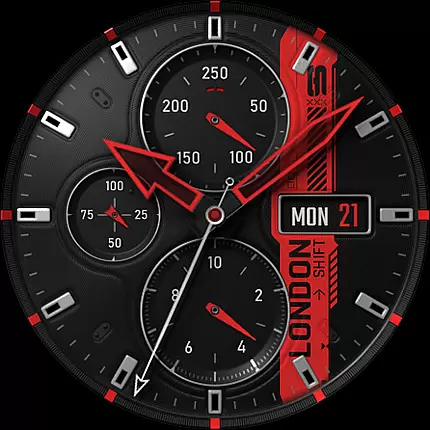
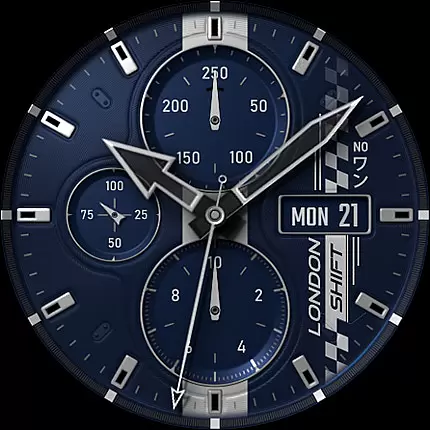
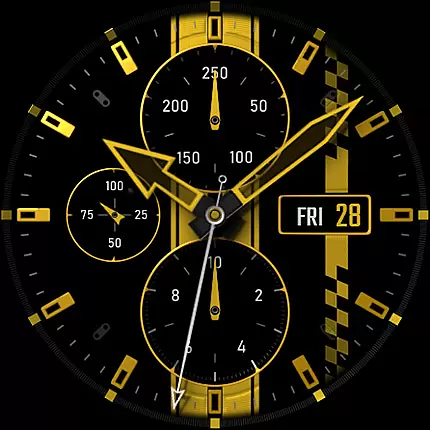
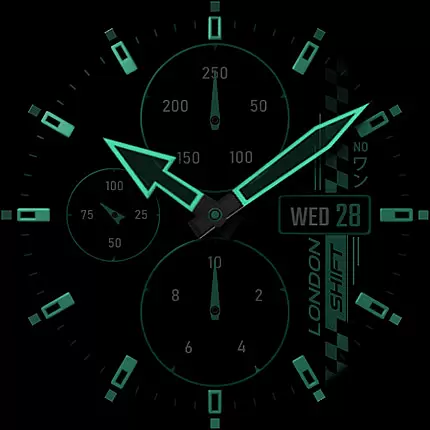
S4U Shift - Analog watch face is a premium Wear OS watch face designed for smartwatches running Wear OS 5 or higher. This highly customizable analog dial offers an ultra-realistic watch experience with its 3D effects and massive color options.
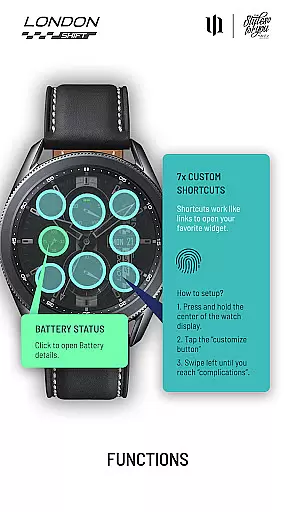
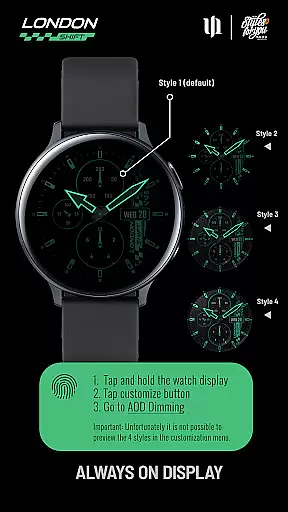
Key features include multiple display zones showing battery status, heart rate, day of the week, and pedometer data. The always-on display (AOD) provides 4 dimming options while maintaining synchronization with the main view. With 7 customizable shortcuts, users can access favorite widgets effortlessly.
Ideal for fitness enthusiasts and professionals who value both style and functionality on their Samsung Galaxy Watch or Google Pixel Watch series devices.
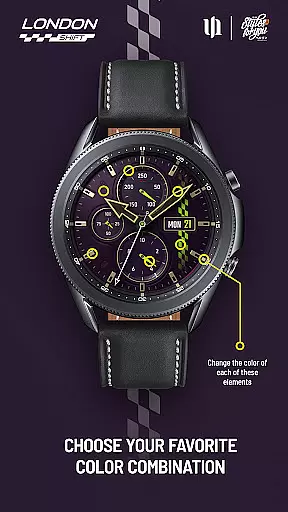
The S4U Shift watch face stands out with its extensive customization capabilities. Users can adjust colors for various elements including background, hands, indexes, and dials through an intuitive interface. The watch face supports up to 13 color options for specific components like stripes and day indicators.
Practical features include tap-to-open battery details, automatic heart rate measurement integrated with health settings, and a unique shortcut setup system. These shortcuts allow quick access to frequently used functions, enhancing usability while maintaining a clean design.
The watch face also implements technical considerations such as AOD optimization to prevent burn-in effects and battery conservation recommendations, demonstrating attention to both aesthetics and device longevity.
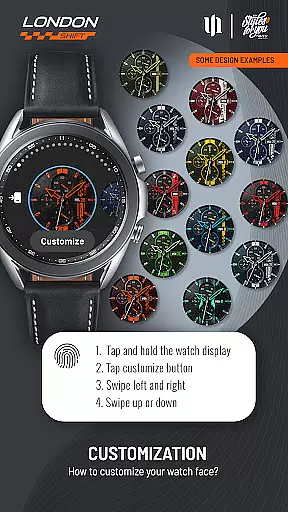
Customization is at the heart of the S4U Shift - Analog watch face, offering users an extensive range of personalization options to tailor their smartwatch experience. With over 70 color customization choices across various elements such as Background, Hands, Indexes, and more, users can truly make their watch face unique.
The app provides multiple ways to adjust the appearance of your watch face. By simply pressing and holding a finger on the display, users can access the adjustment menu. Swiping left or right allows switching between different customizable items, while swiping up or down changes the colors or styles of these elements.
This level of customization ensures that users can match their watch face with personal style preferences or even adapt it to different occasions. The ability to fine-tune every visual aspect makes this app stand out in the realm of personalized Wear OS experiences.
The S4U Shift - Analog watch face is designed with broad theme compatibility in mind, ensuring seamless integration with Wear OS devices running version 5 or higher (Wear OS API 34+). This includes popular models like Samsung Galaxy Watch series and Google Pixel Watch versions.
While maintaining compatibility with various devices, the app preserves its high-quality visual effects and functionalities. Users can expect consistent performance whether they're using a Samsung Galaxy Watch 4 or a Google Pixel Watch 3, thanks to thorough optimization for different hardware specifications.
Moreover, the Always-On Display (AOD) feature works uniformly across supported devices, providing users with four dimming options that help conserve battery life while preventing screen burn-in. Although AOD styles cannot be previewed directly within the customization menu, they remain reliably functional on all compatible devices.
Highly realistic analog display
Extensive customization options
Intuitive shortcut system
Multiple display zones
Always-on display functionality
Wear OS only limitation
Potential battery impact
Complex setup required
Limited AOD preview
Device compatibility issues

A light in the dark, a unique style and an andless cutomization!
 4.30
4.30
3D, live, and moving wallpapers & themes in 4K and HD for your device.
4.50
Run multiple accounts of the same app on a single device
4.10
Ultimate Gallery Lock App - Hide Pictures, Videos and Lock Apps Instantly!
4.60
Transfer your live wallpapers from Windows to Android using Wallpaper Engine!
4.00
Color phone with cool effects for call screen, flash alert & ringtones music
4.50
Transform your device in a game console
4.40
Install amazing sticker packs: endless styles, always cool.
4.70
Transform your phone with stylish zipper lock themes and 4D live wallpaper
4.10
Customizable Glass widgets. Over 360+ stunning widgets and more!
4.70
Art & Emoji Keyboard with Cool Fonts, Cute Themes and Custom Designs.
4.40
Yandex Browser — stylish and secure, with voice search and data compression
4.40
Themes - Widget & Wallpaper: Customize home screen, icon changer w unique themes
4.30
Your home screen, just the way you like it.
4.30
More than 3000+ themes and 9000+ wallpapers for everybody!
4.10
Customizable flower power digital watch face for Wear OS watches.
4.00 3.50
3.50
Struggling to find apps? Use this app to locate and open any app on your phone!
2.20
Prank your friends with realistic broken screen and cracked HD effects!
4.5


User Reviews