
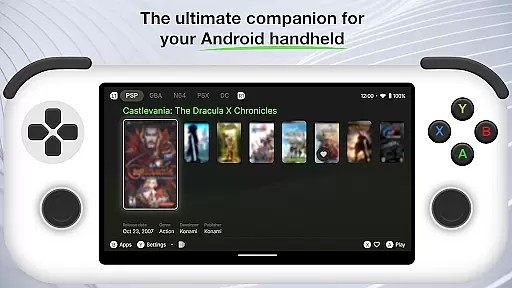
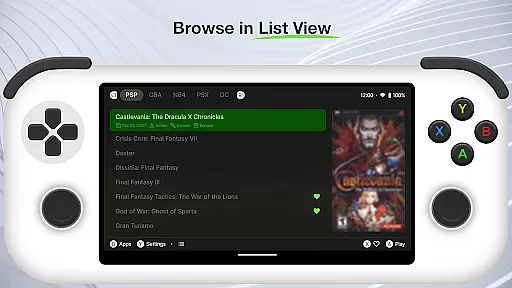
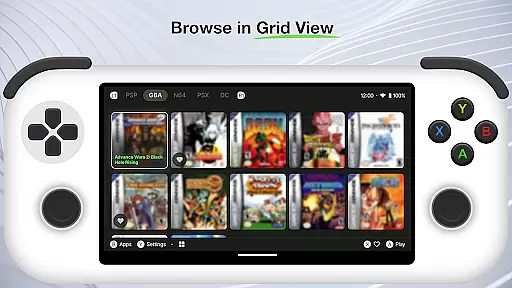
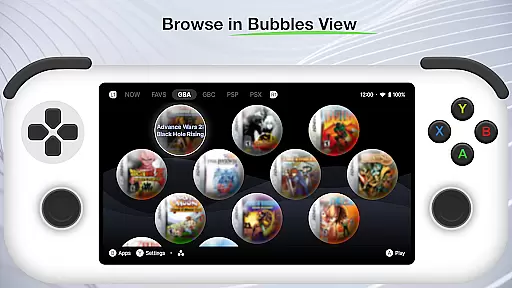
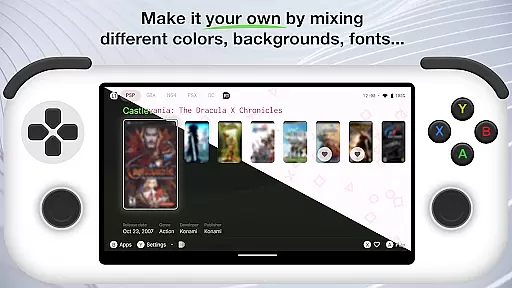
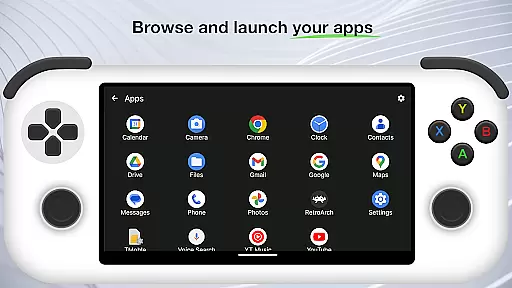
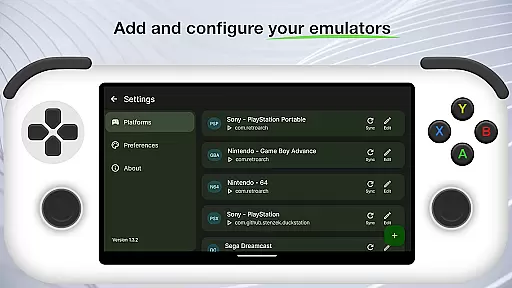
Beacon Game Launcher is a specialized Android launcher that elevates your retro gaming sessions. Designed for enthusiasts who cherish classic games, it provides an organized platform to manage and launch your collection.
This app allows users to integrate their favorite emulators seamlessly. By adding preferred emulators, curating a personal retro game library, and launching games directly from the interface, Beacon enhances accessibility and enjoyment. Additionally, it enriches your library by automatically fetching cover art and metadata, making your gaming archive visually appealing and well-documented.
Whether you're revisiting childhood favorites or exploring new retro titles, Beacon Game Launcher offers a streamlined experience tailored to enhance nostalgia and convenience.
Beacon Game Launcher stands out with its array of features crafted for retro gaming aficionados. The primary feature is its ability to integrate various emulators, allowing users to consolidate their gaming libraries in one place.
Another significant feature is the automatic scraping of cover art and metadata. This function not only beautifies your game library but also organizes it with relevant information, enhancing both usability and visual appeal. Users can easily navigate through their collections, finding games quickly and enjoying enriched details about each title.
The app's user-friendly interface ensures that even those new to retro gaming can efficiently manage their setups. With direct launching capabilities, gamers can jump into their favorite titles without hassle, making every session smooth and enjoyable.
Beacon Game Launcher offers a diverse range of customization options that allow users to tailor their gaming interface according to personal preferences.
The app enables gamers to add their preferred emulators, curate a personalized collection of retro games, and manage them efficiently within a single platform. This level of customization ensures that each user's experience is unique and perfectly suited to their gaming library.
By integrating automatic scraping for cover art and metadata, Beacon enhances the visual appeal and organization of your game collection, making it not just a launcher but a personalized gaming hub.
Theme compatibility in Beacon Game Launcher ensures that users can enjoy a consistent and visually pleasing experience across different Android devices.
While the primary focus is on functionality, the design accommodates various themes which means users aren't constrained by a one-size-fits-all interface. This flexibility allows for an adaptable look and feel that can evolve with user preferences or device upgrades.
Whether you prefer a classic look or something more modern, Beacon's theme compatibility supports a seamless and engaging user experience tailored to individual tastes.
User-friendly interface
Seamless emulator integration
Automatic metadata fetching
Visually appealing design
Streamlined game launching
Limited to retro gaming
No built-in games
Requires emulator setup
Dependent on external sources
Metadata scraping may fail

Ultra realistic gold analog watch face with lots of customization options.
 4.50
4.50
Winter's Journey: digital watch face for Galaxy Watch & Wear OS
4.80
Make your phone look simple & luxury, like iDevice
4.60
Themes - Widget & Wallpaper: Customize home screen, icon changer w unique themes
4.30
Bring adorable pets to life on your screen. Playful, interactive and full of fun
4.60 4.50
4.50
Organize and manage your photos and videos effortlessly with Photo Gallery
4.20
Your home screen, just the way you like it.
4.30
350+ widgets with a premium glass-style finish, perfect for home & lock screens.
4.70
Sparkle your screen with Glitter Wallpapers For Girls and Cute Backgrounds!
4.80
A Colorful and Minimal icon pack in an Outline Style - Over 13,600 icons!
4.70
Zip lock screen with magic wallpaper to decorate your phone with fun zipper lock
4.60
Icons made of colorful linear lines
4.60
Handcrafted pixel art icons, widgets & wallpapers
4.60
300+ widgets inspired by Material You and Material 3 expressive design.
4.60
Wear Os Watch Face - Seasonal - Animated Snow Effect - 9 Animals
4.20
Adult video chat, dating, making friends, random matching
4.20
Adorable pets roam and play right on your phone screen!
3.30
Turn your lock screen into fun with smile live wallpapers & animated wallpapers!
2.50


User Reviews