
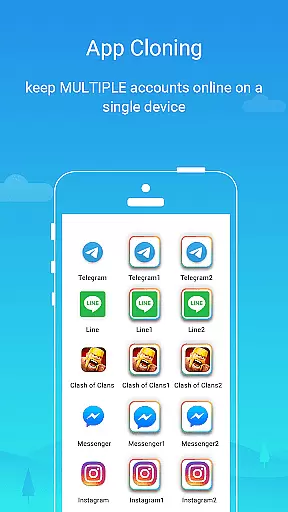
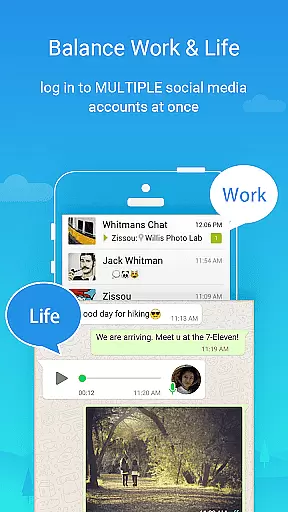
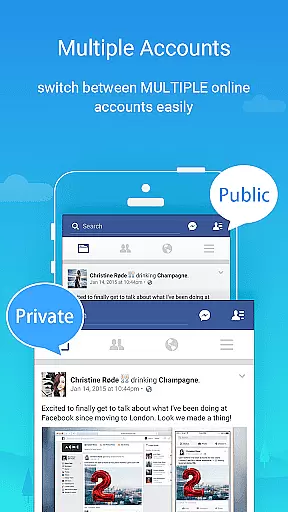
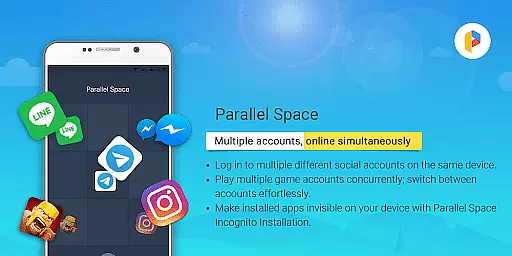
Parallel Space is a powerful Android tool that allows users to clone and run multiple accounts of the same app simultaneously. With over 200 million users, it provides a seamless experience for managing personal and work accounts, exploring different game paths, and keeping each account's data separate and organized.
The app offers enhanced privacy features through its Incognito Installation option, making apps invisible on your device to protect sensitive information. Additionally, Parallel Space supports 24 languages and is compatible with most Android apps, ensuring broad usability across different regions and devices.
Built on multiDroid, the first application virtualization engine for Android, Parallel Space stands out as a unique solution for multitasking and safeguarding user privacy. Whether you need to maintain distinct social media profiles or manage various gaming accounts, this app delivers both functionality and security in one comprehensive package.
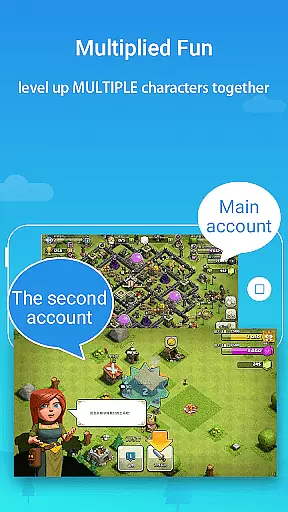
Parallel Space boasts several key features that enhance user experience. First, it enables logging into multiple accounts on one device, which is particularly useful for separating personal and work-related activities. Users can explore different game paths and level up multiple gaming accounts simultaneously, providing an edge in competitive scenarios.
Privacy protection is another highlight, with options like hidden apps and secure lock features. These ensure sensitive apps remain private and inaccessible to unauthorized users. The ability to switch between accounts effortlessly with just a single tap adds convenience and saves time when managing various online identities.
Additionally, Parallel Space offers robust performance with its stable and user-friendly interface. Most resource usage comes from the apps running inside Parallel Space, allowing users to monitor specific consumption through settings such as 'Storage' and 'Task Manager'. This transparency helps optimize device performance while maintaining ease of use.
Parallel Space offers a wide array of customization options that allow users to tailor their experience according to their needs. This app cloning tool enables the management of multiple accounts, providing flexibility for both personal and professional use.
Users can maintain separation between various accounts such as social media, gaming, or work-related apps. The ability to explore different game paths or level up multiple gaming accounts simultaneously showcases its versatility in catering to diverse user preferences.
The app also features Incognito Installation, which adds an extra layer of customization by making apps invisible on the device. This function not only enhances privacy but also gives users control over who can view their apps.
With support for 24 languages and compatibility with most Android apps, Parallel Space ensures that its customization options are inclusive and accessible to a global audience. This makes it a powerful tool for users seeking to optimize their device's potential while keeping their information organized and secure.
Theme compatibility is a crucial aspect of Parallel Space's functionality, ensuring that cloned apps retain the look and feel of their original versions. This seamless integration provides a consistent user experience across all managed accounts.
Parallel Space's built-in multiDroid technologyu2014the first application virtualization engine for Androidu2014guarantees stable performance and visual continuity. Users can switch between multiple accounts effortlessly, without experiencing discrepancies in themes or interfaces.
Moreover, the app safeguards sensitive information through secure lock features while preserving theme elements. This dual focus on security and design ensures that users enjoy both privacy and familiarity when using their customized setups.
Despite some limitations due to policy or technical constraints, Parallel Space remains committed to delivering a reliable service. By continuously updating its system, it maintains high standards of theme compatibility, offering users peace of mind alongside an intuitive interface.
User-friendly interface
Enhanced privacy controls
Supports multiple languages
Compatible with many Android apps
Effortless account switching
Some apps not supported
Requires necessary permissions
Resource-intensive
Notifications may require whitelist
Free plan limitations

A light in the dark, a unique style and an andless cutomization!
 4.30
4.30
Wear Os Watch Face - Seasonal - Animated Snow Effect - 9 Animals
4.20
A launcher for Samsung Good Lock and Good Guardians modules without ads
4.70
Try creating your own keyboard with "Keyboard theme for android" app now!
4.50 4.50
4.50
Customize your home screen with stunning themes, blur, widgets & icons.
4.60
Icons made of colorful linear lines
4.60
Struggling to find apps? Use this app to locate and open any app on your phone!
2.20
Create unique, fun emojis with Funny Emoji Maker! Unlimited creativity!
4.00
Sparkle your screen with Glitter Wallpapers For Girls and Cute Backgrounds!
4.80
One 8 icons glass color version
4.80
Ultra realistic high quality analog watch face for Wear OS.
4.60
Bring adorable pets to life on your screen. Playful, interactive and full of fun
4.60
3D, live, and moving wallpapers & themes in 4K and HD for your device.
4.50
Adult video chat, dating, making friends, random matching
4.20
Unleash Your Creativity and Connect with Loved Ones with Lockscreen Drawing!
4.20 4.10
4.10
Ultimate widget creator. Design custom widgets for a truly unique home screen!
3.90
Prank your friends with realistic broken screen and cracked HD effects!
4.4


User Reviews