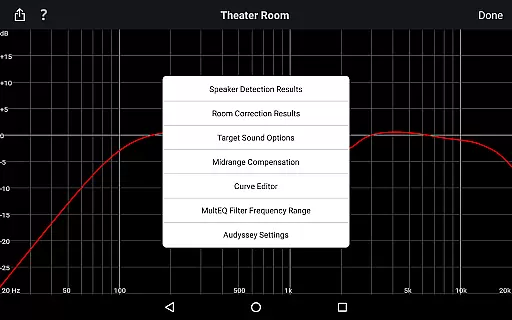
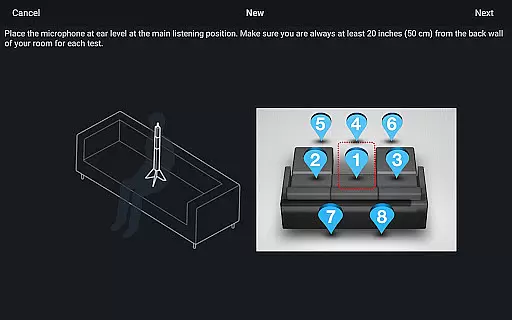
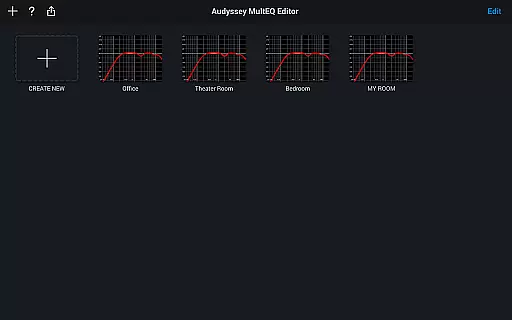
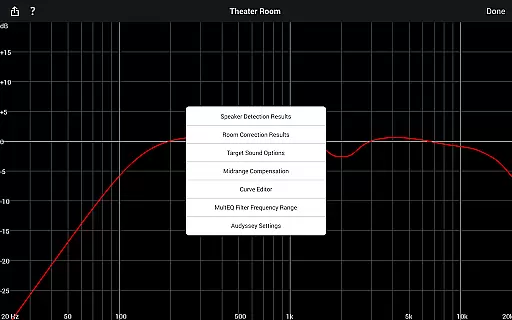
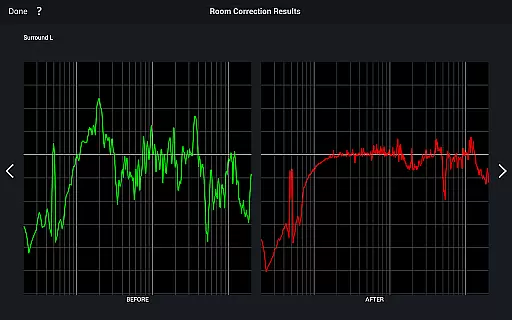
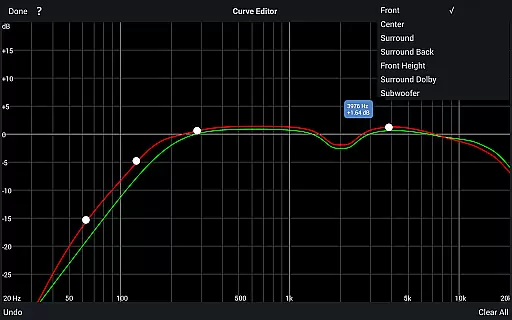
The Audyssey MultEQ Editor app is a powerful tool for audio enthusiasts who want to fine-tune their home cinema sound. Designed for use with specific Denon and Marantz AV receivers, this app allows users to go beyond the standard calibration process by providing detailed control over system settings.
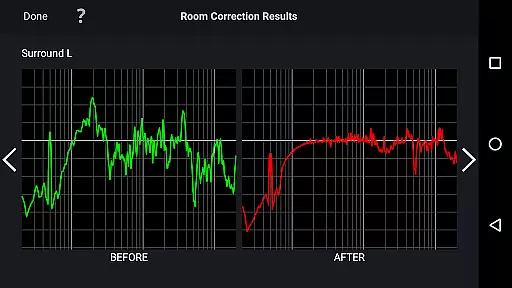
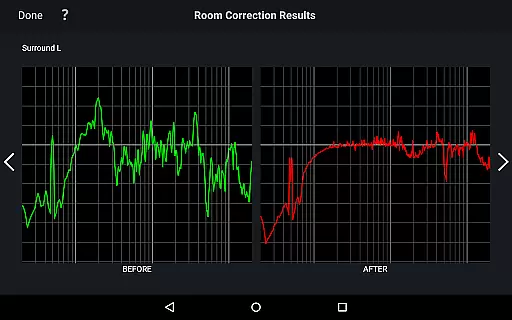
With features like speaker detection results, before-and-after calibration views, and customizable target curves, the app empowers users to address room-specific acoustic issues. It also supports multi-language functionality and works on Android devices running OS 5.0 or higher, making it accessible to a global audience.
This level of customization is particularly valuable for home theater owners who want to achieve professional-grade audio performance tailored to their unique listening environment.
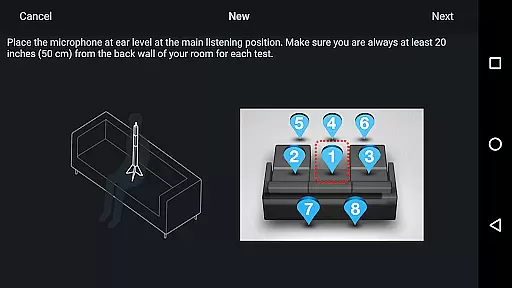
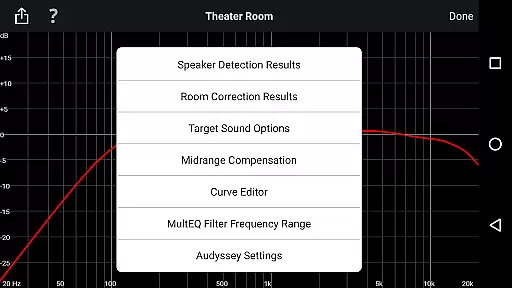
The Audyssey MultEQ Editor app offers an impressive range of features that cater to both casual listeners and audio purists. Users can view detailed speaker detection results to ensure proper installation and compare calibration results to identify room-related sound issues.
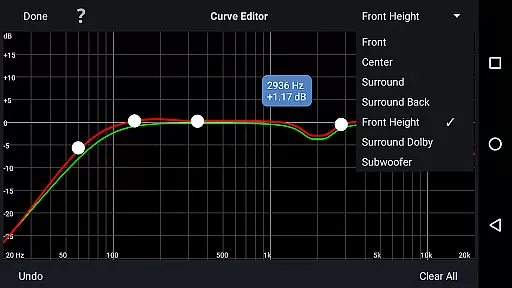
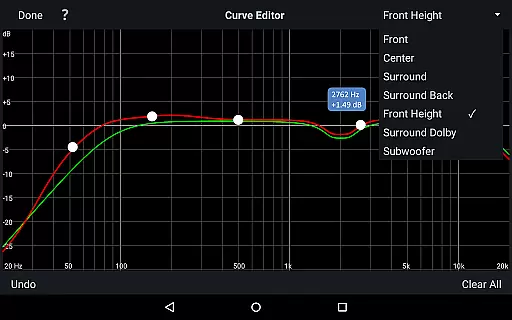
Advanced editing capabilities include adjusting the Audyssey target curve for each channel pair, modifying EQ frequency rolloff, and switching between two high-frequency rolloff target curves. The app also allows enabling or disabling midrange compensation for brighter or smoother sound.
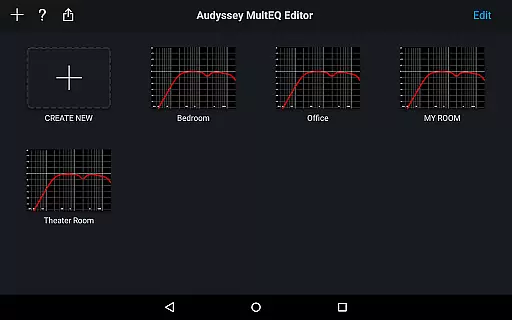
Additional practical features include saving and loading calibration results, multi-language support, and compatibility with various Android devices. These comprehensive tools make it easier than ever to achieve precise sound customization.
The Audyssey MultEQ Editor app does not focus on providing a music library but rather specializes in audio calibration and tuning. However, it is deeply integrated with Denon and Marantz AV receivers, which support various audio formats and streaming services. This ensures that users can enjoy high-quality audio playback from their preferred music sources.
While the app itself doesn't manage a music library, its compatibility with specific AV receiver models allows users to access extensive music libraries through those devices. The app enhances the listening experience by enabling precise sound adjustments tailored to room acoustics and personal preferences.
Regarding copyright authenticity, the app complies with industry standards and legal requirements. It ensures that all audio processing features are designed to respect the integrity of original audio content while allowing users to fine-tune settings. This commitment to quality and compliance provides peace of mind for users who demand both performance and legality in their audio solutions.
One of the standout features of the Audyssey MultEQ Editor app is its ability to provide advanced audio quality options. Users can edit the Audyssey target curve for each channel pair, adjusting the overall EQ frequency rolloff to suit their tastes. This level of customization ensures that every aspect of the sound can be finely tuned to achieve optimal audio quality.
The app also allows users to switch between two high-frequency rolloff target curves, enabling them to make the sound brighter or smoother based on their preferences. Additionally, midrange compensation can be enabled or disabled, offering further control over the tonal balance. These features collectively contribute to an unparalleled audio experience tailored to individual listening environments.
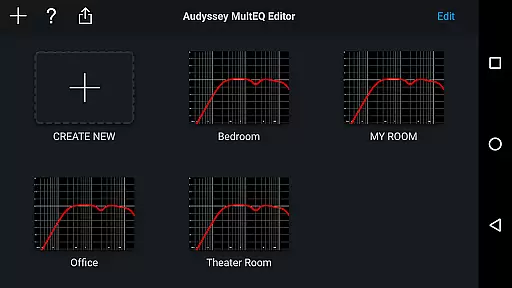
Furthermore, the app supports saving and loading calibration results, ensuring consistent audio quality across different listening sessions. By harnessing these powerful tools, users can maintain a high standard of audio fidelity, whether they're enjoying music, movies, or other forms of media. This dedication to audio excellence makes the Audyssey MultEQ Editor app an indispensable tool for audiophiles seeking the best possible sound reproduction.
Highly customizable
User-friendly interface
Multi-language support
Detailed calibration options
Wide device compatibility
Limited device support
Requires specific hardware
No iOS version available
Complex for beginners
Paid app only

 4.70
4.70
10-Band Audio Equalizer, Sound / Bass Booster for Spotify Users & Music Players
4.40
Performance-Synthesizer & Multi-Track-Sequencer, polyphonic + multi timbral!
4.70
Powerful beat maker & DJ mixer to remix tracks, make music, & perform DJ mix
3.70
The original SP-1200 experience on your iPad
4.20
Powerful 10-Band equalizer pro with sound booster improves Android audio quality
4.30
The iconic iOS metronome app is now on Android.
3.70
MilkDrop for Android TV
3.00
Customize Your Favorite Songs and Videos with booster.
4.70
JBL PartyBox APP works with 110/310/710/120/320/520/Encore/Encore 2/Encore Ess 2
4.80
The best music and audio player, with beautiful UI, music search and equalizer.
4.60
Offline Music Player&MP3 Player with themes, equalizer, lyrics, music play mode
4.60
Formerly known as Spotistats! View your top tracks, artists, albums and more!
4.40
Your HD audio recorder on the go for music, meetings, ambience, animal sounds…
4.30
The alternative folder based music player.
4.20
Next generation modular control surface
4.10
Turn your phone into a musical instrument from the future!
3.90
Offline Tunes, Unlimited Vibes
3.90
Simple mp3 and mp4 player with advanced features.
3.40


User Reviews