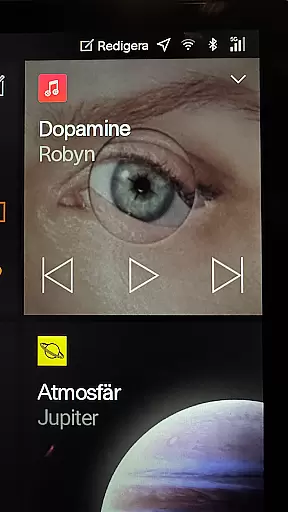
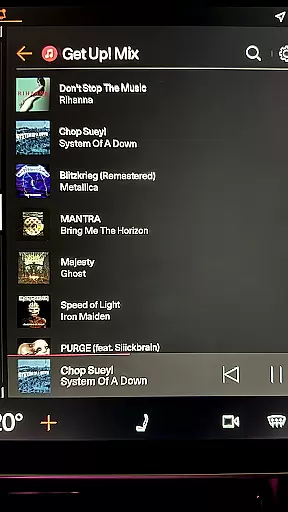
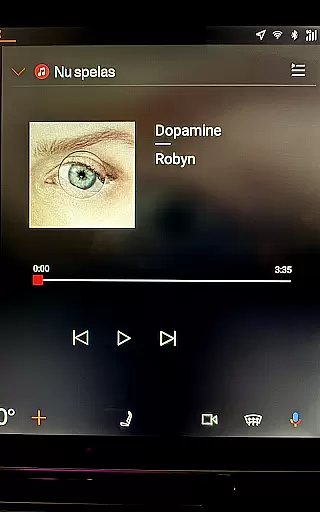
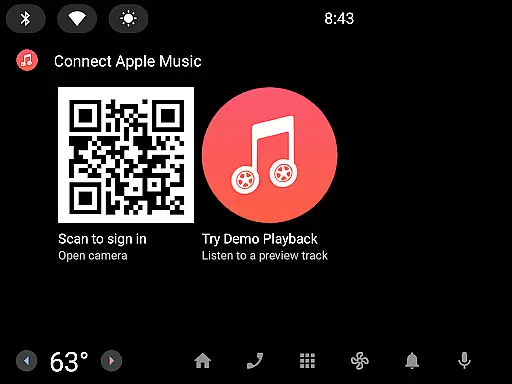
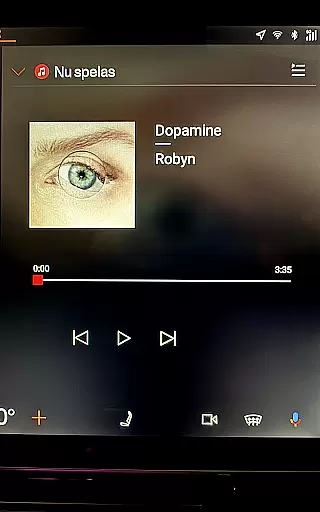
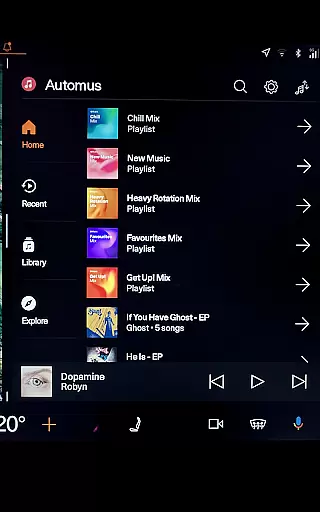
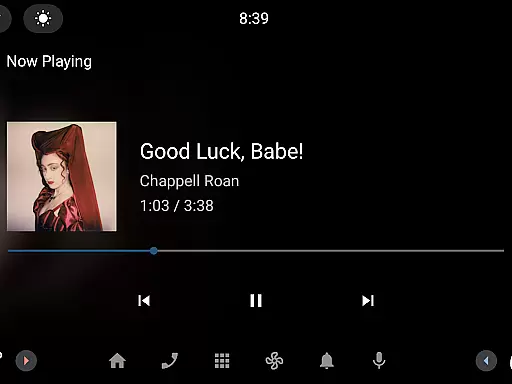
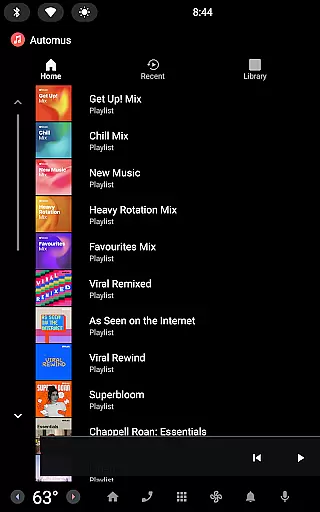
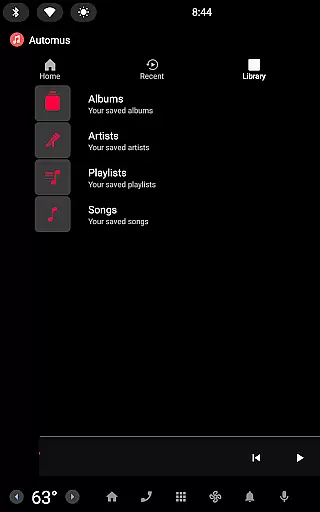
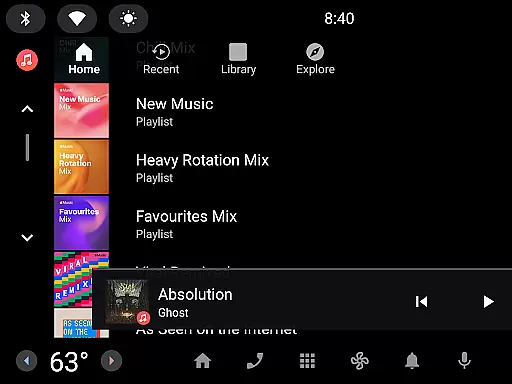
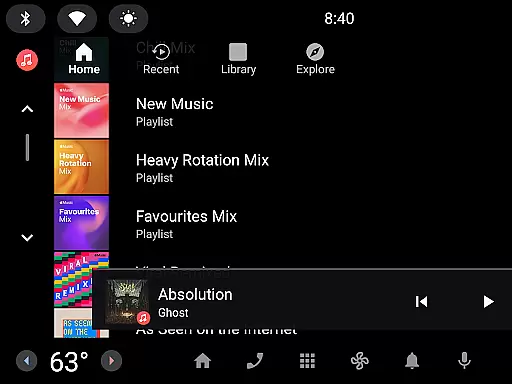
Automus is a revolutionary music application that brings the complete Apple Music experience to Android Automotive dashboards. Designed specifically for drivers, it offers a seamless and distraction-free interface that allows users to access their entire music library, curated playlists, and millions of songs without needing a smartphone. The app features personalized recommendations, recently played tracks, and fast search capabilities across an extensive music database.
What sets Automus apart is its optimization for in-car use, with playback controls and smart queue management accessible via steering-wheel buttons or touchscreen. It also supports session persistence, allowing users to resume playback where they left off. With secure QR code authentication, active Apple Music subscription integration, and compliance with privacy standards, Automus ensures a smooth, secure, and enjoyable driving experience.
Automus stands out with its comprehensive feature set tailored for drivers. The app provides quick and secure login through QR code authentication, ensuring user data remains protected while simplifying the connection process with Apple Music. Once connected, users gain full access to their Apple Music library, including albums, playlists, and individual songs, all optimized for in-car entertainment systems.
Additional standout features include personalized recommendations based on listening habits, fast search functionality across millions of tracks, and smart queue management for uninterrupted playback. The interface is thoughtfully designed for both steering-wheel controls and touchscreens, offering intuitive navigation. Session persistence ensures users can pick up right where they left off, even after turning off the car. These innovations make Automus a top choice for enhancing the driving experience with high-quality audio content.
Automus provides access to over 100 million ad-free songs through the official Apple Music API, ensuring a vast and diverse music library for users. This extensive collection includes personalized playlists and complete libraries, all curated to deliver an unparalleled listening experience.
The app guarantees copyright authenticity by using Apple's official channels, meaning every track is legitimate and fully licensed. This not only ensures high-quality audio but also supports artists and creators by adhering to legal distribution methods.
For users, this means enjoying their favorite music with peace of mind, knowing that they are accessing a legal and comprehensive music database. The assurance of copyright compliance enhances trust and reliability, making Automus a dependable choice for Apple Music enthusiasts.
Automus delivers superior audio quality options, leveraging the advanced capabilities of the Apple Music service. With support for high-definition audio formats, listeners can enjoy crystal-clear sound that captures every detail of their favorite tracks.
The app optimizes audio playback for the car environment, ensuring that sound quality remains consistently excellent even at higher speeds or in varying driving conditions. This attention to audio fidelity transforms the daily commute into an immersive auditory experience.
Users benefit from customizable audio settings that cater to individual preferences, whether they prioritize bass, treble, or balanced sound profiles. These options allow for a personalized listening experience that adapts to different musical genres and moods.
Seamless Apple Music integration
Optimized for driving
Secure QR code login
Smart queue management
Personalized recommendations
Requires Android Automotive
Needs Apple Music subscription
No offline mode available
Limited to ARM processors
Initial phone setup required

Time Guru will strengthen your internal sense of musical time via random muting.
 4.30
4.30
The ultimate media player for Android devices
3.90
Music Streaming suite for Ampache, Nextcloud Music and compatible backends.
4.5
AI Music Maker: Generate And Compose AI Tunes & AI Songs & AI Music & AI Melody!
4.60
Enjoy singing any song, no matter how high or low it is
4.30
Help you quickly get started with Shokz headphones
4.40
Offline Music Player&MP3 Player with themes, equalizer, lyrics, music play mode
4.60
Learn the notes on the guitar fretboard fast with this easy and fun app
4.60
Be a true music maker: create beats, mix and make music like a real DJ!
4.30
Your song collections with lyrics and chords on Android smartphones and tablets.
4.80
Gorgeous UI, Powerful music Search and Equalizer, the great choice for you!
4.70
Pay Once, no monthly payment
4.60
DJ Music Mixer - DJ Remix: remix songs, make beat music & record mix of DJ.
4.40
Your HD audio recorder on the go for music, meetings, ambience, animal sounds…
4.30
The Music Journey in Your Hands
4.30
Network/Cloud Streaming, Visualization, Graphic Equalizer and Sound Effects.
4.20
Permanently backup Now Playing. Maps, filters & listening stats.
4.00
Offline Tunes, Unlimited Vibes
3.90
Powerful beat maker & DJ mixer to remix tracks, make music, & perform DJ mix
3.70


User Reviews