
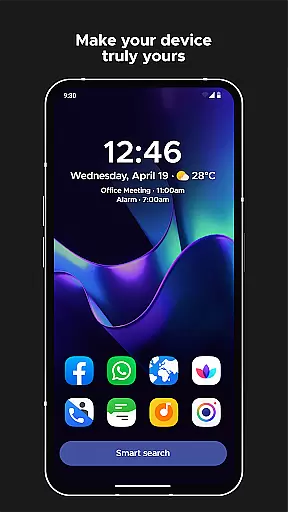
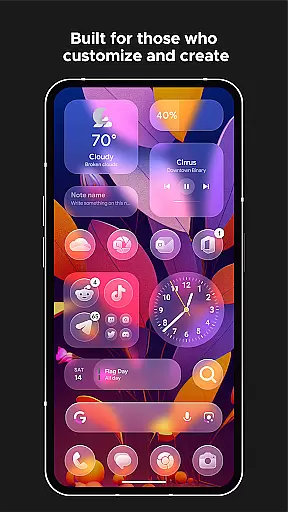
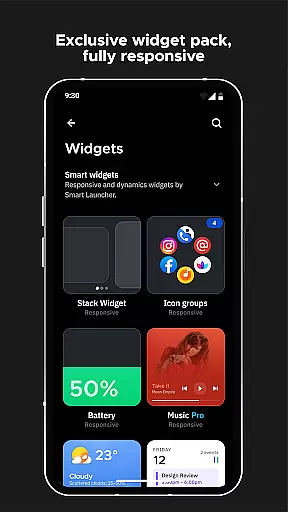
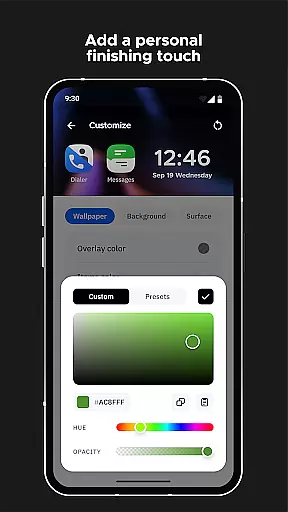
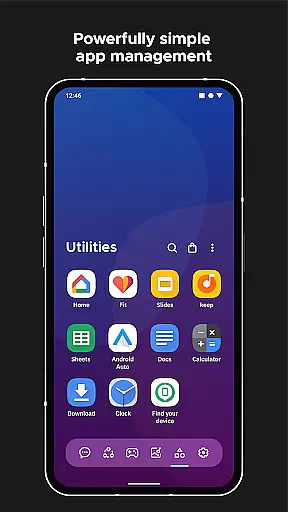
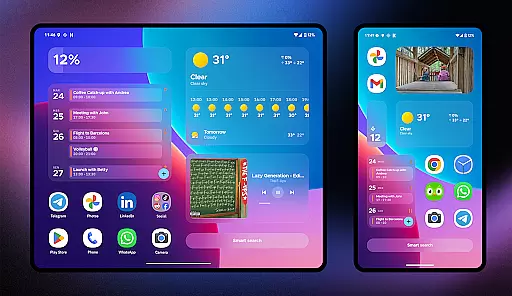
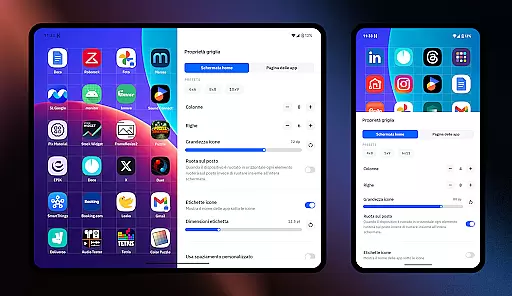
Smart Launcher 6 is a cutting-edge home screen replacement app designed to enhance the Android experience. It introduces an innovative interface that automatically organizes apps into categories, saving users from manual sorting. The app's adaptive design ensures optimal usability with features like one-handed operation and responsive widgets.
This launcher stands out with its ambient theme engine that dynamically matches the color scheme to your wallpaper, creating a visually cohesive experience. With powerful customization options, users can modify every aspect of the UI including colors and fonts. The built-in smart search functionality provides quick access to apps, contacts, and web searches.
Ideal for productivity-focused users, Smart Launcher streamlines daily device interactions through intelligent features such as gesture controls, on-screen notifications, and ultra-immersive mode. These capabilities make it particularly valuable for users seeking both aesthetic appeal and functional efficiency in their Android devices.
Smart Launcher 6 distinguishes itself through several key features that redefine Android personalization. Its automatic app sorting system intelligently categorizes applications, eliminating the need for manual organization while maintaining logical groupings. This feature has been recognized as so effective that similar functionality was later adopted by iOS.
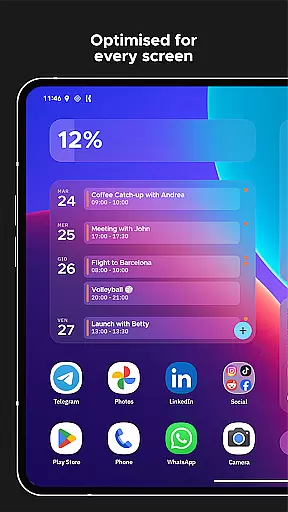
The launcher's ambient theme technology automatically adjusts interface colors to complement your chosen wallpaper, ensuring consistent visual harmony. Its one-handed optimization places essential interactive elements strategically at the bottom of the screen for easy reach. The inclusion of fully responsive built-in widgets provides dynamic information without cluttering the home screen.
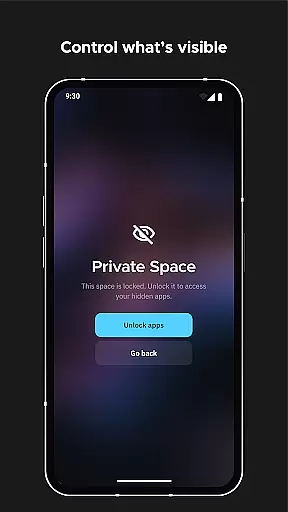
Advanced customization options allow users to modify every UI element's color and select from thousands of Google Fonts for home screen text. Security-conscious features include app protection with PIN codes, while productivity enhancements come through gestures, hotkeys, and notification indicators. These comprehensive features create a personalized yet efficient home screen experience.
Smart Launcher 6 offers an extensive range of customization options that allow users to tailor their home screen to their personal preferences. This includes the ability to modify every single color within the theme, unlocking infinite possibilities for color combinations.
The launcher supports adaptive icons, a feature introduced with Android 8.0 Oreo, which is available for any Android device. This means not only customizable shapes but also larger and more visually appealing icons.
Users can change fonts on the home screen by choosing from thousands of options available through Google Fonts. This level of customization ensures that each user's experience is unique and matches their style or mood.
With these comprehensive customization features, Smart Launcher 6 empowers users to create a personalized and intuitive home screen environment that enhances usability and reflects individuality.
Theme compatibility in Smart Launcher 6 ensures a seamless integration with various Android devices and versions. The launcher automatically adjusts its theme colors to match the user's wallpaper, providing a cohesive and aesthetically pleasing visual experience.
This dynamic theming extends across all elements of the home screen, including widgets and icons, maintaining visual consistency regardless of the user's choice of wallpaper or theme colors.
Furthermore, Smart Launcher's support for adaptive icons ensures that icon shapes are not only consistent but also compatible with different device resolutions and screen sizes. This compatibility enriches the user interface without compromising performance or visual quality.
By prioritizing theme compatibility, Smart Launcher 6 delivers a versatile and responsive home screen solution that adapts to each user's unique device specifications and aesthetic preferences.
Automatic app sorting
Ambient theme matching
One-handed optimization
Responsive built-in widgets
Extensive customization
Premium version cost
Learning curve present
Occasional bugs
Device compatibility
Feature complexity

A Colorful and Minimal icon pack in an Outline Style - Over 13,600 icons!
 4.70
4.70
AI-powered Copilot. Personalized keyboard with gifs, stickers & themes
4.40
100+ Stylish Fonts, Emojis, Symbols keyboard for Instagram & TikTok!
4.80
Color phone with cool effects for call screen, flash alert & ringtones music
4.50
Launcher OS™ Pro without ads help make your phone simple and pretty
4.30
Create unique, fun emojis with Funny Emoji Maker! Unlimited creativity!
4.00
set a new experience for the Android mobile phone
4.20
Customize phone with anime themes, 3D icons, aesthetic widgets & wallpapers
4.80
Your home screen, just the way you like it.
3.80
Vertically oriented rectangular icons
4.70
350+ widgets with a premium glass-style finish, perfect for home & lock screens.
4.70
Classic analogue watch face. For wear os devices.
4.60
Bring adorable pets to life on your screen. Playful, interactive and full of fun
4.60
300+ Beautifully crafted widgets inspired by OneUI.
4.60
3D, live, and moving wallpapers & themes in 4K and HD for your device.
4.50 4.50
4.50
Run multiple accounts of the same app on a single device
4.10
Customizable flower power digital watch face for Wear OS watches.
4.00
HappyLighting is a Bluetooth lamp control software.
3.40


User Reviews