
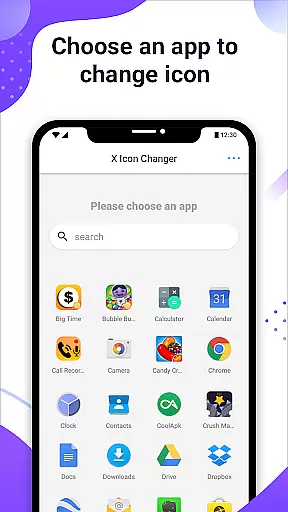
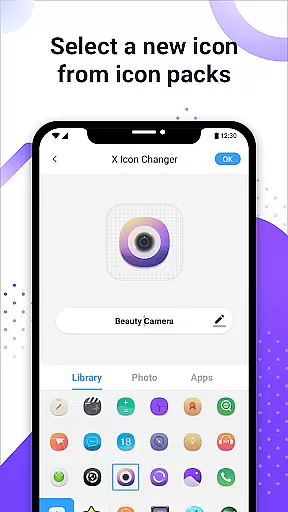
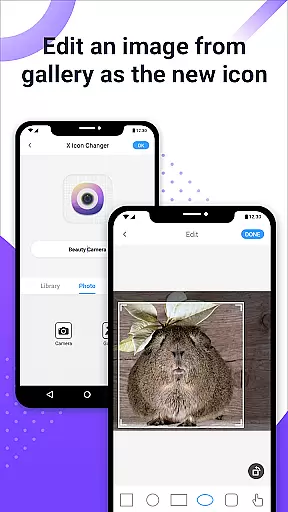
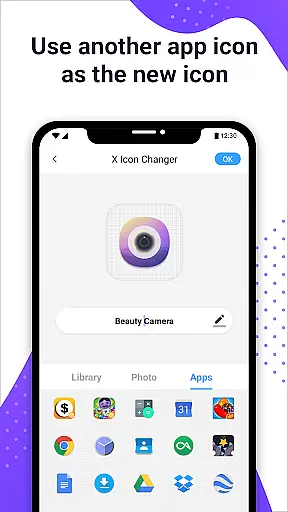
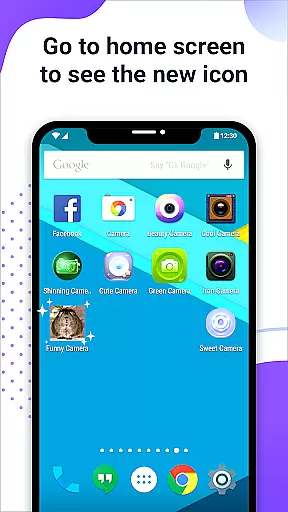
X Icon Changer is a free app designed to help users customize and change icons for any application on their Android devices. With this tool, you can select new icons from various sources including gallery images, other app icons, and personalized icon packs.
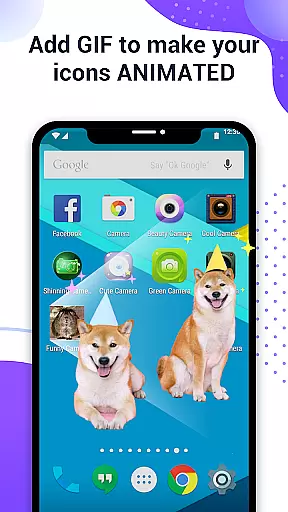
The app creates shortcuts with the new icons on your home screen, allowing you to easily decorate and personalize your phone's appearance. Additionally, it offers an innovative feature that lets you add GIF animations to play when launching apps through these customized icons.
For devices running Android 8.0 or higher, X Icon Changer provides a method using widget technology to avoid system-generated watermarks on shortcut icons, ensuring a seamless customization experience without any visual disruptions.
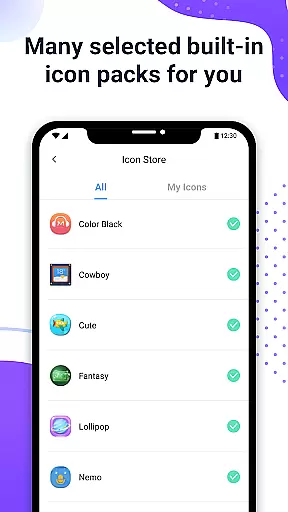
X Icon Changer stands out with its comprehensive set of features tailored for personalizing app icons. Firstly, it allows users to choose from built-in icon packs, gallery photos, existing app icons, or third-party icon packs, providing extensive options for customization.
A unique aspect is the ability to edit app names during the process, giving further control over how apps appear on your device. Moreover, adding GIF animations to app launches enhances interactivity and fun.
For those concerned about aesthetics on newer Android versions, the widget-based solution ensures watermark-free icon changes by leveraging desktop widgets instead of traditional shortcuts, maintaining a clean look across all supported platforms.
X Icon Changer offers a diverse range of customization options, allowing users to personalize their app icons effortlessly. The application provides built-in icon packs and supports third-party icon selections, ensuring that every user can find an option that suits their style.
Users have the flexibility to choose new icons from various sources including the phone's gallery, other app icons, or personalized icon packs. This versatility ensures that your Android device reflects your unique personality and preferences.
The ability to edit app names adds another layer of customization, giving users complete control over the appearance of their home screens. Whether you want to rename apps for better organization or purely for aesthetic reasons, X Icon Changer makes it simple and intuitive.
Additionally, the feature to add GIFs to app icons introduces an element of fun and creativity. When launching an app with a custom GIF icon, users are greeted with an engaging animation, enhancing the overall user experience.
Theme compatibility is a crucial aspect of X Icon Changer, ensuring that all customized icons blend seamlessly with various Android themes. This compatibility allows users to maintain a cohesive look across their devices, regardless of the theme they choose to apply.
The app addresses potential issues with watermarks on Android 8.0 and above by offering a widget-based solution. By using the X Icon Changer widget, users can place watermark-free icons directly on their home screens, preserving the visual integrity of their chosen themes.
This innovative approach not only enhances the aesthetic appeal but also maintains consistency in design language across different applications and system interfaces. Users can enjoy a uniform appearance without compromising on functionality or visual quality.
With its robust support for multiple icon sources and dedication to theme harmony, X Icon Changer stands out as a comprehensive tool for personalizing Android devices while ensuring optimal compatibility and performance.
User-friendly interface
Extensive icon choices
Customizable app names
GIF animation support
Watermark-free options
Limited iOS compatibility
Requires manual updates
Occasional bugs reported
Third-party pack dependency
Widget setup complexity

Realistic animated snow on your wrist, with 10 images landscapes to choose from
 4.00
4.00
3D, live, and moving wallpapers & themes in 4K and HD for your device.
4.50
Personalize your phone with stunning HD and 4K wallpapers!
4.70
Try creating your own keyboard with "Keyboard theme for android" app now!
4.50
Customize glowing edges, wallpapers, and caller screen with EdgeAura.
3.50
Choose your keyboard with RGB colors effect, themes, fonts, emojis.
4.60
Stylish Pink Cute Hippo keyboard with 10000+ customized keyboard themes!
4.60
300+ Beautifully crafted widgets inspired by OneUI.
4.60
Your home screen, just the way you like it.
3.80
Winter's Journey: digital watch face for Galaxy Watch & Wear OS
4.80
A Colorful and Minimal icon pack in an Outline Style - Over 13,600 icons!
4.70
300+ Stunning and well-designed widgets inspired by NOTHING.
4.70
A retro cartoon style watch face and a punch right in the face of the copyright
4.60
Unique Android Launcher
4.60
Transform your device in a game console
4.40
A light in the dark, a unique style and an andless cutomization!
4.30
Create unique, fun emojis with Funny Emoji Maker! Unlimited creativity!
4.00
Emoji Maker app - Design custom emojis and effortlessly blend them with Mixer
3.80
Interactive Miniature Painting Catalogue
3.30


User Reviews