
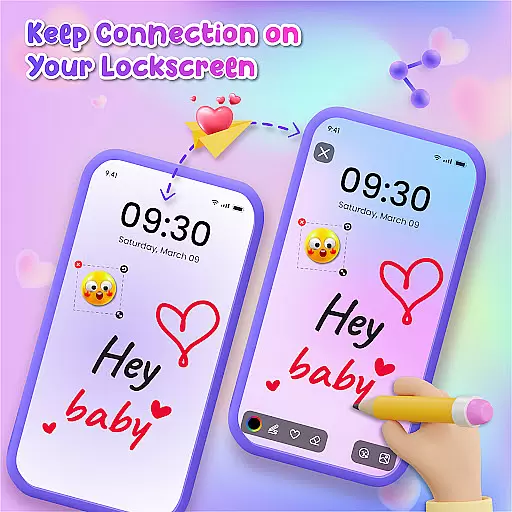
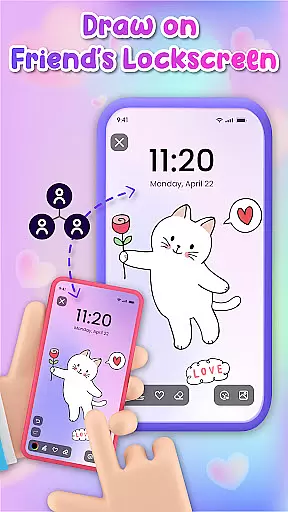
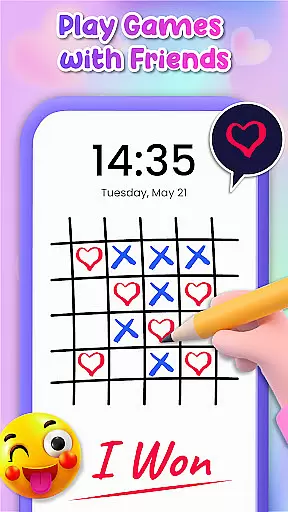
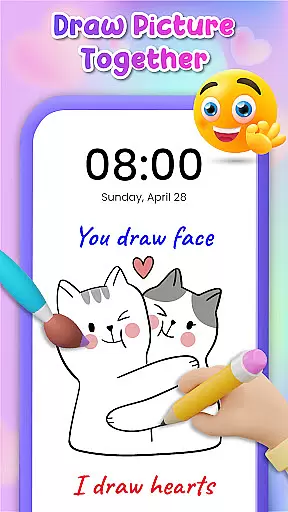
Lockscreen Drawing is a unique personalization app that transforms your phone's lock screen into an interactive canvas. This innovative application allows users to draw directly on their lock screens, share creations instantly with friends, and collaborate on artwork in real-time.
The app offers multiple drawing options including lock screen doodling, widget-based interactions, and an in-app canvas feature. Users can choose from various backgrounds and utilize over 100 free stickers to enhance their creations. The app particularly appeals to those seeking creative expression and novel ways to connect with loved ones through digital art.
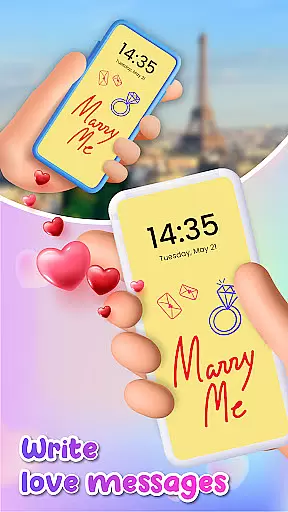
Perfect for both casual doodlers and artistic couples, Lockscreen Drawing enables users to create personalized messages and artwork visible every time they unlock their phones. This makes daily device unlocking a more engaging and emotionally connected experience.
Lockscreen Drawing stands out with its innovative live collaboration features. The app's signature functionality lets users draw simultaneously on each other's lock screens, creating shared artwork that appears in real-time across devices.
Beyond basic drawing capabilities, the app provides advanced customization options. Users can select from 20+ themed backgrounds or use personal photos as canvas backdrops. The comprehensive sticker library contains over 100 unique elements, allowing for detailed personalization of each creation.
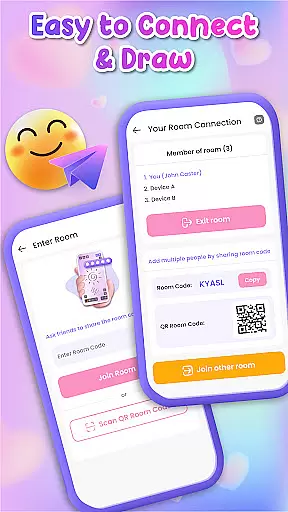
Additional notable features include multiple connection methods using QR codes or special links, a convenient widget for quick access to friends' latest drawings, and easy saving/sharing options for completed artworks. These features combine to create a versatile platform for creative expression and social connection through digital art.
Lockscreen Drawing offers a rich array of customization options that allow users to personalize their lock screens like never before. With over 100 unique stickers and more than 20 themed backgrounds, the app provides endless possibilities for creative expression.
The ability to choose from various backgrounds, including personal photos or pre-designed themes, ensures that every user can find the perfect canvas for their artistic endeavors. This feature not only enhances visual appeal but also allows individuals to reflect their personality through their device's appearance.
Moreover, the inclusion of diverse stickers adds an extra layer of fun and individuality to each creation. Users can incorporate these elements into their drawings, making every piece uniquely theirs. Such extensive customization empowers users to transform their lock screens into dynamic works of art.
Theme compatibility is a standout feature of Lockscreen Drawing, ensuring seamless integration with different visual styles and preferences. The app supports a wide range of themes, allowing users to maintain aesthetic consistency across their devices while enjoying personalized content.
This compatibility extends beyond mere visual harmony; it enhances user experience by enabling smooth transitions between different themes without losing any customizations. Whether you prefer romantic backdrops or whimsical designs, the app adapts effortlessly to your chosen style.
Furthermore, this flexibility encourages experimentation with various themes, fostering creativity and exploration. By maintaining high standards of theme compatibility, Lockscreen Drawing guarantees that all artistic creations remain visually cohesive and engaging, regardless of the selected theme.
User-friendly interface
Real-time collaboration
Versatile drawing tools
Extensive sticker collection
Creative connection methods
Limited professional tools
Potential battery drain
Privacy concerns
Occasional glitches
Learning curve

Art & Emoji Keyboard with Cool Fonts, Cute Themes and Custom Designs.
 4.40
4.40
Shimeji adds cute animated characters to your screen, lively and fun.
4.70
Run multiple accounts of the same app on a single device
4.10
Adaptive Dot Style IconPack with Light & Dark Theme.
3.70
Customize your home screen with stunning themes, blur, widgets & icons.
4.60
Embrace the Night. Unleash the power of darkness with Raven Dark Icon Pack
4.60
300+ Stunning and well-designed widgets inspired by NOTHING.
4.70
Magic fluids wallpaper 4D: Relax with stunning fluid simulation wallpaper app
4.20
set a new experience for the Android mobile phone
4.20
Nothing Icon pack with more than 3750+ highly crafted icons.
4.70
A retro cartoon style watch face and a punch right in the face of the copyright
4.60
Aesthetic Widgets, HD Wallpapers, Themes in Mico Widget for Home and Lock Screen
4.50
Yandex Browser — stylish and secure, with voice search and data compression
4.40
Unique Fonts, typefaces and stylish text. Fonts for Instagram, Whatsapp & others
4.20
Transfer your live wallpapers from Windows to Android using Wallpaper Engine!
4.00
Ultimate widget creator. Design custom widgets for a truly unique home screen!
3.90
Your go to Weather App & Home Screen. Get your weather at a swipe of a finger!
3.80
Transform your phone with stunning video wallpapers and a unique, personal touch
3.80
Customize glowing edges, wallpapers, and caller screen with EdgeAura.
3.50


User Reviews